
Introduction

Digital files have become an important part of everyday life. Photos, videos, documents, school projects, business files, and other important data are often stored on computers and smartphones. However, keeping everything on a single device can create problems when the device becomes damaged, lost, or runs out of storage space. Cloud storage provides a practical way to keep files available online while reducing dependence on local storage.
The Best Cloud Storage Services allow users to upload files to secure online servers and access them through different devices. Depending on the provider, users may also receive features such as automatic synchronization, file sharing, backup options, collaboration tools, and different storage plans.
Choosing the right service depends on storage requirements, security features, compatibility, pricing, and ease of use.
What Is Cloud Storage?
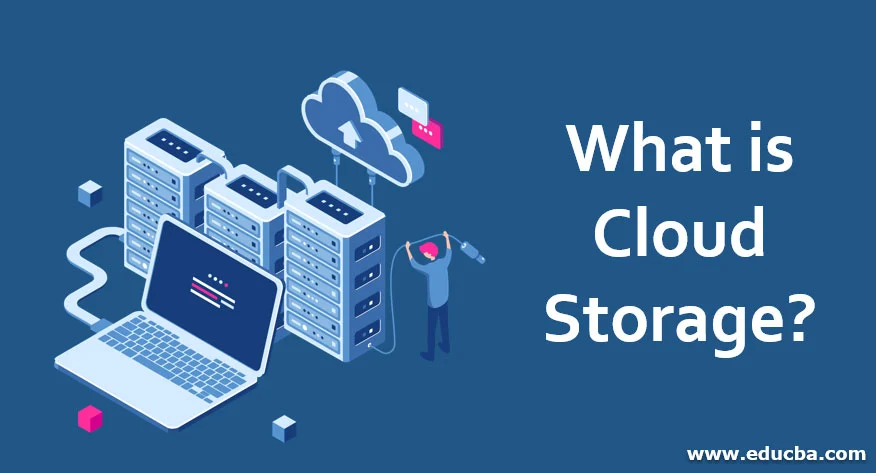
Cloud storage is an online storage system that allows users to save digital files on remote servers instead of relying only on a computer, phone, or external drive. The files can normally be accessed through an internet connection using a web browser or dedicated application.
Cloud storage can be useful for individuals, students, professionals, and businesses. For example, a user can upload important documents from a computer and later access them from a smartphone. This makes files easier to manage across multiple devices.
Another useful feature is synchronization. When synchronization is enabled, changes made to a file on one connected device can be reflected on other devices. This can make working with documents and other files more convenient.
Why Use the Best Cloud Storage Services?
One major advantage of cloud storage is accessibility. Instead of carrying an external storage device everywhere, users can access supported files through their online accounts.
Cloud storage can also help with data organization. Files can be placed into folders and arranged according to projects, dates, subjects, or other categories.
Another benefit is sharing. Many cloud platforms allow users to share individual files or folders with other people. Depending on the service, users may be able to control whether recipients can view, comment on, or edit shared content.
Cloud storage can also support backup strategies. Keeping an additional copy of important data away from a primary device can reduce the risk associated with hardware failure or accidental file deletion. However, cloud storage should not automatically be considered a complete backup solution. Users should understand how a particular service handles deleted, changed, or synchronized files.
Key Features to Compare
Before selecting a cloud storage platform, it is useful to compare several important features.
Storage Capacity
Storage capacity is one of the first things to check. Free plans may provide a limited amount of space, while paid plans generally offer larger capacities.
Users should estimate how much space they actually need instead of selecting a plan based only on the largest available storage option.
Security
Security is especially important when storing personal or professional information online. Look for services that provide strong account protection, encryption, secure connections, and useful privacy controls.
Users should also enable multi-factor authentication when it is available. A strong, unique password provides another important layer of account protection.
File Synchronization
Synchronization allows files to remain consistent across supported devices. This feature is particularly useful for people who regularly move between a desktop computer, laptop, tablet, and smartphone.
Before choosing a provider, check which operating systems and devices are supported.
File Sharing
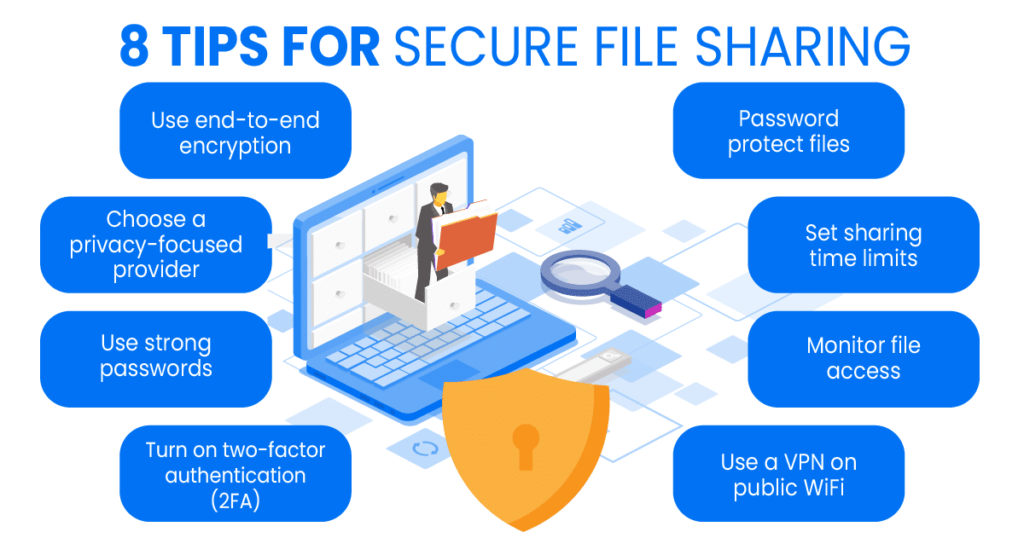
If you frequently send documents, photos, or other files to other people, sharing features can make cloud storage more useful. Check whether the service allows links, permissions, expiration options, or collaborative editing.
Backup and Recovery
Some services provide features designed to recover deleted files or previous versions. These options can be valuable when a file is accidentally changed or removed.
However, retention periods and recovery capabilities vary between providers, so users should check the specific terms of their selected plan.
Popular Types of Cloud Storage
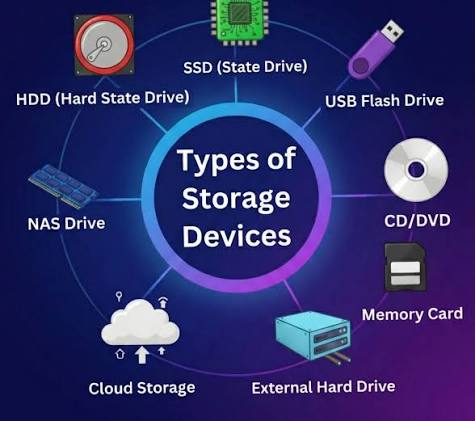
There are several categories of cloud storage services, and each can suit different needs.
Personal Cloud Storage
Personal cloud storage is designed for individual users. It can be used for photos, documents, videos, personal projects, and everyday files.
These services generally focus on simple interfaces, device synchronization, sharing, and convenient access.
Business Cloud Storage
Business-oriented storage platforms often provide additional administrative and collaboration features. Companies may use them to manage team files, control access, and support employees working from different locations.
Business plans may also include centralized management tools and additional security controls.
Cloud Backup Services
Cloud backup services focus more heavily on protecting data than on everyday file sharing. They may automatically back up selected folders or devices according to a schedule.
This can be useful for users who want a separate copy of important information in case their primary device experiences a problem.
How to Choose the Right Cloud Storage
The right service depends on your personal requirements. Start by calculating approximately how much data you need to store. Someone saving mostly documents may need considerably less space than someone regularly storing high-resolution videos.
Next, consider the devices you use. A service that works smoothly across your computer and smartphone can provide a better experience than one with limited compatibility.
Security should also be considered before uploading sensitive information. Review account protection, encryption practices, sharing controls, and privacy settings.
Price is another factor, but it should not be the only deciding point. A low-cost plan may not provide enough storage or features for long-term requirements.
Finally, consider usability. A service with an attractive price can still be inconvenient if uploading, organizing, synchronizing, or sharing files is difficult.
Tips for Using Cloud Storage Safely
Cloud storage is convenient, but users should still follow basic security practices.
Use a strong password that is not reused across other accounts. Enable multi-factor authentication whenever possible. Avoid sharing sensitive files through public links unless necessary.
Review shared folders and account permissions regularly. Remove access that is no longer required, especially when working on temporary projects.
It is also wise to maintain copies of extremely important files in more than one location. Cloud storage can be an important part of a backup strategy, but relying on a single storage location can still create unnecessary risk.
Advantages and Limitations

The main advantages of cloud storage include convenient access, easier sharing, synchronization, scalable storage, and reduced dependence on physical storage devices.
However, cloud storage also has limitations. Internet access may be required for certain tasks, storage plans can have limits, and some advanced features may require payment. Privacy and account security also depend partly on how the user manages the account.
Understanding these advantages and limitations helps users make a more informed decision.
Conclusion
The Best Cloud Storage Services can make digital file management easier by providing online access, synchronization, sharing, and storage options. Whether you need space for personal documents, photographs, school projects, or professional files, there are different types of services designed for different requirements.
Before choosing a provider, compare storage capacity, security, synchronization, sharing, recovery options, compatibility, and pricing. Most importantly, select a service that matches your actual storage needs and use strong account-security practices.
With careful selection and responsible usage, cloud storage can become a useful part of a modern file-management and data-protection strategy.
1. What are the Best Cloud Storage Services?
The best service depends on your storage needs, security requirements, device compatibility, sharing features, and budget.
2. Is cloud storage safe?
Cloud storage can provide strong security features, but users should also use unique passwords, multi-factor authentication, and appropriate sharing settings.
3. Can cloud storage replace a physical hard drive?
Cloud storage can reduce the need for physical storage, but keeping an additional copy of important files can provide extra protection.
4. How much cloud storage do I need?
It depends on the type and amount of data you store. Documents generally require less space than large collections of photos and videos.
5. Can I access cloud files from my phone?
Most major cloud storage platforms provide mobile applications or browser access, allowing supported files to be accessed from smartphones and tablets.