

What Is a Password Manager?
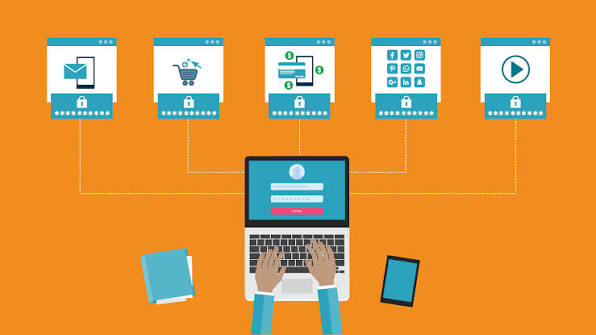
A Password Manager is a security tool designed to store and organize your login information in one protected location.Rather than memorizing every login credential, you can use a single master password to access your securely stored account details.
Many people use the same password across multiple websites because remembering unique passwords can be difficult. This practice can leave your online accounts more vulnerable to security threats. If one website suffers a data breach and your password is exposed, attackers may try the same credentials on your other accounts.
A password manager helps solve this problem by allowing you to create and store different passwords for different accounts.
How Does a Password Manager Work?
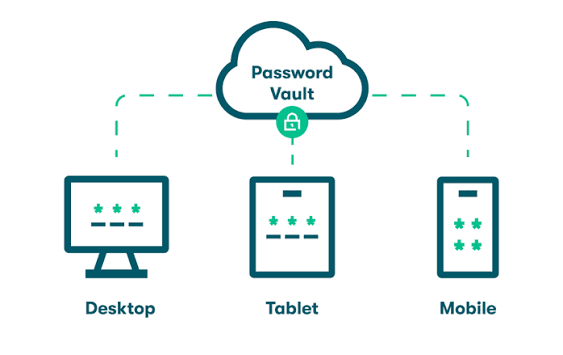
A password manager generally stores login information inside an encrypted vault. When you need to sign in to a website or application, the tool can automatically fill in your username and password.
Many current password management tools can automatically create complex, unpredictable passwords. These passwords may contain a combination of uppercase and lowercase letters, numbers, and special characters.
Depending on the service, your encrypted password vault may also be synchronized between computers, smartphones, and tablets. This allows you to access your credentials when you need them without manually copying passwords.
Why Should You Use a Password Manager?
Managing passwords manually becomes difficult as the number of online accounts increases. Email, banking, shopping, social media, work, and entertainment services may all require separate credentials.
Using a password manager provides several advantages.
Stronger Passwords
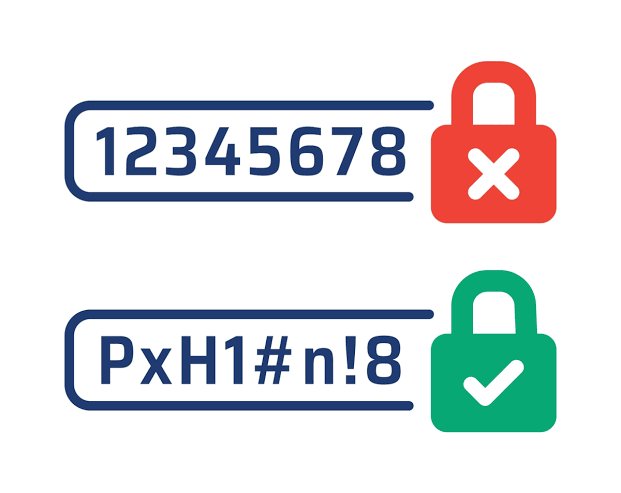
A password generator can create long and unpredictable passwords that are difficult for attackers to guessYou don’t have to remember each individual password, as the manager securely saves your login credentials for you.
Unique Passwords for Every Account
Using a different password for each account reduces the damage caused by a single compromised password. If one login is leaked, your other accounts can still have separate credentials.
Convenient Login Management
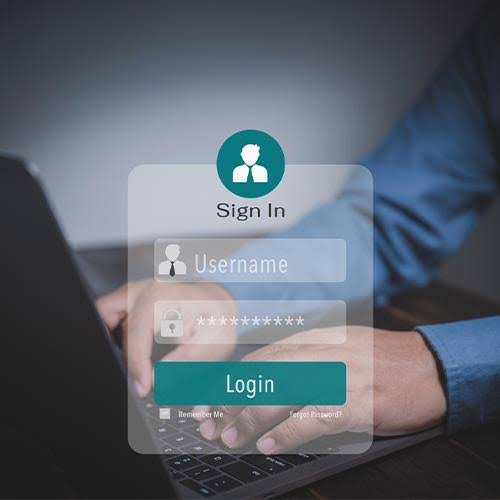
Instead of repeatedly typing complicated passwords, you can use autofill features to enter login details quickly. It makes logging in more convenient and eliminates the need to store passwords in unsecured notes or files.
Secure Password Storage
A reputable password manager uses encryption and other security measures to protect stored credentials.Even so, choose a strong master password and activate extra protection options whenever they are offered.
What Makes a Good Password Manager?
Not every password management tool offers exactly the same features. Before choosing one, consider the following factors.
Strong Encryption
Strong security features should be a top priority when selecting a password manager. . Look for a service that uses modern encryption to protect stored information.
Multi-Device Support

If you regularly use a computer and smartphone, choose a password manager that works across your preferred devices and operating systems.
Password Generator
A built-in generator can make it easier to create unique passwords without manually thinking of complicated combinations.
Two-Factor Authentication
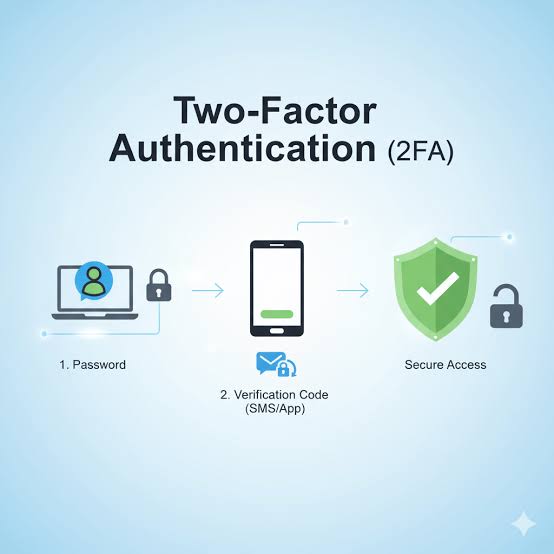
Two-factor authentication adds another layer of protection. Even if someone discovers your master password, an additional verification step can make unauthorized access more difficult.
Secure Sharing
Some password managers provide options for safely sharing selected credentials with family members, colleagues, or trusted users without exposing the entire password vault.
How to Choose a Password Manager
Start by identifying what you actually need. If you only have a few accounts, a simple solution may be sufficient. People managing many personal and professional accounts may benefit from advanced features such as synchronization, secure sharing, password auditing, and emergency access.
Price is another consideration. Some services provide free plans, while others charge monthly or yearly fees for premium features.
Before selecting a service, review its security practices, supported platforms, recovery options, and privacy policies.
Is a Password Manager Safe?
A password manager can significantly improve password security, but no technology should be considered completely risk-free.
The master password is especially important because it protects access to the password vault. Choose a long, unique master password that you do not use anywhere else.
You should also enable multi-factor authentication when the service supports it. Keep your devices updated and avoid entering your master password on suspicious websites or applications.
Common Password Manager Mistakes
Even with a password manager, users can make mistakes that weaken their security.
A frequent security mistake is choosing an easily guessable master password Another is reusing the same master password elsewhere.
Users should also avoid storing sensitive information in insecure notes or sharing their entire password vault with other people.
Make sure your account recovery details are stored securely as well. Losing access to your password manager account without having a suitable recovery method can make account restoration difficult.
Password Manager vs Browser Password Storage
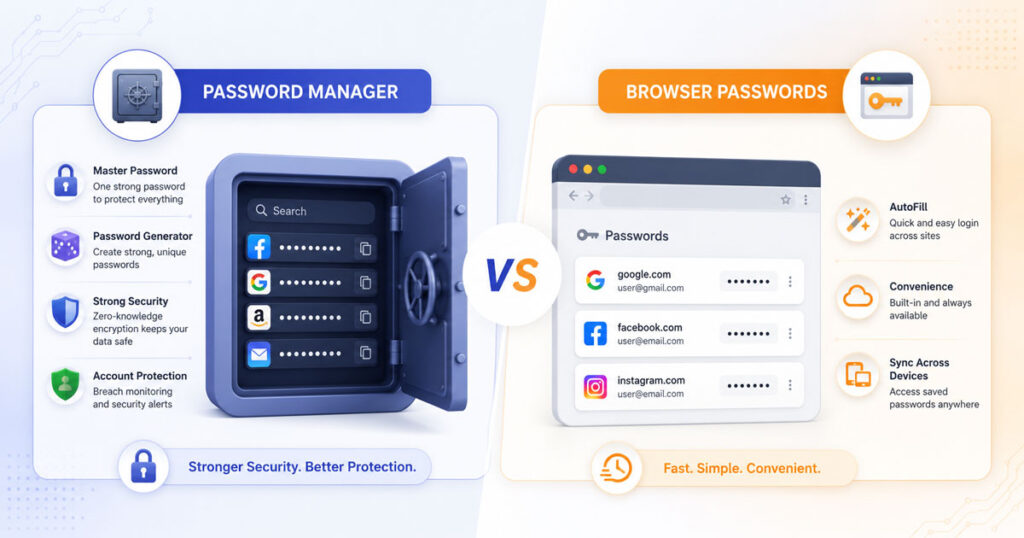
Modern web browsers can save passwords and automatically fill login forms. This option can make everyday password management easier for users.
Dedicated password managers, however, may offer additional features such as advanced password generation, secure sharing, broader device support, password health reports, and specialized security controls.
The right option depends on your requirements, devices, and preferred security features.
Best Practices for Password Security
Using a password manager works best when combined with good security habits.
Create a dedicated master password for your vault and keep it private. Enable multi-factor authentication whenever possible.
Assign a different password to each of your essential online accounts. . Pay particular attention to email, financial, cloud storage, and social media accounts because unauthorized access to these services can expose additional personal information.
Regularly review saved credentials and replace passwords when there is a reason to believe an account may have been compromised.
Be careful with phishing messages as well. A password manager cannot protect you if you voluntarily provide your credentials to a fraudulent website.
Frequently Asked Questions
What is a password manager used for?
A password manager is used to securely store, organize, generate, and fill passwords and other login information.
Should You Use a Different Password for Each Website?
Yes. Unique passwords reduce the risk of multiple accounts being compromised if one password is exposed.
Do You Have to Memorize Every Password?
No. With a password manager, you generally only need to remember your master password while the application handles the other stored credentials.
Can a password manager generate strong passwords?
Yes. Many password managers include password generators that can create long and random combinations.
Are free password managers useful?
Some free options can provide useful password storage and generation features. Compare their security features, supported devices, limitations, and privacy practices before choosing one.
What happens if I forget my master password?
Recovery options vary between services. Some provide account recovery methods, while others are designed so that the provider cannot recover your vault. Check the recovery policy before relying on a particular service.
Conclusion
A Password Manager can make online security easier by helping users create unique passwords, store credentials securely, and manage logins across different devices. Instead of relying on memory or reusing simple passwords, you can maintain separate credentials for your online accounts.
For the best protection, choose a reputable password management service, create a strong master password, enable multi-factor authentication, and keep your devices updated. Good password habits combined with reliable security tools can significantly reduce the risks associated with compromised or reused passwords.