
Introduction

Google Search Console is an important tool for website owners, bloggers, marketers, and SEO professionals. It provides information about how a website appears in Google Search and helps identify technical problems that may affect visibility.
The different Google Search Console Reports provide valuable information about search traffic, indexing, website experience, links, and other areas of website performance. Understanding these reports can help you find problems and make better SEO decisions.
You do not need to be an advanced SEO professional to use Search Console. Once you understand what each report means, you can regularly monitor your website and identify areas that need attention.
What Are Google Search Console Reports?
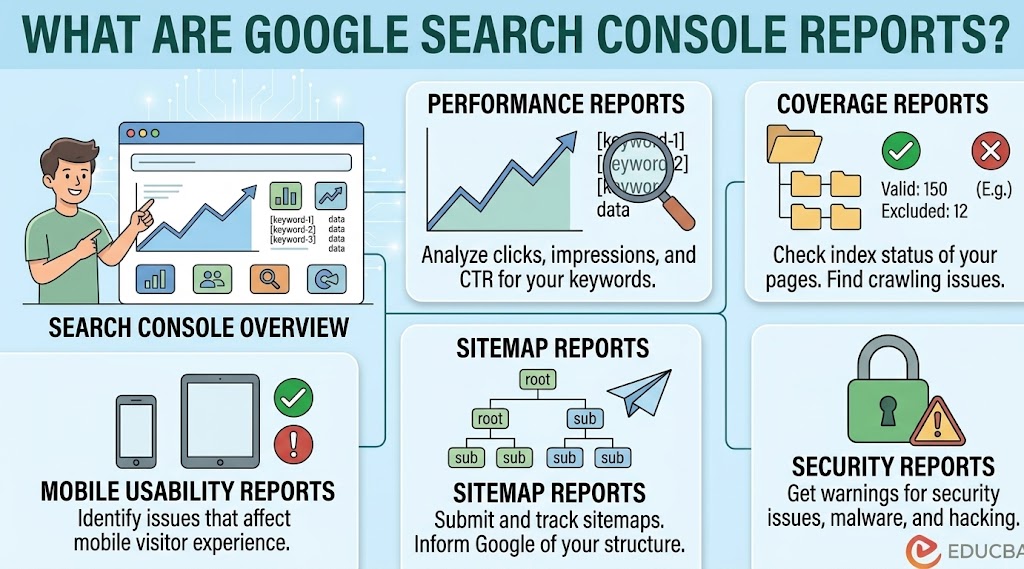
Google Search Console reports are sections inside Search Console that provide information about a website’s presence and performance in Google Search.
These reports can show:
- Search clicks and impressions
- Average search position
- Search queries
- Indexed pages
- Pages with indexing problems
- Sitemaps
- Core Web Vitals
- Mobile usability information
- Internal and external links
- Manual actions and security issues
Each report focuses on a different part of your website, allowing you to understand how Google interacts with your pages.
1. Performance Report
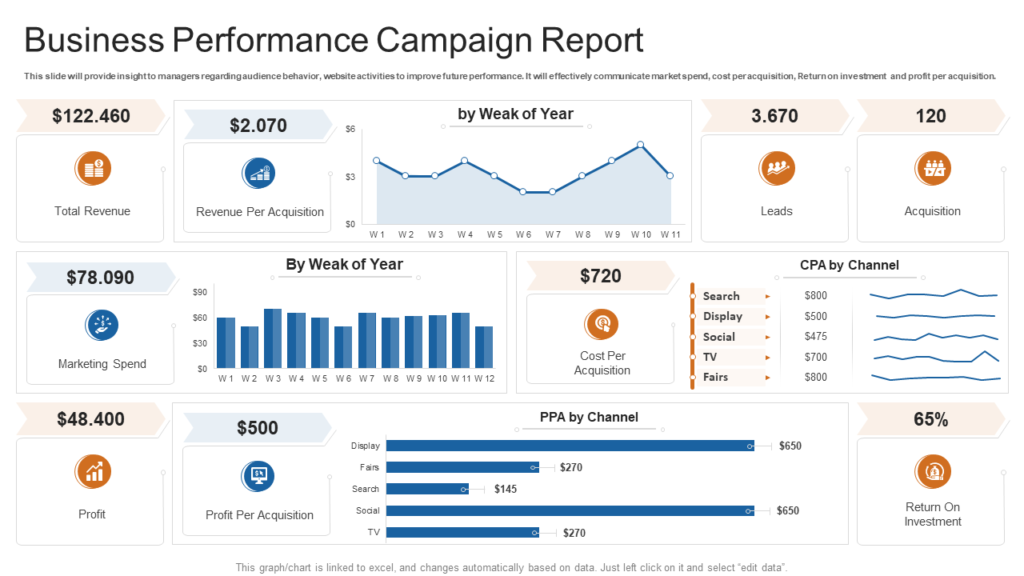
The Performance report is one of the most useful sections in Google Search Console. It shows how your website performs in Google Search.
Important metrics include clicks, impressions, average click-through rate (CTR), and average position.
You can also view the queries people used to discover your website. Other dimensions can help you analyze performance by pages, countries, devices, and search appearance.
This information is useful for finding pages that receive impressions but relatively few clicks. Improving titles and descriptions may help make these search results more attractive to users.
2. Indexing Report
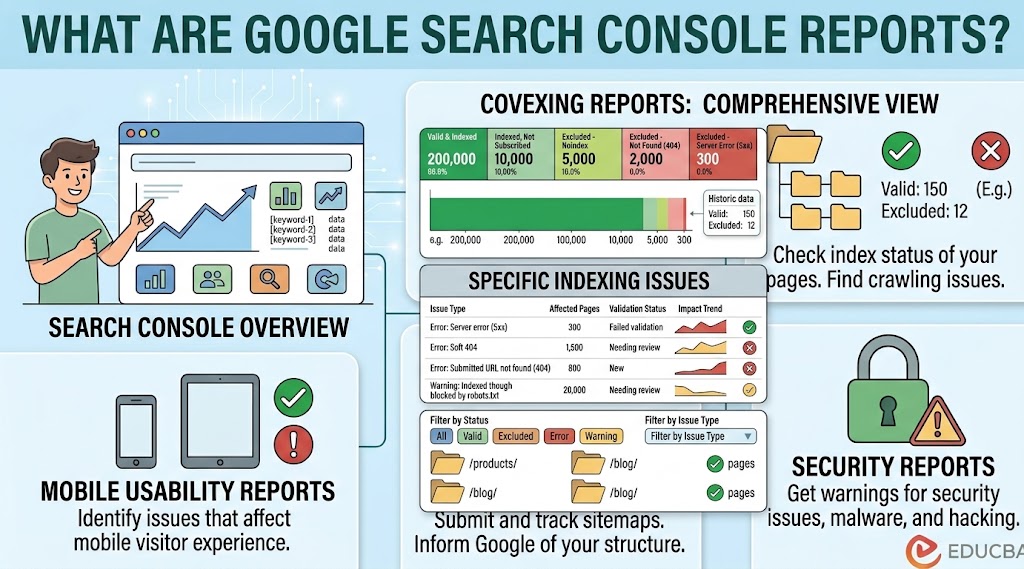
The Indexing section helps website owners understand which pages Google has discovered and indexed.
The Page Indexing report can show different categories of URLs, including indexed pages and pages that Google has not indexed.
If important pages are excluded, you can investigate the reason and determine whether an SEO or technical change is necessary.
Not every excluded page is a problem. Some pages may intentionally be blocked, redirected, duplicated, or marked as unsuitable for indexing.
3. Sitemaps Report
The Sitemaps report allows website owners to submit and monitor XML sitemaps.
A sitemap helps search engines discover important URLs on a website. After submitting a sitemap, Search Console can provide information about whether Google was able to process it.
If a sitemap cannot be fetched, check that the sitemap URL works correctly and that it contains valid XML.
Keeping your sitemap accurate can make website management easier, particularly for larger sites.
4. Page Experience Report
Page Experience provides information related to several aspects of how users experience webpages.
It considers signals associated with page experience, including Core Web Vitals, HTTPS, and other relevant factors.
A website should not focus only on search rankings. Visitors should also be able to access pages comfortably, navigate easily, and interact with content without unnecessary problems.
5. Core Web Vitals Report
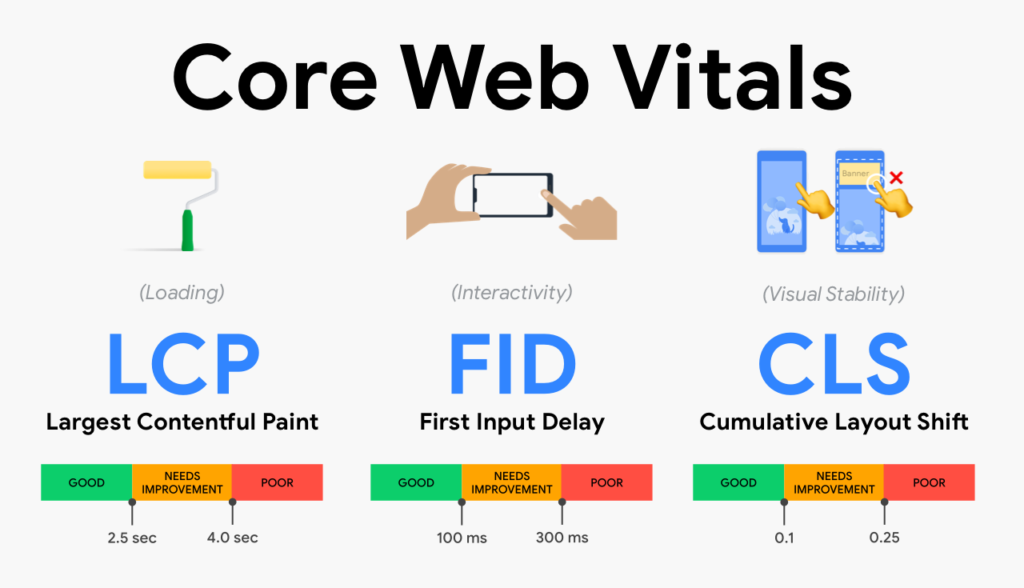
Core Web Vitals focus on important aspects of page performance and user experience.
The metrics measure areas such as loading performance, responsiveness, and visual stability.
If Search Console identifies problems, website owners can investigate issues such as large images, inefficient scripts, slow server responses, or layout changes.
Improving page speed can provide a better experience for visitors, although technical optimization should be approached alongside content quality and other SEO factors.
6. HTTPS Report
The HTTPS report provides information about HTTPS-related issues detected by Google.
Using HTTPS helps protect communication between a visitor’s browser and the website. A properly configured HTTPS website can also provide users with greater confidence when browsing.
If Search Console reports an HTTPS problem, check your SSL certificate, redirects, and website configuration.
7. Links Report
The Links report provides information about links associated with your website.
It can show areas such as:
- External links
- Internal links
- Top linked pages
- Top linking sites
- Common anchor text
Internal linking is particularly useful for SEO because it helps users and search engines discover related pages.
Reviewing the Links report can also help you understand which pages receive the most links from other websites.
8. Manual Actions Report
Google may take manual action against a website when its reviewers determine that certain pages do not comply with Google’s spam policies.
The Manual Actions report allows website owners to check whether Google has identified such an issue.
If a manual action exists, Search Console provides information about the problem and possible steps for addressing it.
Website owners should carefully review the issue and make the required changes before requesting a review.
9. Security Issues Report
Security Issues is another important section of Search Console. It can identify certain security problems that Google detects on a website.
Potential issues may include hacked content or harmful behavior.
If a security issue is reported, it should be treated as a priority. Website owners should investigate the problem, clean the affected website, strengthen security, and follow Google’s recommended process for requesting a review.
10. Search Console Recommendations
Search Console may provide recommendations intended to help website owners improve their site’s performance or discover useful opportunities.
These suggestions can vary depending on the website and available data.
Recommendations should be treated as helpful information rather than a guarantee of improved rankings. SEO decisions should also consider content quality, search intent, technical health, and user needs.
How Often Should You Check Search Console Reports?
The ideal frequency depends on the website.
For a small website, checking Search Console once or twice a week may be enough for routine monitoring. Larger websites or sites experiencing technical changes may require more frequent checks.
You should pay particular attention after:
- Website migrations
- Major redesigns
- URL structure changes
- Large content updates
- New sitemap submissions
- Significant traffic changes
- Technical SEO changes
Regular monitoring helps you identify unusual changes before they become larger problems.
How to Use Google Search Console for SEO
Search Console can support several SEO activities.
Start by reviewing the Performance report to identify your best-performing queries and pages. Then check the Indexing report to make sure important URLs can be discovered and indexed.
Review your sitemap and investigate unexpected indexing problems. You can also examine internal links and monitor Core Web Vitals.
The goal is not to fix every warning immediately. Instead, prioritize issues that affect important pages or create genuine problems for users and search engines.
Common Mistakes When Using Search Console
Beginners sometimes misunderstand Search Console warnings.
One common mistake is assuming that every excluded URL needs to be indexed. Search engines intentionally leave many URLs out of their index for legitimate reasons.
Another mistake is focusing entirely on rankings. Search Console provides much more information than position data.
It is also important not to make major website changes based on a single day’s performance. Search traffic can naturally fluctuate, so look for meaningful patterns over time.
Conclusion
Google Search Console Reports give website owners valuable information about search visibility, indexing, technical health, links, and user experience.
The Performance report helps analyze search traffic, while Indexing and Sitemaps reports help monitor how Google discovers and processes pages. Core Web Vitals and Page Experience provide additional insight into website performance, while Links, Manual Actions, and Security Issues can reveal other important areas.
The best approach is to use Search Console regularly and focus on issues that genuinely affect your website. By understanding the reports and responding to meaningful problems, you can maintain a healthier website and make more informed SEO decisions.
Frequently Asked Questions
1. What are Google Search Console Reports?
They are sections within Google Search Console that provide information about a website’s search performance, indexing, links, page experience, and other SEO-related areas.
2. Which Google Search Console report is most important?
The Performance report is particularly useful because it shows clicks, impressions, CTR, average position, queries, and pages. However, other reports are important for technical monitoring.
3. How often should I check Google Search Console?
For many small websites, checking once or twice a week is sufficient. Check more frequently after major technical or content changes.
4. Why are some pages not indexed?
Pages may remain unindexed for many reasons, including duplication, redirects, technical restrictions, quality considerations, or because Google has not selected them for indexing.
5. Does Google Search Console improve rankings?
Search Console itself does not directly improve rankings. It provides data and diagnostic information that can help you identify opportunities and technical problems.
6. What is the Performance report used for?
It helps you understand how users discover your website through Google Search by showing metrics such as clicks, impressions, CTR, and average position.
7. Is Google Search Console free?
Yes. Google Search Console is a free service provided by Google for website owners and administrators.