
Search engine optimization does not always require an expensive subscription. Many beginners, bloggers, business owners, and digital marketers improve their websites using free SEO tools that provide valuable insights into keywords, technical issues, backlinks, website performance, and search visibility.
The real difficulty lies in identifying SEO tools that provide meaningful insights and reliable results. Some free tools offer only basic features, while others provide professional-level data that can help you optimize your website and attract more organic traffic.
This guide introduces some of the best free SEO tools available today, explains how each one can help your website, and highlights the situations where they deliver the greatest value.
Why Free SEO Tools Matter
SEO involves many different tasks, including keyword research, technical audits, content optimization, performance monitoring, and backlink analysis. Without the right tools, identifying problems and opportunities becomes much more difficult.
Free SEO tools can help you:
- Discover new keyword opportunities
- Monitor website performance
- Identify technical SEO issues
- Improve page speed
- Analyze backlinks
- Track search visibility
- Optimize content for users and search engines
Using multiple free tools together often provides a broader understanding of your website than relying on a single platform.
1. Google Search Console
Among the many free SEO resources, Google Search Console remains one of the most practical tools for monitoring website performance in search results.
It allows website owners to understand how Google views their websites and helps identify indexing or crawling problems.
You can use it to:
- Monitor search impressions and clicks
- Submit XML sitemaps
- Check indexing status
- Find crawl errors
- Discover pages with low performance
- Review Core Web Vitals reports
If your goal is better visibility in Google Search, this tool should be one of your first priorities.
2. Google Analytics
Understanding visitor behavior is essential for SEO.
Google Analytics helps you measure:
- Organic traffic
- User engagement
- Session duration
- Popular landing pages
- Traffic sources
- Conversion performance
These insights help website owners improve both content and user experience.
3. Google Keyword Planner
Effective keyword research helps shape an SEO strategy by revealing the search terms your audience is actively using.
Google Keyword Planner helps you discover keyword ideas, estimate search demand, and identify related search terms that match your content goals.
It is especially useful for finding long-tail keywords with reasonable search volume and lower competition.
4. Google PageSpeed Insights
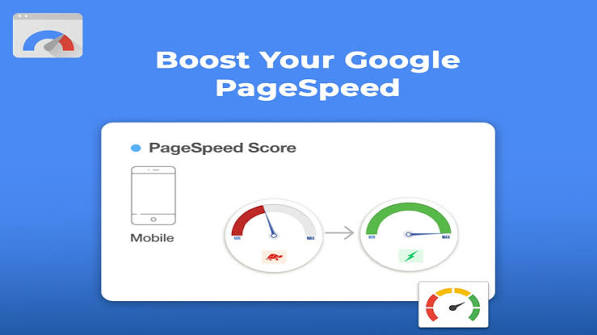
Website speed affects both user experience and technical SEO.
PageSpeed Insights analyzes desktop and mobile performance while providing recommendations to improve loading speed.
The report includes suggestions such as:
- Optimizing images
- Reducing unused code
- Improving caching
- Enhancing server response time
Even small performance improvements can make a noticeable difference.
5. Google Trends
Google Trends helps you understand how search interest changes over time.
You can:
- Compare keywords
- Discover seasonal trends
- Find rising topics
- Identify regional interest
Content creators often use this tool to publish articles before search demand reaches its peak.
6. Bing Webmaster Tools
Although Google receives most SEO attention, Bing also provides valuable traffic opportunities.
Bing Webmaster Tools offers:
- SEO reports
- Crawl information
- Keyword data
- Index monitoring
- Site scans
Using both Google Search Console and Bing Webmaster Tools provides a more complete picture of your website’s health.
7. Ahrefs Free Webmaster Tools
Ahrefs offers several useful features without requiring a paid subscription.
Website owners can:
- Review backlink profiles
- Monitor technical issues
- Identify broken pages
- Analyze internal linking
These insights help improve overall website quality.
8. Screaming Frog SEO Spider (Free Version)
The free version allows you to crawl up to 500 URLs.
It helps identify:
- Broken links
- Duplicate titles
- Missing meta descriptions
- Redirect chains
- HTTP errors
This tool is especially useful for technical SEO audits.
9. SEO Minion
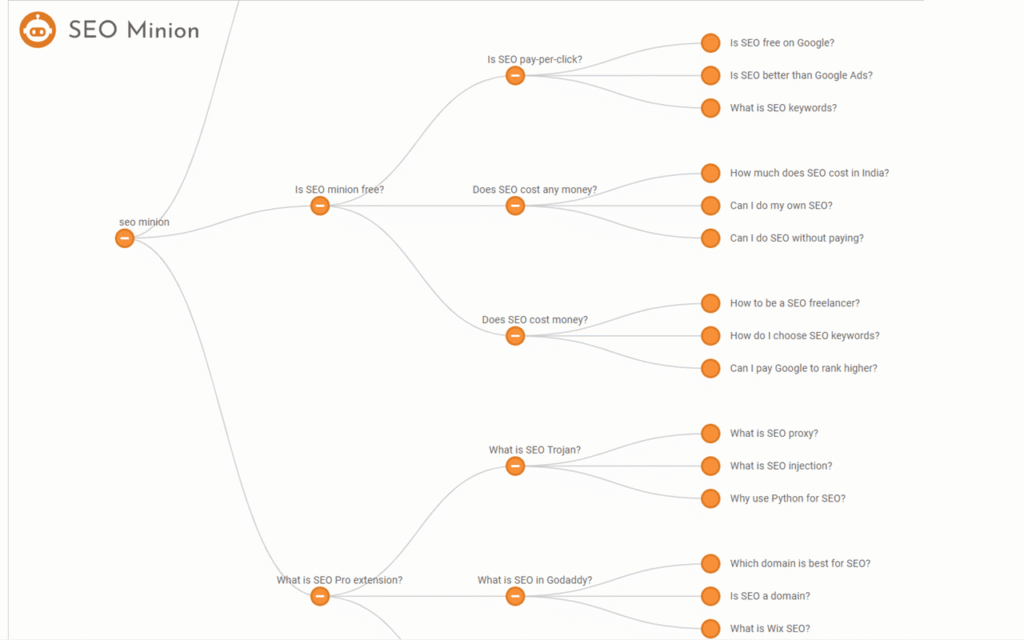
SEO Minion is a browser extension designed for quick SEO analysis.
It can:
- Check on-page SEO
- Review heading structure
- Highlight broken links
- Preview SERP snippets
- Analyze internal links
Because it works directly in the browser, it is convenient for everyday SEO tasks.
10. Ubersuggest Free Features
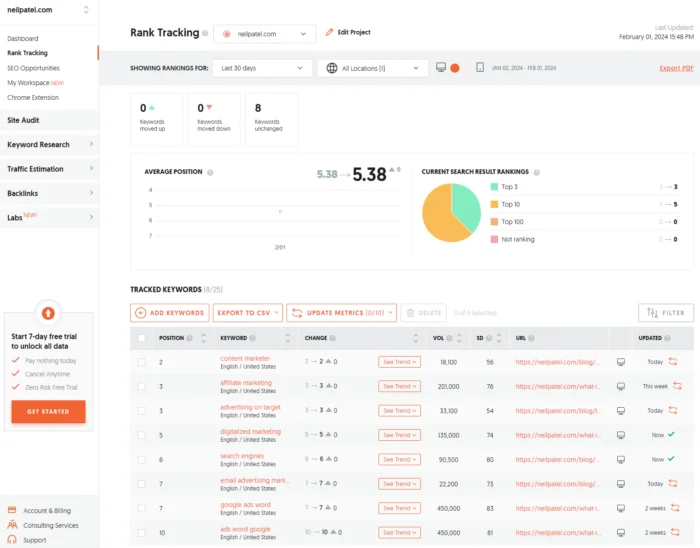
Although the free version has usage limits, it still provides valuable information.
You can explore:
- Keyword ideas
- SEO difficulty
- Content suggestions
- Domain overview
- Traffic estimates
It is a helpful option for beginners starting keyword research.
How to Choose the Right Free SEO Tool
Different tools solve different problems.
If your focus is:
- Technical SEO: Screaming Frog, Google Search Console
- Performance: Google PageSpeed Insights
- Traffic Analysis: Google Analytics
- Backlink Monitoring: Ahrefs Webmaster Tools
- Website Audits: Bing Webmaster Tools
Using several complementary tools often produces better results than depending on only one.
Common Mistakes to Avoid
Many website owners use SEO tools incorrectly.
Avoid these common mistakes:
- Depending on only one SEO tool
- Ignoring technical issues reported by audit tools
- Focusing only on high-volume keywords
- Neglecting mobile performance
- Forgetting to monitor indexing status
- Publishing content without keyword research
Consistent monitoring and gradual improvements usually produce better long-term results.
Final Thoughts
Free SEO tools make it possible for website owners, bloggers, and businesses to improve search visibility without investing in expensive software. Whether your goal is finding better keywords, fixing technical problems, improving website speed, or tracking performance, there are reliable free solutions available.
Instead of installing every available tool, choose a small collection that matches your workflow. Regularly reviewing data, fixing reported issues, and creating helpful content will support sustainable SEO growth over time.
Frequently Asked Questions
1. What is the best free SEO tool for beginners?
Google Search Console is one of the best starting points because it shows how Google crawls, indexes, and displays your website in search results.
2. Can free SEO tools improve website rankings?
Free tools do not improve rankings directly, but they help you identify issues and opportunities that can strengthen your SEO strategy.
3. Which no-cost SEO tool offers the most useful keyword research features?
Google Keyword Planner and Google Trends are excellent free options for discovering keyword ideas and tracking search interest.
4. Are free SEO tools enough for small websites?
Yes. Many small websites can build a solid SEO foundation using free tools before considering paid platforms.