
Running a WordPress website involves much more than publishing content. A successful website requires consistent maintenance, strong security, reliable performance, and a stable hosting environment. To help website owners monitor these factors, WordPress includes a built-in Site Health feature.
Many users notice warnings inside the Site Health section but are unsure what they mean or how they affect their websites. While some recommendations are minor, others may influence website speed, security, user experience, and search visibility.
Understanding WordPress Site Health issues can help website owners maintain a stronger, faster, and more reliable website.
What Is WordPress Site Health?
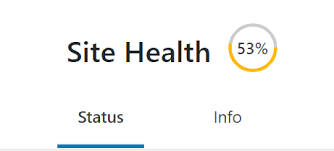
WordPress Site Health is a diagnostic tool available within the WordPress dashboard.
Its purpose is to evaluate important areas of a website and provide recommendations that may improve performance and stability.
The tool analyzes various aspects including:
- server configuration
- WordPress updates
- PHP settings
- plugin status
- theme health
- security recommendations
The results help identify areas that may require attention.
Why Site Health Matters
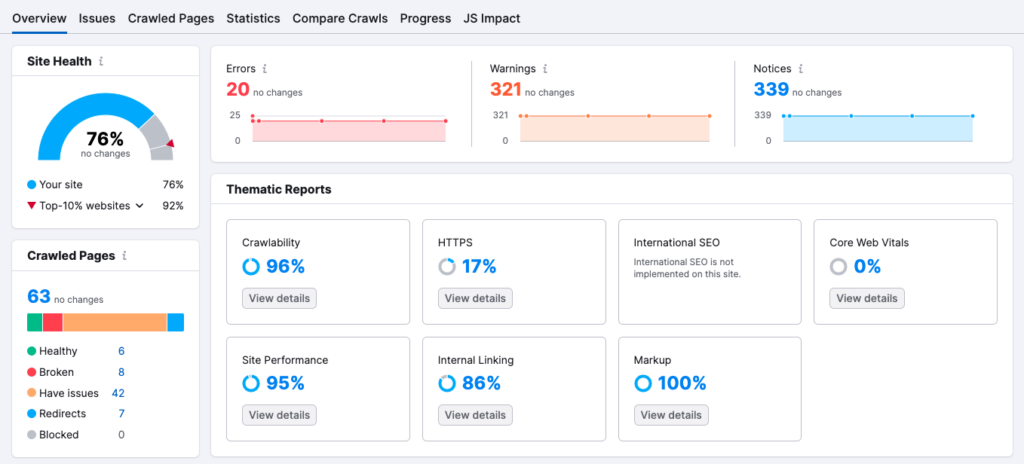
A healthy website provides a better experience for visitors and administrators.
Ignoring health warnings may eventually contribute to:
- slower loading speeds
- reduced stability
- security vulnerabilities
- compatibility issues
- maintenance difficulties
Regularly reviewing Site Health reports can help prevent small problems from becoming larger issues.
Common WordPress Site Health Issues
Several warnings appear frequently across WordPress websites.
Understanding these issues makes troubleshooting easier.
Outdated PHP Version
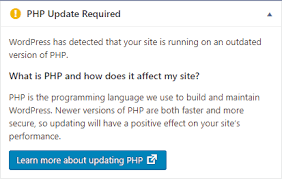
One of the most common Site Health recommendations involves PHP.
PHP powers much of WordPress functionality behind the scenes.
Older PHP versions may:
- reduce performance
- increase security risks
- create compatibility problems
Updating to a supported PHP version can often improve website efficiency.
Delayed WordPress Updates
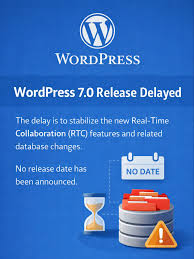
Running outdated WordPress software can create unnecessary risks.
Core updates frequently include:
- security improvements
- bug fixes
- performance enhancements
- compatibility updates
Keeping WordPress current helps maintain website stability.
Excessive Inactive Plugins
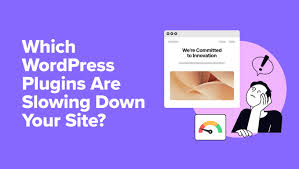
Many website owners install plugins for testing purposes and forget to remove them later.
Unused plugins may:
- increase maintenance requirements
- create security concerns
- complicate troubleshooting
Removing unnecessary plugins helps keep the website organized.
Missing HTTPS Configuration
HTTPS encrypts data exchanged between visitors and websites.
Modern websites should use secure connections whenever possible.
A properly configured SSL certificate can improve:
- visitor trust
- data security
- website credibility
Scheduled Events Not Running

WordPress uses scheduled tasks to automate important activities.
Examples include:
- publishing posts
- checking updates
- performing maintenance operations
When scheduled events fail, certain website functions may stop working correctly.
REST API Issues
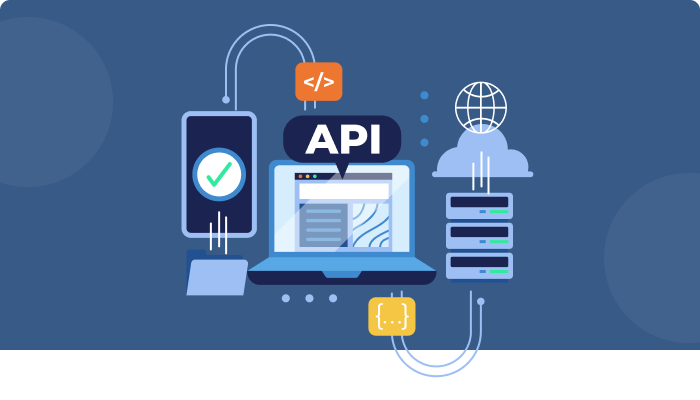
The REST API supports communication between WordPress and external services.
Problems involving the API may affect:
- plugins
- mobile applications
- website integrations
Resolving these issues can improve overall functionality.
Why Website Performance Affects Site Health
Performance-related warnings often appear inside Site Health reports.
A slow website may create challenges for both visitors and administrators.
Factors that influence performance include:
Poor Hosting Resources
Hosting quality plays a significant role in website responsiveness.
Limited server resources can affect loading speed and reliability.
Large Media Files
Oversized images and media files may increase page load times.
Optimized media files often improve performance.
Too Many Plugins
Installing excessive plugins can increase resource consumption.
Each additional plugin introduces more code that must be processed.
Security-Related Site Health Recommendations
Security remains an important part of website maintenance.
WordPress Site Health may recommend actions such as:
Enabling Automatic Updates
Automatic updates help ensure software receives important fixes promptly.
Using Secure Connections
Encrypted connections protect user information during transmission.
Maintaining Updated Software
Current software versions generally provide stronger protection against known vulnerabilities.
How to Improve WordPress Site Health
Most Site Health issues can be addressed through routine maintenance.
Update WordPress Regularly
Keeping WordPress current helps maintain compatibility and security.
Remove Unused Components
Delete plugins and themes that are no longer required.
Optimize Hosting Environment
Choose a hosting solution capable of supporting website traffic and functionality requirements.
Monitor Performance
Regular performance reviews can help identify issues before they affect users.
Perform Backups
Reliable backups provide protection against unexpected problems.
Common Mistakes Website Owners Make
Many users unintentionally create Site Health issues.
Examples include:
- ignoring update notifications
- installing unnecessary plugins
- delaying maintenance tasks
- using outdated software
- neglecting security practices
Avoiding these mistakes can improve website reliability.
Site Health and SEO
Although Site Health is not a direct ranking factor, many recommendations support SEO objectives.
A healthier website often provides:
- faster loading speeds
- better user experience
- improved stability
- stronger security
These factors can contribute to long-term website success.
Long-Term Website Maintenance Strategy
Site Health should not be viewed as a one-time task.
Successful website owners establish maintenance routines that include:
- software updates
- performance monitoring
- security reviews
- backup management
Consistent maintenance helps prevent future problems.
Final Thoughts
WordPress Site Health serves as a valuable tool for identifying technical issues that may affect website performance, security, and stability.
By reviewing recommendations regularly and addressing potential concerns early, website owners can maintain a stronger online presence while delivering a better experience for visitors.
A healthy website is easier to manage, more secure, and better prepared for long-term growth.
FAQs
What does WordPress Site Health check?
It evaluates website performance, security, configuration settings, updates, and technical functionality.
Are Site Health warnings serious?
Some warnings are minor, while others may affect website security, performance, or stability if ignored.
How often should Site Health be reviewed?
Checking Site Health regularly helps identify potential problems before they become significant issues.
Can Site Health affect SEO?
Indirectly, yes. Better performance and stability often support improved user experience and search visibility.
What is the most common WordPress Site Health issue?
Outdated PHP versions, inactive plugins, and delayed software updates are among the most frequently reported issues.