
Technical SEO forms the foundation of a successful website. Even the best content can struggle to perform if search engines encounter problems while crawling, rendering, or indexing webpages. While content optimization focuses on what users read, technical SEO ensures search engines can efficiently access and understand your website.
Many website owners spend significant time creating articles and building backlinks but overlook technical improvements. A well-maintained technical SEO strategy can support faster indexing, improved visibility, and a better user experience.
This technical SEO checklist explains the most important areas website owners should review in 2026 to maintain a healthy and search-friendly website.
What Is Technical SEO?
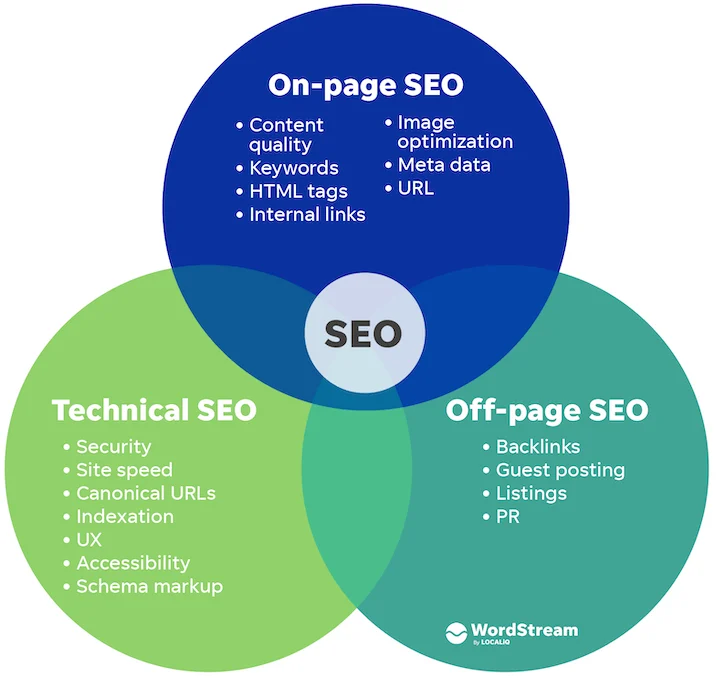
Technical SEO refers to website optimizations that help search engines discover, crawl, render, and index pages effectively.
It focuses on elements such as:
- website architecture
- page speed
- mobile usability
- crawlability
- indexability
- structured data
- security
Technical SEO helps create an environment where search engines can process content without unnecessary obstacles.
Why Technical SEO Matters

Search engines evaluate thousands of factors when determining rankings.
If technical problems exist, search engines may struggle to:
- discover pages
- access content
- understand website structure
- process important information
A technically optimized website creates a stronger foundation for long-term SEO success.
Technical SEO Audit Checklist
A regular audit helps identify potential issues before they affect performance.
Verify Website Indexing

The first step is ensuring important pages can be indexed.
Review:
- indexing status
- noindex directives
- robots instructions
- excluded pages
Important content should remain available for search engines whenever appropriate.
Review Crawlability

Search engines need clear access to website content.
Check for:
- blocked resources
- crawl errors
- server response issues
- broken internal links
Improved crawlability often helps search engines process content more efficiently.
Check XML Sitemap
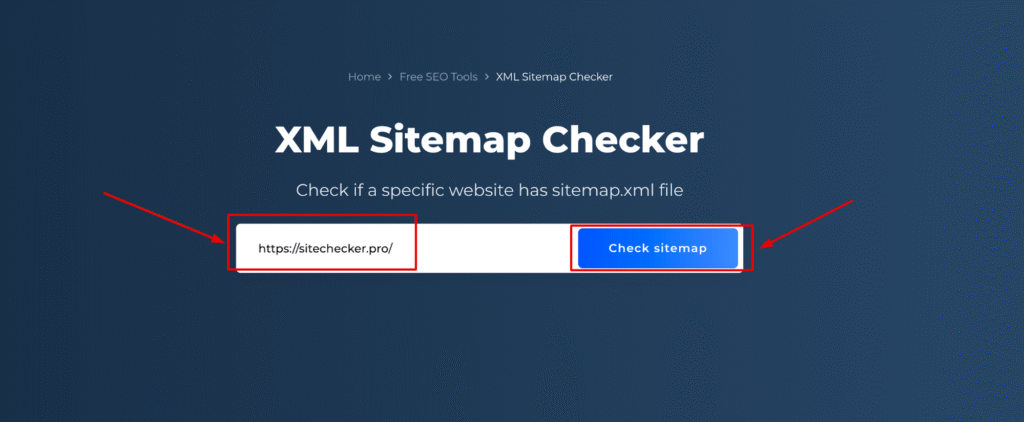
An XML sitemap assists search engines in discovering URLs.
A sitemap should:
- contain important pages
- exclude unnecessary URLs
- update automatically
- remain accessible
Keeping the sitemap accurate improves website discovery.
Analyze Robots.txt Configuration
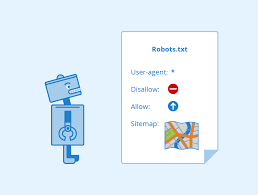
The robots.txt file provides crawling instructions.
Review the file carefully to ensure valuable pages are not accidentally restricted.
Improper configurations can prevent search engines from accessing important content.
Website Speed Optimization Checklist
Website speed remains an important technical SEO consideration.
Optimize Images

Large images can increase loading times.
Image optimization techniques may include:
- compression
- modern file formats
- proper dimensions
Smaller file sizes often improve performance.
Minimize Unnecessary Scripts
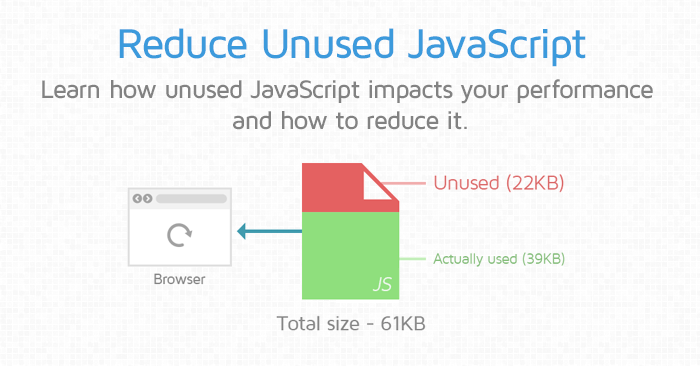
Excessive scripts can slow website rendering.
Reducing unused resources may improve loading efficiency.
Improve Server Performance

Reliable hosting infrastructure contributes to faster website responses.
Server performance influences how quickly visitors and search engines receive content.
Monitor Core Web Vitals
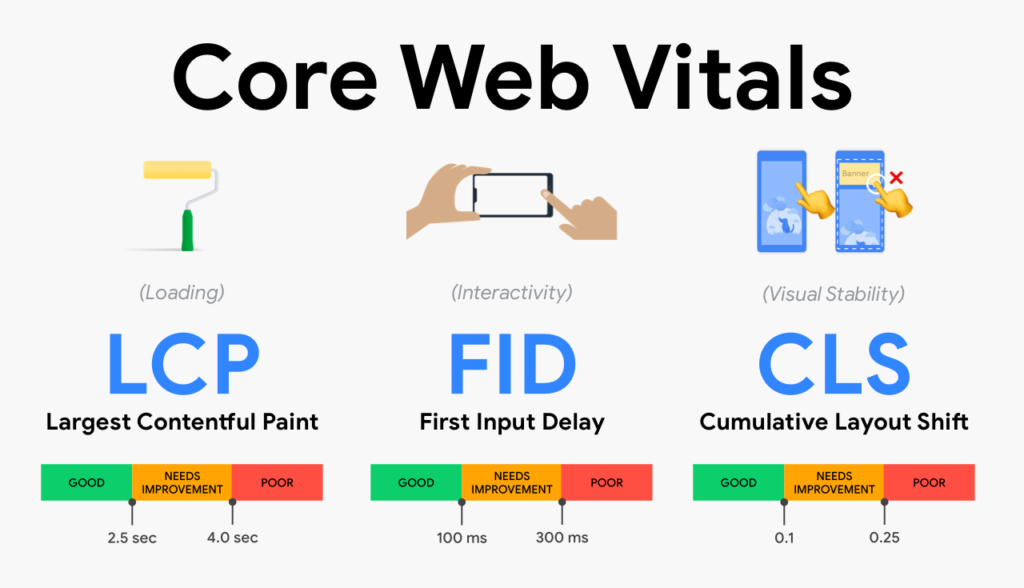
Core Web Vitals measure important aspects of user experience.
Key metrics focus on:
- loading performance
- visual stability
- responsiveness
Improving these areas may enhance website usability.
Mobile SEO Checklist
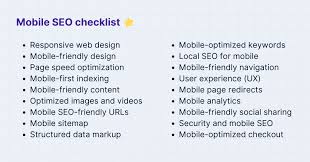
Mobile optimization is essential because many users browse websites from smartphones and tablets.
Test Mobile Responsiveness
Pages should adapt properly across different screen sizes.
Visitors should not experience navigation difficulties or display issues.
Review Mobile Usability
Check for:
- readable text
- accessible navigation
- appropriate spacing
- functional interactive elements
A positive mobile experience supports user satisfaction.
Security Checklist
Website security contributes to both trust and stability.
Enable HTTPS
Secure connections help protect user information and establish credibility.
Websites should consistently use encrypted connections.
Maintain Software Updates
Regular updates improve:
- security
- compatibility
- performance
Keeping software current reduces exposure to known vulnerabilities.
Monitor Security Risks
Periodic security reviews can help identify potential weaknesses before they become serious issues.
Structured Data Checklist
Structured data helps search engines interpret content more effectively.
Consider implementing schema where relevant.
Common applications include:
- articles
- products
- FAQs
- reviews
- organizations
Structured data may improve search result visibility.
Internal Linking Checklist
Internal linking help search engine understanding content relationship.
Review:
- orphan pages
- navigation structure
- content connections
- broken links
Strong internal linking improves content discovery.
URL Structure Checklist
URLs should remain simple and descriptive.
Best practices include:
- short URLs
- relevant keywords
- logical organization
- consistent formatting
Clean URLs are easier for users and search engines to understand.
Content Accessibility Checklist
Technical SEO also involves ensuring content can be accessed properly.
Review:
- rendering issues
- blocked resources
- JavaScript dependencies
- crawl limitations
Search engines should be able to process content without difficulty.
Common Technical SEO Mistakes
Many websites experience technical issues because of avoidable mistakes.
Examples include:
- broken links
- duplicate pages
- slow loading speeds
- poor mobile usability
- outdated software
- indexing restrictions
Regular audits can help identify and resolve these problems.
Technical SEO for AI-Generated Content
As AI-generated content becomes more common, technical SEO remains important.
Search engines still evaluate:
- website quality
- user experience
- crawlability
- content accessibility
Strong technical foundations help ensure AI-assisted content can be discovered and processed effectively.
Building a Long-Term Technical SEO Strategy
Technical SEO should not be treated as a one-time task.
Successful websites regularly monitor:
- performance
- indexing
- security
- mobile usability
- website architecture
Consistent maintenance helps support long-term growth.
Final Thoughts
A comprehensive technical SEO checklist helps website owners identify issues that may affect crawling, indexing, performance, and user experience.
By regularly auditing technical elements and maintaining a healthy website infrastructure, businesses can improve search visibility and create a better experience for visitors.
Technical SEO may work behind the scenes, but its impact often influences every aspect of website performance.
FAQs
What is a technical SEO checklist?
A technical SEO checklist is a collection of tasks used to improve crawling, indexing, website performance, and search visibility.
Does technical SEO affect rankings?
Technical SEO supports search visibility by helping search engines access and understand website content.
Why is page speed important for technical SEO?
Faster websites generally provide a better user experience and improve website efficiency.
Is technical SEO necessary for small websites?
Yes. Websites of all sizes benefit from proper crawling, indexing, performance, and security optimization.