
Website speed plays a major role in user experience and search visibility. Visitors expect pages to load quickly, and slow websites often lose traffic before users even read the content.
Many website owners immediately install multiple optimization plugins when they notice performance issues. While plugins can sometimes help, adding too many can create the opposite effect. Extra plugins may increase website complexity, consume resources, and slow down performance.
The good news is that improving WordPress speed does not always require additional plugins.
There are several practical methods that can improve loading times naturally.
This guide explains how to speed up a WordPress website without installing extra plugins.
Why Website Speed Matters
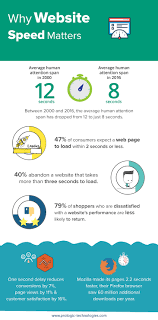
A faster website creates a smoother experience for visitors.
Slow websites often lead to:
- increased bounce rates
- lower user engagement
- reduced page views
- weaker user experience
- lower conversion opportunities
Search engine also prefer website that performing efficiently because speed contribute to overall usability.
Choose Lightweight Themes

Some themes contain excessive features, animations, and design elements that increase page size.
Heavy themes can create unnecessary delays.
Instead, choose themes that focus on:
- clean design
- simple code structure
- responsive layouts
- fast performance
Lightweight themes usually require fewer resources and improve loading speed.
Compress Images Before Uploading
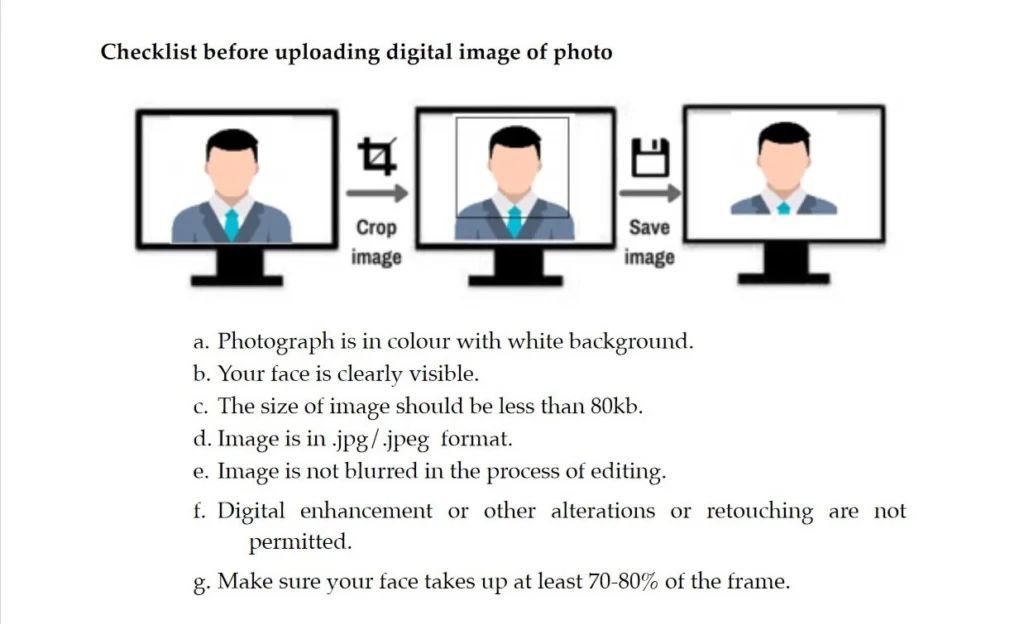
Large image files can increase page loading time significantly.
Images often become one of the biggest reasons websites feel slow.
Before uploading images:
- reduce file size
- resize dimensions appropriately
- use optimized image formats
- avoid unnecessarily large images
Smaller image files help browsers display pages more quickly.
Use Proper Image Formats
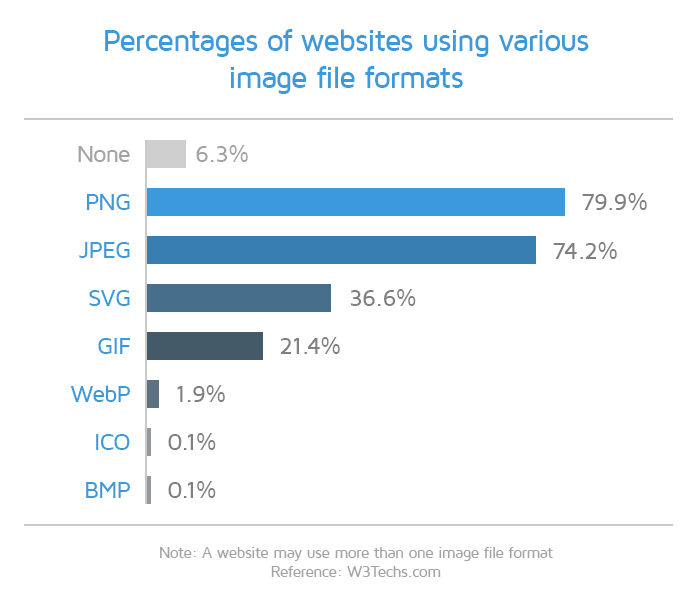
Different image formats serve different purposes.
Examples:
- JPEG for photographs
- PNG for transparent graphics
- WebP for modern image optimization
Modern formats often provide smaller file sizes while maintaining quality.
Reduce External Requests
Many websites load resources from external sources.
Examples include:
- third-party fonts
- embedded videos
- social widgets
- external scripts
Every additional request requires extra loading time.
Reducing unnecessary external resources can improve performance.
Remove Unused Themes

Website owners sometimes keep multiple inactive themes installed.
Unused themes consume storage space and create unnecessary clutter.
Keep:
- your active theme
- one backup theme
Remove themes that are no longer needed.
Delete Unused Plugins
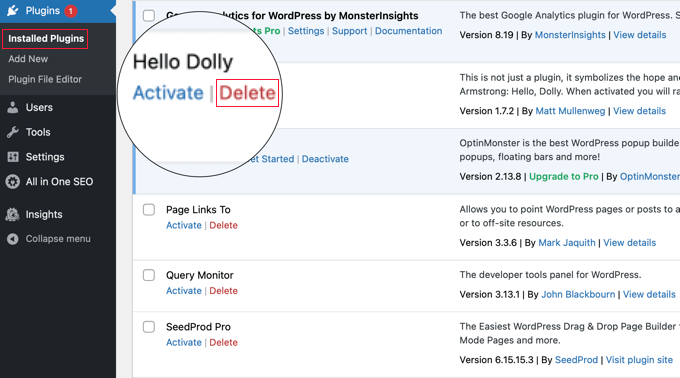
Even if this guide focuses on optimization without plugins, many websites already contain unused plugins.
Unused plugins may create:
- additional database entries
- background processes
- maintenance issues
Remove plugins that are no longer necessary.
Keep WordPress Updated
WordPress updates frequently include:
- performance improvements
- security fixes
- optimization enhancements
Running outdated software may reduce website efficiency.
Regular updates help maintain performance.
Upgrade PHP Version
PHP handles many core operations in WordPress and helps the website process different functions in the background.
Older PHP versions may reduce performance.
Newer versions often provide:
- improved speed
- better resource usage
- stronger security
Most hosting providers allow users to update PHP directly from the control panel.
Minimize Homepage Content
Displaying too many elements on the homepage can increase loading time.
Examples include:
- excessive widgets
- large sliders
- long content sections
- multiple animations
Keeping pages clean helps improve performance.
Optimize Your Database
Over time, WordPress databases collect unnecessary data such as:
- spam comments
- revisions
- temporary records
Cleaning unused data helps improve efficiency.
Database optimization reduces unnecessary load on the website.
Choose Reliable Hosting
Hosting quality directly affects website performance.
Even with optimized content and images, a server with weak performance can still cause pages to load more slowly.
Select 81 more words to run Humanizer.
Reliable hosting generally offers:
- better response times
- stronger uptime
- improved server resources
Good hosting creates a stronger foundation for performance.
Enable Browser Caching Through Hosting Settings
Browser caching allows visitors to store certain website files temporarily.
When returning visitors access the website again, browsers can load stored files instead of downloading everything repeatedly.
This can improve loading speed.
Reduce Redirect Chains
Too many redirects can slow down page loading.
For example:
Instead of:
Original URL → Intermediate URL → Final Destination Page
Use:
Page A → Final Page
Shorter redirect paths reduce unnecessary loading delays.
Monitor Website Performance Regularly
Website optimize should not be treating as a one-time task.
Performance should be reviewed regularly.
Monitor:
- loading speed
- mobile responsiveness
- page size
- user experience
Small adjustments over time can create major improvements.
Benefits of a Faster WordPress Website
Improved speed can support:
- better visitor experience
- increased engagement
- lower bounce rates
- stronger SEO performance
- improved conversion opportunities
Even small speed improvements can create noticeable results.
Final Thoughts
Improving WordPress speed does not always require installing additional plugins.
Simple adjustments such as compressing images, reducing external requests, updating software, and selecting lightweight themes can create meaningful performance gains.
Website optimization works best as an ongoing process rather than a one-time fix.
A faster website creates a better experience for users and provides stronger support for long-term growth.
FAQs
Can WordPress become faster without plugins?
Yes. Image optimization, lightweight themes, and hosting improvements can increase performance naturally.
Why do images slow websites down?
Large image files require more resources and increase page loading times.
Does hosting affect website speed?
Yes. Hosting quality strongly influences loading speed and website performance.
Can too many themes reduce performance?
Unused themes can create unnecessary storage usage and clutter.
Why should WordPress stay updated?
Updates often include security fixes and performance improvements that help websites run efficiently.