
Introduction

Launching a Shopify store is just the first step toward creating a successful online business.
To bring in customers without relying entirely on paid promotions, your Shopify store should be visible in search engine results. That’s why SEO optimization is important for improving your store’s visibility and reaching more potential buyers online.
Shopify provides several built-in features that make search engine optimization easier, including automatically generated sitemaps, robots.txt, canonical tags, and SSL. However, store owners still need to optimize product pages, collections, content, images, keywords, and website structure to improve organic visibility.
A strong SEO strategy helps search engines understand your products and increases the chances of your store appearing when potential customers search for related products.
What Is Shopify SEO?
Shopify SEO is the process of optimizing a Shopify website so search engines can crawl, understand, index, and rank its pages more effectively.
SEO involves several areas, including keyword research, on-page optimization, technical improvements, content creation, internal linking, and backlinks.
For example, if you sell handmade candles, instead of simply creating a product page called “Candle,” you could optimize it around a more specific phrase such as “Handmade Soy Candles.” This gives search engines clearer information about the page.
Avoid stuffing your content with repeated keywords. Instead, use relevant terms naturally across page titles, meta descriptions, image alt text, and the main content of your Shopify pages.
1. Start With Keyword Research
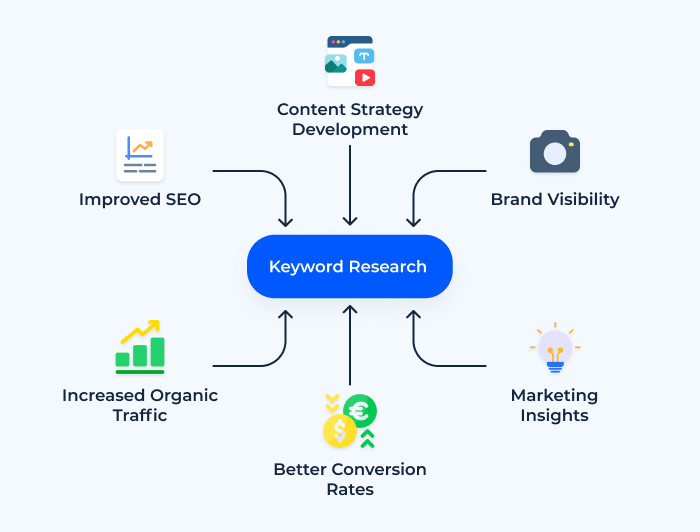
Keyword research should be one of the first steps in your Shopify SEO strategy.
Identify search terms and phrases that your target customers commonly use when looking for products online.
. Consider keywords based on:
- Product names
- Product categories
- Features
- Problems your products solve
- Buying-related searches
- Long-tail keywords
For example, a clothing store could target phrases such as “women’s cotton dresses,” “summer dresses for women,” or “casual dresses online.”
Long-tail keywords can be valuable because they target specific searches and often align more closely with what users are looking for.
Rather than using the same keyword repeatedly on every page, assign a main keyword to each important page and include relevant related terms naturally within the content.
2. Optimize Shopify Product Pages
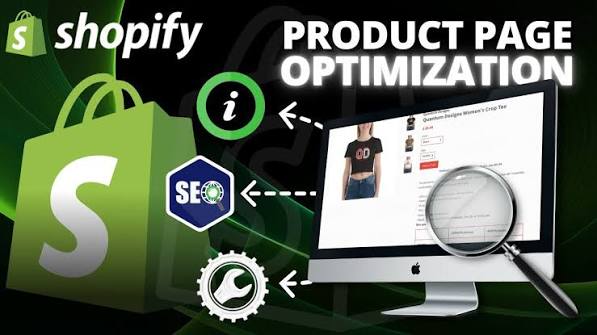
Product pages play a key role in the success of an ecommerce website.
Each product page should have a unique and descriptive title. Your product description should explain the product’s features, benefits, materials, size, usage, and other information customers need before purchasing.
Your primary keyword can appear naturally in the:
- Product title
- Product description
- URL
- Meta title
- Meta description
- Image alt text
Do not copy descriptions directly from manufacturers. Writing unique product descriptions can provide more value to shoppers while reducing the risk of duplicate content appearing across different websites.
3. Improve Meta Titles and Descriptions
Meta titles and descriptions matter because they help shape how your webpage is displayed and understood in search engine results.
Keep your title descriptive and place the primary keyword toward the beginning when it makes sense. Shopify recommends keeping titles around 60 characters to reduce the chance of them being shortened in search results. Meta descriptions are generally recommended at around 160 characters.
For example:
Meta Title: Handmade Soy Candles | Natural Home Fragrance
Meta Description: Shop handmade soy candles with beautiful scents for relaxing evenings, gifts, and stylish home decoration.
Every important page should have unique metadata rather than using the same title and description everywhere.
4. Optimize Collection Pages
Collection pages group similar products together and provide opportunities to target relevant commercial search terms.
Instead of creating a collection named only “Shoes,” you might create specific collections such as:
- Women’s Running Shoes
- Men’s Leather Shoes
- Casual Shoes for Women
- Lightweight Hiking Shoes
Add a useful introduction to each collection where appropriate.Describe the items available in the collection and give shoppers a clear idea of what they will find.
Use well-structured headings and relevant keywords naturally while keeping the content easy to read and avoiding excessive optimization.
5. Create SEO-Friendly URLs
Short, descriptive URLs make it easier for both visitors and search engines to understand what a page is about.
Shopify recommends descriptive, hyphen-separated URLs. For example:
/collections/womens-running-shoes
is clearer than a complicated URL containing unnecessary words or numbers.
Before changing an existing URL, consider its current search visibility and backlinks. If a URL needs to change, use an appropriate redirect so visitors and search engines can reach the new page.
6. Optimize Images for SEO
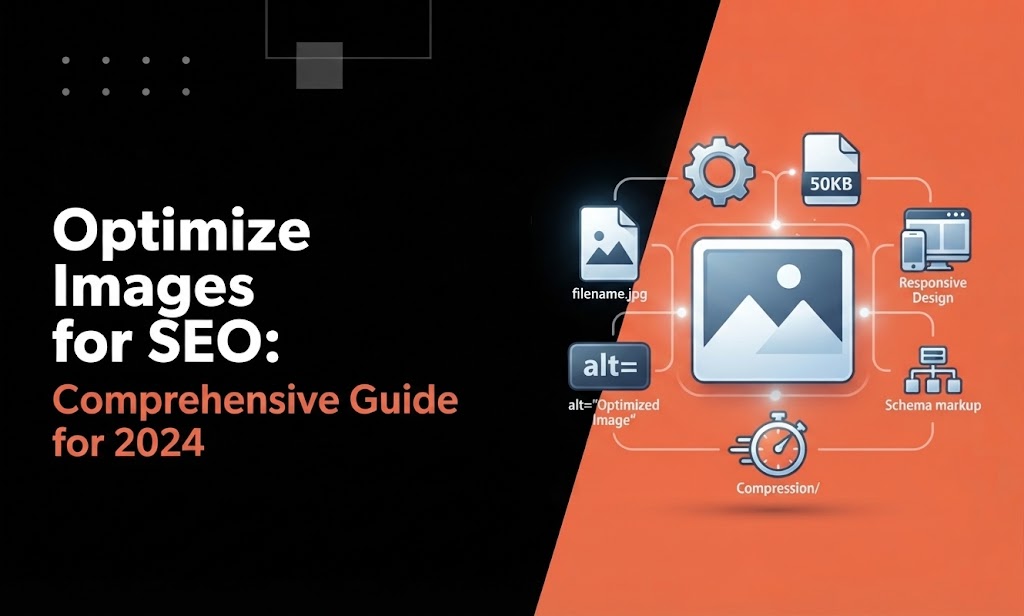
Images are extremely important for ecommerce stores because customers want to see products before buying.
Give your images clear, relevant file names and add concise alt text that accurately describes each image.
For instance, rather than using a generic image filename like:
IMG12345.jpg
use something descriptive like:
black-leather-womens-handbag.jpg
Alt text should provide a short and accurate description of the image’s content.
Descriptive image text helps search engines interpret visual content while making your website more accessible to users.
Do not stuff keywords into alt text. Describe the image naturally.
7. Improve Shopify Site Structure
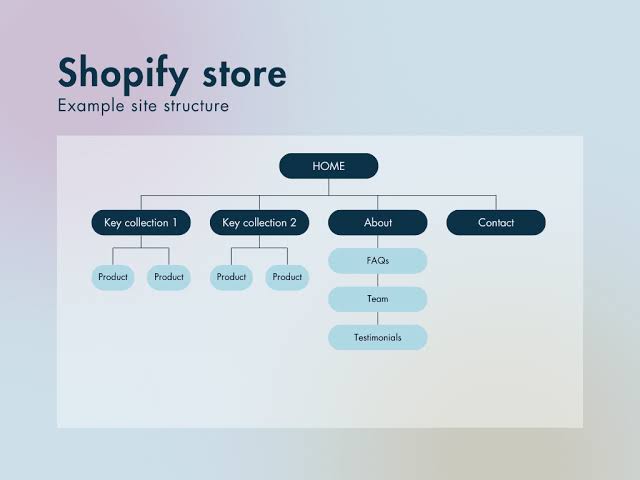
A well-organized site structure makes it easier for visitors to browse your store and allows search engines to understand how your pages are connected.
A simple ecommerce structure could look like:
Homepage → Collection → Product
For example:
Homepage → Women’s Clothing → Summer Dresses → Floral Summer Dress
Add relevant internal links between related products, collection pages, and helpful blog articles to improve site navigation.
Shopify also recommends logical navigation and descriptive URLs as part of an SEO-friendly site structure.
8. Use Content Marketing

A strong Shopify store requires more than simply optimizing its product pages.
.
Publish useful blog posts that address common questions and subjects connected to your products. For instance, a skincare brand might create articles such as:
- How to Build a Simple Skincare Routine
- Best Ingredients for Dry Skin
- How to Choose a Face Moisturizer
- Morning vs Night Skincare Routine
Helpful articles can capture informational search traffic and guide visitors toward relevant product pages through internal links.
Valuable, well-written content may also earn organic backlinks and increase your brand’s visibility among potential customers.
9. Focus on Technical SEO
Technical SEO ensures that search engines can properly access and understand your store.
Shopify automatically handles several technical elements, including XML sitemaps, robots.txt, canonical tags, and SSL. However, store owners should still monitor website performance, mobile usability, indexing, broken links, redirects, and other potential issues.
Connect your Shopify store to Google Search Console to monitor search performance and identify indexing problems.
Also pay attention to page speed. Large images, unnecessary apps, excessive scripts, and poorly optimized themes can affect website performance and user experience.
10. Build Quality Backlinks
Backlinks are links from other websites to your Shopify store.
Instead of trying to collect hundreds of low-quality links, focus on earning relevant links from trustworthy websites.
You can build backlinks through:
- Helpful guest content
- Product reviews
- Industry publications
- Business partnerships
- Digital PR
- Useful original research
- Shareable resources
Quality is more important than simply increasing the number of backlinks.
11. Track Your SEO Performance
SEO requires regular monitoring.
Use tools such as Google Search Console and analytics platforms to check:
- Organic traffic
- Search impressions
- Click-through rate
- Keyword rankings
- Indexed pages
- Top-performing products
- Pages receiving traffic
- Technical problems
If a page receives impressions but very few clicks, consider improving its title and meta description. If a page receives little traffic, review its keyword targeting, content quality, internal links, and search intent.
Conclusion
A successful Shopify SEO strategy combines keyword research, optimized product pages, strong collection pages, useful content, technical improvements, internal linking, image optimization, and quality backlinks.
Shopify already provides a useful technical foundation, but store owners still need to optimize the content customers and search engines see.
SEO is not an overnight process. Consistent optimization, helpful content, technical monitoring, and understanding customer search behavior can gradually improve your store’s organic visibility and bring more qualified visitors.
FAQs
1. Is Shopify good for SEO?
Yes. Shopify includes several built-in SEO features such as SSL, automatically generated sitemaps, robots.txt, and canonical tags. Store owners can also edit important SEO elements such as titles, descriptions, URLs, and image alt text.
2. How long does Shopify SEO take to work?
SEO results vary depending on competition, website authority, content quality, technical health, and the keywords being targeted. New stores generally need consistent optimization and patience.
3. What is the most important Shopify SEO factor?
There is no single factor that guarantees rankings. A strong strategy combines relevant keywords, useful content, good website structure, technical health, user experience, and trustworthy backlinks.
4. Should every Shopify product have a unique description?
Yes. Unique, useful product descriptions are preferable to copying manufacturer descriptions that may appear on many other websites.
5. Does Shopify automatically create a sitemap?
Yes. Shopify automatically generates a sitemap for stores, which can help search engines discover important pages.
6. Can I do Shopify SEO myself?
Yes. Beginners can handle many SEO tasks themselves, including keyword research, product optimization, meta titles, descriptions, image alt text, internal linking, and content creation.