
Creating valuable content is only one part of search engine optimization. If your pages are not properly optimized, they may struggle to achieve strong visibility in search results regardless of how informative the content is. On-page SEO helps search engines understand your content while making your pages easier for visitors to navigate and read.
A structured on-page SEO checklist allows you to optimize every important element before publishing. From writing effective titles to improving internal links, every small improvement contributes to better website performance over time.
This guide explains the most important on-page SEO practices every website owner should follow in 2026.
What Is On Page SEO?
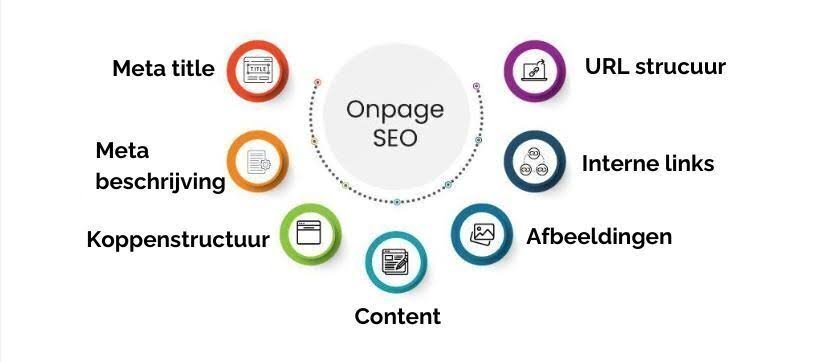
On-page SEO refers to the process of optimizing individual web pages so they are easier for search engines to understand and more useful for visitors.
Unlike off-page SEO, which focuses on backlinks and external signals, on-page optimization concentrates on elements you can control directly on your website.
These include:
- Content quality
- Title tags
- Meta descriptions
- Headings
- Images
- Internal links
- URL structure
- User experience
A well-optimized page creates a better experience for both users and search engines.
Why an On Page SEO Checklist Matters
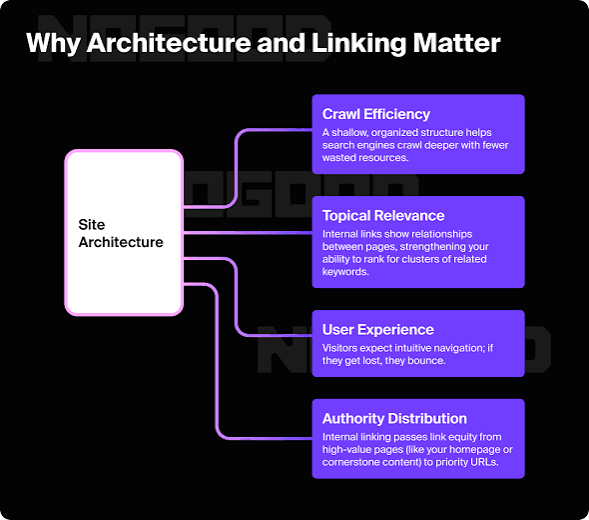
Publishing content without optimization may reduce its ability to compete in search results.
A proper checklist helps you:
- Improve crawlability
- Increase keyword relevance
- Enhance readability
- Strengthen user engagement
- Support long-term SEO growth
Completing these checks before publishing can prevent many common SEO mistakes.
1. Start With Search Intent
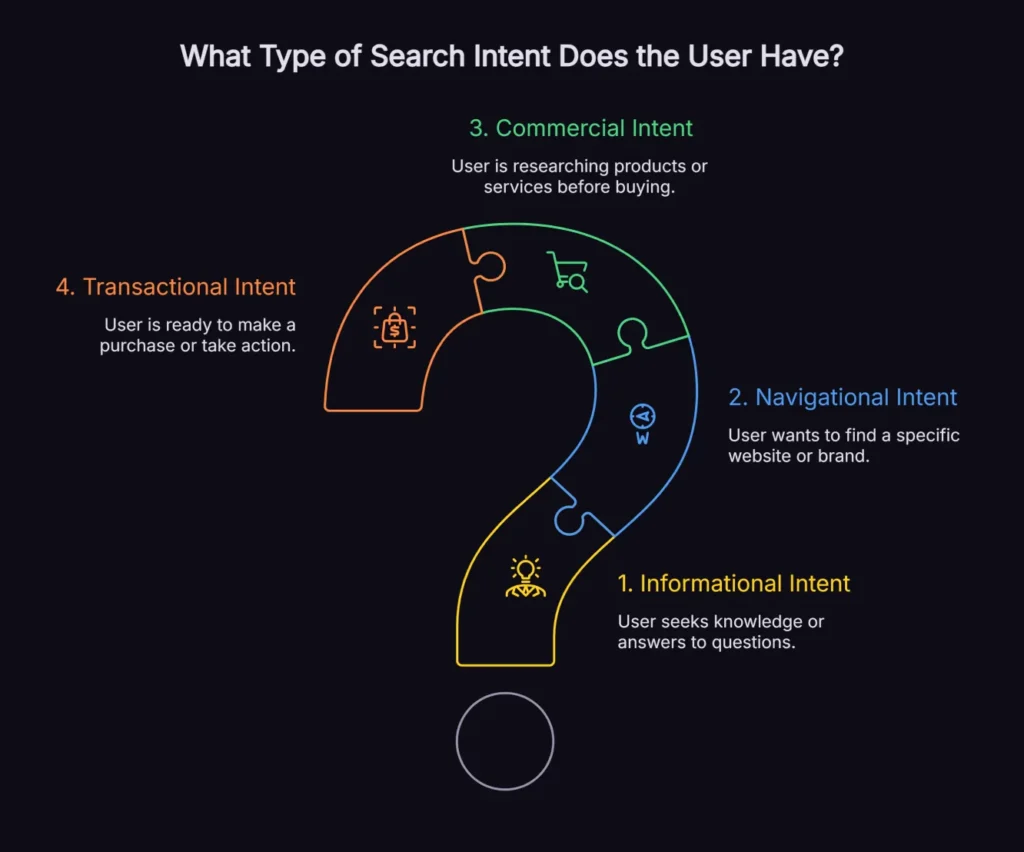
Before writing, understand what users are actually looking for.
Ask yourself:
- Are they seeking information?
- Do they want a solution?
- Are they comparing products?
- Are they ready to make a purchase?
Content that closely matches search intent is more likely to satisfy visitors.
2. Use One Primary Focus Keyword
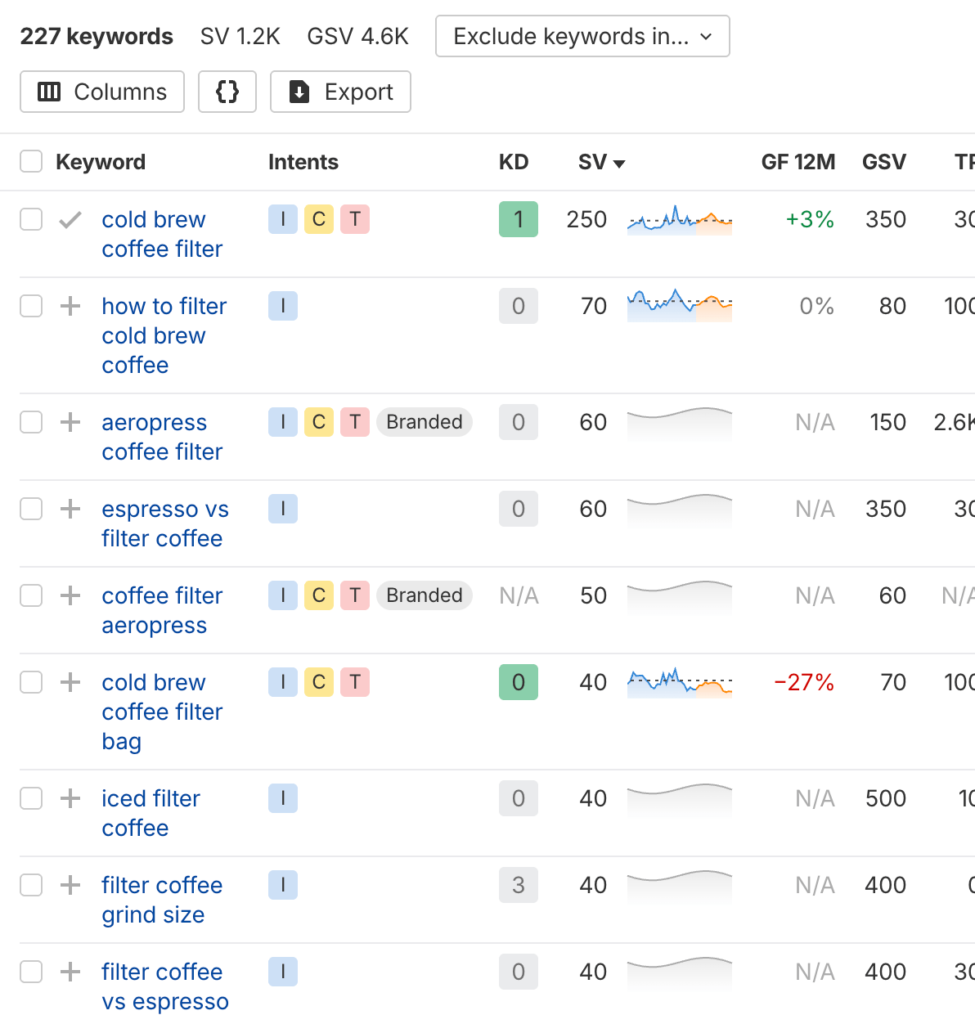
Every page should target one primary keyword.
Place the keyword naturally in important locations, including:
- Main title
- First paragraph
- One or two headings
- Meta description
- URL
- Image alt text where appropriate
Avoid repeating the keyword excessively because keyword stuffing can reduce content quality.
3. Write an Engaging Title Tag
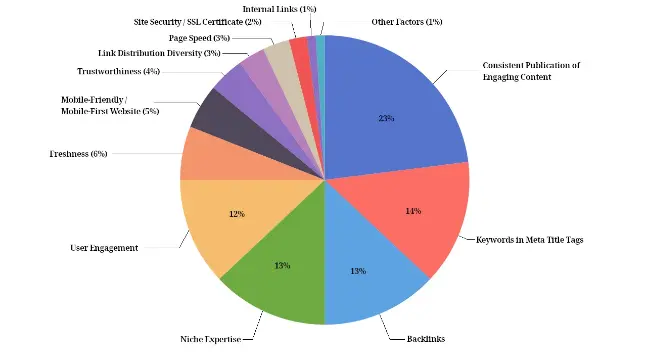
Your title is often the first thing users notice in search results.
An effective title should:
- Clearly describe the topic
- Include the focus keyword naturally
- Encourage clicks
- Remain concise
Well-written titles improve both relevance and user interest.
4. Create a Helpful Meta Description

Although meta descriptions are not direct ranking factors, they can influence click-through rates.
A strong meta description should summarize the page while encouraging users to visit your website.
Keep it informative rather than promotional.
5. Organize Content With Proper Headings
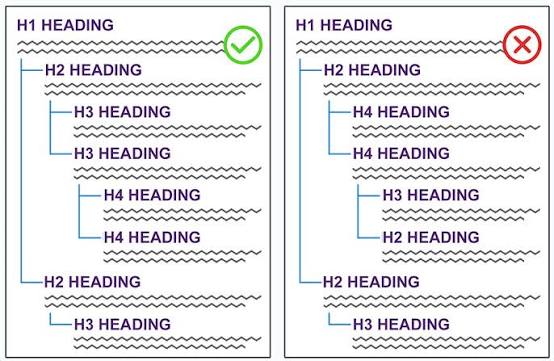
Headings improve readability and help organize information.
Use:
- One H1 heading
- Logical H2 sections
- Supporting H3 headings when necessary
Clear headings make content easier to scan.
6. Publish Original and Valuable Content
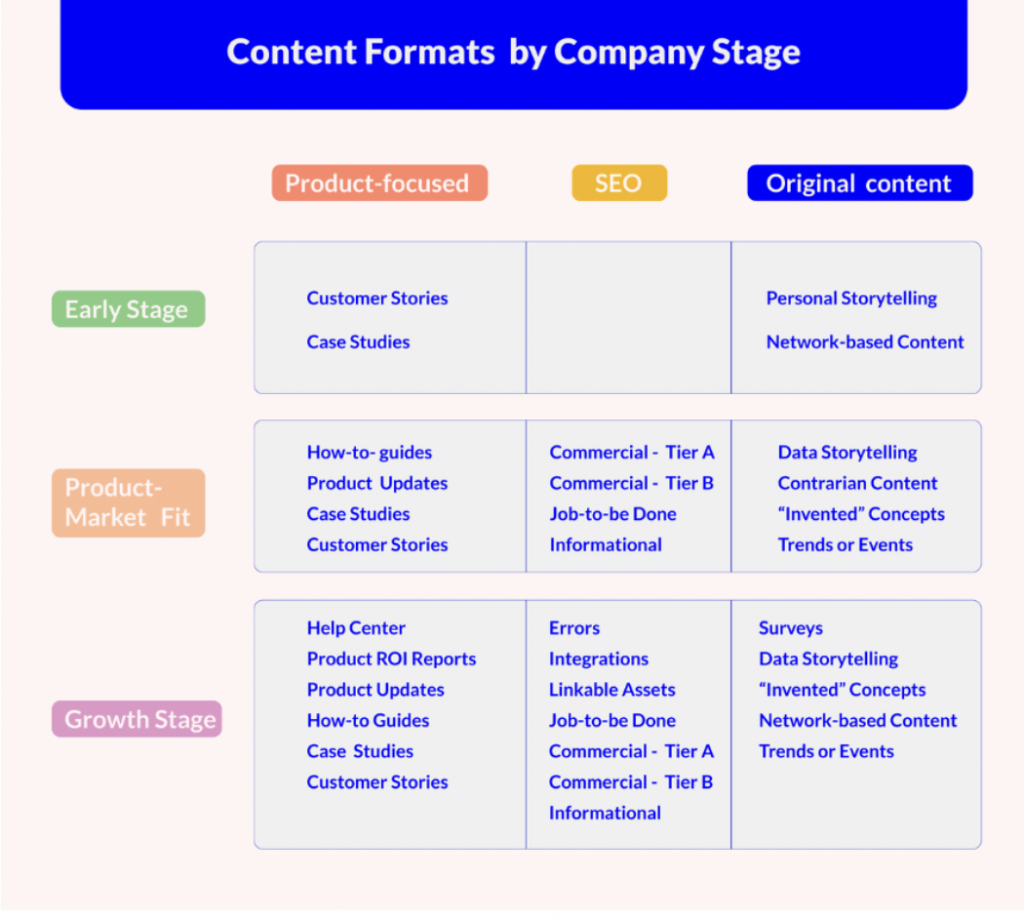
Unique content gives visitors a reason to stay on your website.
Instead of repeating information available elsewhere, explain concepts using your own expertise, examples, and practical advice.
High-quality content often earns greater trust over time.
7. Optimize URL Structure
URLs should be simple and descriptive.
Good URLs generally:
- Include relevant keywords
- Avoid unnecessary words
- Remain easy to read
Clean URLs improve usability and make page topics easier to understand.
8. Improve Internal Linking
Internal links connect related pages across your website.
Benefits include:
- Better website navigation
- Improved page discovery
- Stronger content relationships
- Easier crawling
Link naturally to relevant articles whenever appropriate.
9. Optimize Images
Images contribute to both user experience and page performance.
Best practices include:
- Compress image files
- Use descriptive filenames
- Add meaningful alt text
- Choose appropriate dimensions
Optimized images help pages load more efficiently.
10. Increase Page Loading Speed
Fast-loading pages create a smoother browsing experience.
Ways to improve speed include:
- Optimizing images
- Reducing unnecessary scripts
- Choosing reliable hosting
- Minimizing large files
Website performance continues to play an important role in overall user satisfaction.
11. Make Your Website Mobile Friendly
A significant portion of visitors browse websites using smartphones and tablets.
Responsive pages automatically adjust to different screen sizes and improve accessibility across devices.
12. Add External References When Appropriate
Linking to trustworthy sources can help support factual information.
Only reference reliable websites that add value to your content.
Avoid unnecessary outbound links.
13. Check for Duplicate Content
Duplicate content can confuse search engines.
Ensure every page offers original information with a unique purpose.
Each article should provide its own value rather than repeating existing pages.
14. Review Grammar and Readability
Well-written content builds credibility.
Before publishing:
- Correct grammar mistakes
- Improve sentence flow
- Simplify complex wording
- Remove unnecessary repetition
Easy-to-read content keeps visitors engaged.
15. Perform a Final SEO Review
Before publishing, confirm that your page includes:
- Focus keyword naturally
- Optimized title
- Meta description
- Proper headings
- Internal links
- Optimized images
- Mobile-friendly formatting
- Fast loading performance
A final review helps identify small issues before they affect performance.
Common On Page SEO Mistakes
Many website owners unintentionally reduce their SEO performance.
Common mistakes include:
- Keyword stuffing
- Missing title tags
- Weak headings
- Slow loading pages
- Poor internal linking
- Thin content
- Duplicate pages
- Ignoring mobile optimization
Avoiding these issues improves overall website quality.
Final Thoughts
A strong on page SEO checklist provides a practical framework for creating content that serves both users and search engines. Rather than focusing on a single ranking factor, successful optimization combines quality content, logical structure, technical improvements, and excellent usability.
Reviewing each page before publication can improve indexing, strengthen user engagement, and support long-term organic growth. Consistency is often more valuable than making large changes all at once.
Frequently Asked Questions
1. What should be included in an on page SEO checklist?
A complete checklist should cover content quality, title tags, meta descriptions, headings, URLs, internal links, image optimization, page speed, and mobile responsiveness.
2. How often should on page SEO be updated?
Review important pages regularly, especially after content updates, algorithm changes, or noticeable shifts in search performance.
3. Does on page SEO improve Google rankings?
On-page SEO helps search engines understand your content and enhances the user experience, both of which can support better search visibility.
4. Is keyword placement still important for SEO?
Yes. Placing your primary keyword naturally in key areas helps communicate the topic without overusing the phrase.
5. Can a beginner perform on page SEO without paid tools?
Yes. Many free SEO tools provide enough information to optimize titles, content, indexing, performance, and overall page quality effectively.