
Search engines constantly evolve to improve the browsing experience for users. One of the biggest changes introduced by Google is the Page Experience Update. This update focuses on how users interact with websites instead of only analyzing keywords and backlinks.
Today, website owners must pay attention not only to content quality but also to loading speed, mobile responsiveness, stability, and overall usability. A slow or frustrating website can lose rankings even if the content itself is useful.
Understanding the Google Page Experience Update can help improve search visibility, user engagement, and long-term SEO performance.
What Is the Google Page Experience Update?
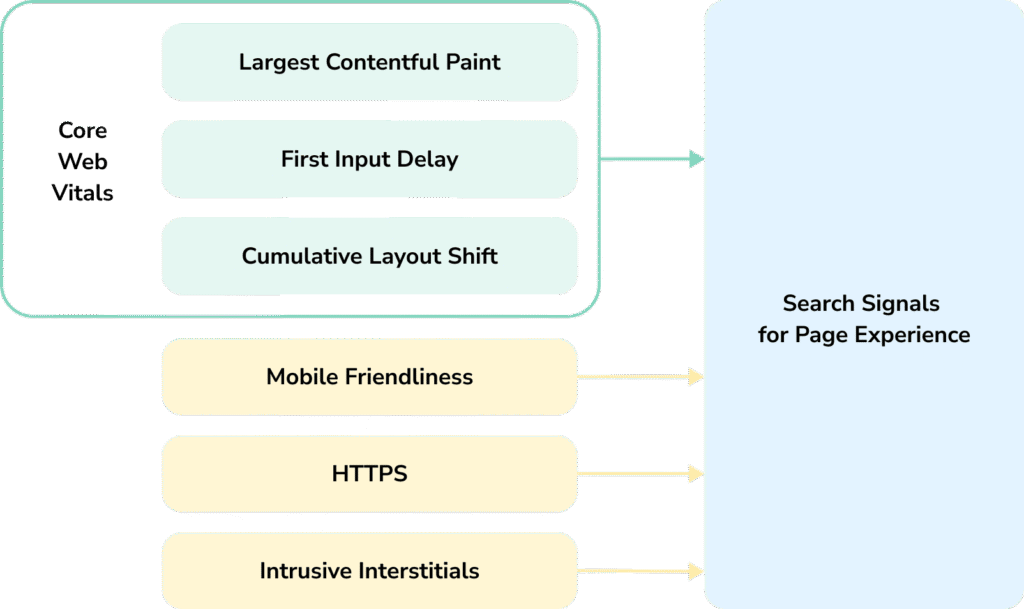
The Google Page Experience Update is a ranking system designed to evaluate how users experience a webpage. Instead of focusing entirely on traditional SEO signals, Google also measures usability and technical performance.
The goal is simple:
Provide users with fast, secure, and user-friendly websites.
This update combines several ranking factors into one overall experience signal.
Why Google Introduced This Update

Internet users expect websites to load quickly and work smoothly on all devices. Slow pages, unstable layouts, and intrusive popups create frustration.
Google introduced this update to encourage website owners to:
- Improve page speed
- Optimize mobile usability
- Enhance browsing stability
- Reduce intrusive elements
- Create safer browsing experiences
Websites that prioritize user satisfaction are more likely to perform better in search results.
Main Ranking Signals in Page Experience
Core Web Vitals
Core Web Vitals are performance metrics that measure website usability.
They focus on three areas:
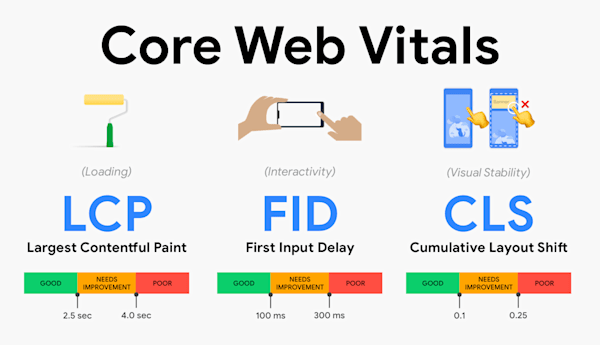
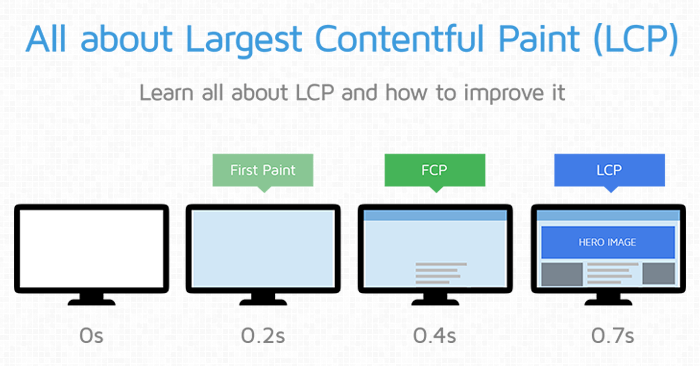
Largest Contentful Paint (LCP)
Measures loading speed of the main content.
A faster loading page creates a better first impression.
Interaction to Next Paint (INP)
Measures how quickly a website responds when users interact with buttons or menus.
Responsive websites improve engagement.
Cumulative Layout Shift (CLS)
Measures visual stability.
Unexpected movement on pages creates poor user experience.
Mobile-Friendly Design Matters More Than Ever
Most users now browse websites using smartphones. Because of this, Google prioritizes mobile-friendly websites in rankings.
A mobile-optimized website should have:
- Responsive design
- Easy navigation
- Readable text
- Fast mobile loading speed
- Proper button spacing
Poor mobile experience can reduce both rankings and conversions.
HTTPS Security Is Important
Google prefers secure websites using HTTPS encryption.
Secure websites help:
- Protect user information
- Build trust
- Improve credibility
Modern browsers may warn users when websites are not secure, which can reduce traffic and engagement.
Intrusive Popups Can Hurt User Experience
Large popups blocking content create frustration, especially on mobile devices.
Examples include:
- Full-screen ads
- Aggressive email signup forms
- Instant redirect popups
Google recommends using non-intrusive designs that do not interrupt browsing.
How Page Experience Affects SEO
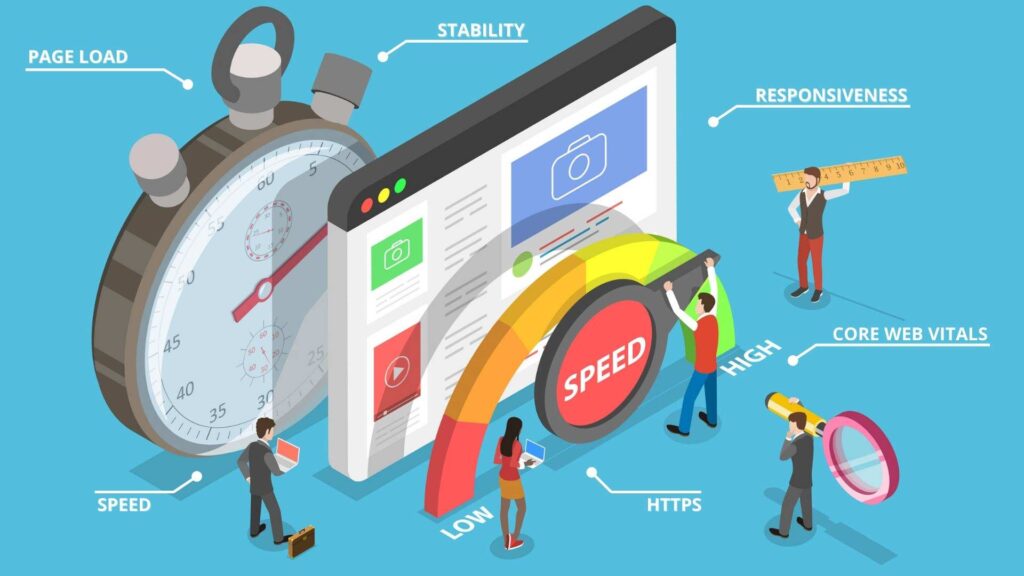
This update works alongside content quality by introducing additional factors related to overall website experience and usability.
A website with:
- Helpful content
- Good speed
- Smooth navigation
- Mobile optimization
has a stronger chance of ranking well.
Minor enhancements in website usability can help improve overall user engagement and search performance.
- Bounce rate
- Time on site
- Organic traffic
- User engagement
Common Website Problems That Hurt Page Experience
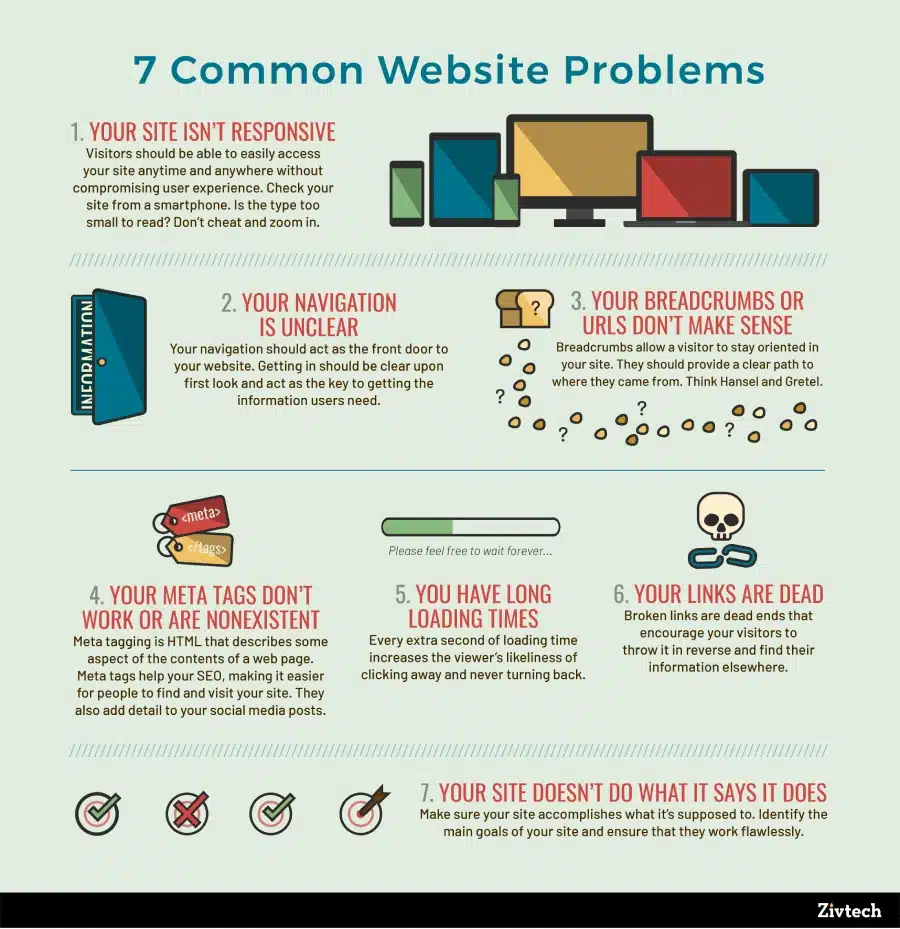
Many websites unknowingly create poor user experiences.
Slow Hosting
Cheap hosting often reduces website speed.
Heavy Images
Large image files increase loading time.
Too Many Plugins
Excessive plugins slow down WordPress websites.
Poor Mobile Optimization
Desktop-focused layouts perform badly on smartphones.
Excessive Ads
Too many ads reduce usability and readability.
How to Improve Page Experience
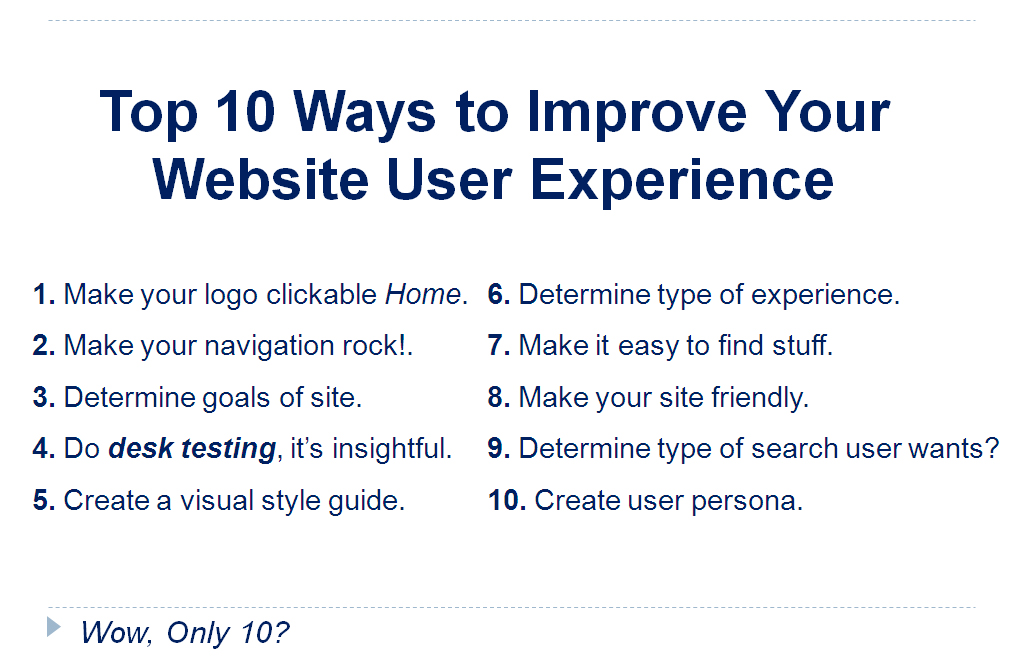
Optimize Website Speed
You can improve loading speed by:
- Compressing images
- Using caching plugins
- Reducing unnecessary scripts
- Choosing reliable hosting
Websites with quicker loading times can enhance search visibility while also creating a smoother experience for visitors.
Use Lightweight Themes
Heavy themes increase loading time.
Lightweight themes provide:
- Faster performance
- Better mobile responsiveness
- Cleaner layouts
This improves technical SEO performance.
Improve Core Web Vitals
Focus on:
- Faster server response time
- Stable layouts
- Better interaction speed
Tools like:
- Google PageSpeed Insights
- Google Search Console
can help identify performance issues.
Create User-Friendly Navigation
Easy navigation improves engagement.
Visitors should quickly find:
- Important pages
- Categories
- Contact information
- Related content
Simple website structures also help search engines crawl pages more efficiently.
Does Page Experience Guarantee Rankings?
High-quality and valuable content continues to play a major role in determining search engine rankings.
However, when two websites have similar content quality, the better user experience may help one rank higher.
This means technical optimization and quality content should work together.
Future of SEO and User Experience
SEO is moving beyond traditional keyword optimization. Search engine now prioritize real users satisfacation.
Future ranking systems may continue focusing on:
- Faster websites
- Better accessibility
- Improved interaction
- Secure browsing experiences
Websites that adapt early often gain long-term advantages.
Final Thoughts
The Google Page Experience Update highlights an important shift in SEO. Search engines now care deeply about how users feel while browsing a website.
Improving loading speed, mobile usability, visual stability, and navigation can strengthen both rankings and user trust.
Successful SEO today depends on creating valuable content while also ensuring visitors can browse the website smoothly and comfortably.
FAQs
1. Can Core Web Vitals improve search rankings?
Yes, Google uses Core Web Vitals to measure user experience, and better scores may help a website perform more effectively in search results.
2. How can I improve page experience?
Improve loading speed, optimize mobile design, reduce layout shifts, and create easier navigation.
3. Website loading speed importance for SEO?
Yes, websites that load quickly often create a smoother browsing experience, which can support better visibility in search engine rankings.
4. Is mobile optimization important after this update?
Yes, Google strongly prioritizes mobile-friendly websites because most users browse on mobile devices.