
What Is Pingback in WordPress?

A pingback is a WordPress feature that notifies a website when another website links to one of its published posts or pages. It works as a type of automatic notification between websites that support the pingback system.
For example, imagine you publish an article about website security. Another WordPress website creates an article and adds a link to your security article. If pingbacks are enabled, the website that published the link may send a notification to your website. WordPress can then display that notification as a comment or pending comment, depending on your settings.
The main purpose of pingbacks is to help website owners discover when their content has been referenced by another website.
How Do WordPress Pingbacks Work?
Pingbacks operate through communication between compatible websites. When someone links to your WordPress post, WordPress can attempt to send a pingback request to the website being linked to.
A simplified process looks like this:
- Website A publishes a post.
- Website B publishes content containing a link to Website A.
- Website B sends a pingback request.
- Website A receives the notification.
- Depending on moderation settings, the pingback may appear for approval or publication.
This process is designed to make website owners aware of links pointing toward their content without requiring the referring website owner to manually contact them.
Pingbacks are different from ordinary comments because they are generated through links between websites rather than written manually by visitors.
Pingbacks vs. Trackbacks: What’s the Difference?
Pingbacks and trackbacks are related WordPress features, but they do not work in exactly the same way.
A trackback generally requires the person creating the link to manually send a notification to the referenced website. Pingbacks, on the other hand, are designed to work automatically when a supported website links to another compatible website.
Both systems were created to help websites communicate when content references each other. However, pingbacks became more closely associated with WordPress because of their automated process.
For modern websites, many administrators choose to manage these notifications carefully because automated systems can sometimes produce unwanted or low-value messages.
Are Pingbacks Good for SEO?

A common question is whether receiving pingbacks directly improves search engine rankings. A pingback itself should not be treated as a guaranteed SEO ranking method.
What matters more is the quality and relevance of the websites linking to your content. A relevant editorial link from a useful and trustworthy website can potentially help users discover your content and may contribute to your site’s overall link profile.
However, simply generating pingbacks does not automatically make a website rank higher.
Website owners should therefore focus on creating useful content and earning relevant references naturally instead of using pingbacks as a primary SEO strategy.
Benefits of Pingbacks in WordPress
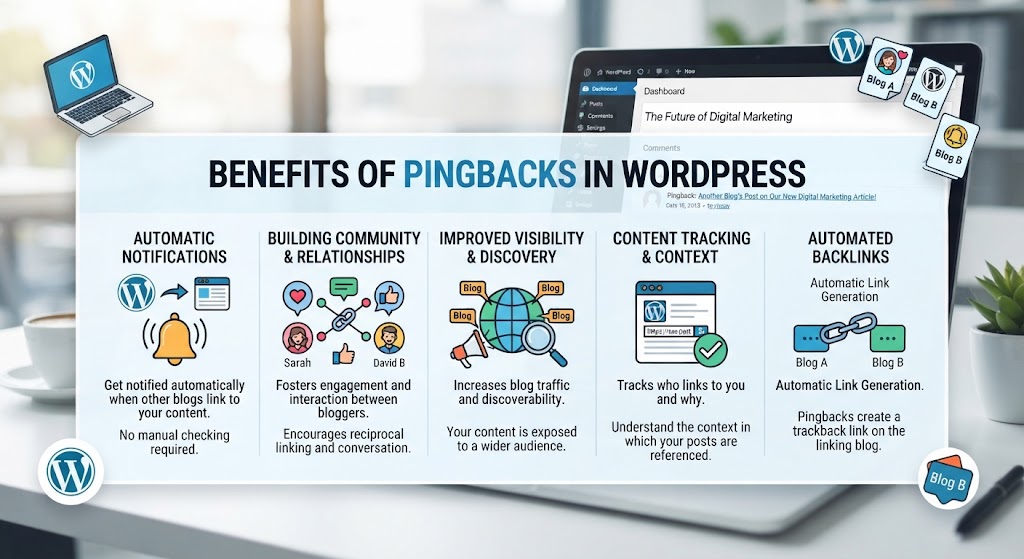
Pingbacks can provide several useful functions for website owners.
Discover Incoming Links
Pingbacks can help you identify websites that have linked to your articles. This can be useful when monitoring how your content is being referenced online.
Encourage Content Discovery

When websites reference each other’s content, readers may discover additional information through those links. This can create opportunities for visitors to move between related resources.
Automatic Notifications
One advantage of pingbacks is automation. Website owners do not necessarily need to receive a direct email or personal message whenever another supported WordPress website links to their content.
Monitor Content References
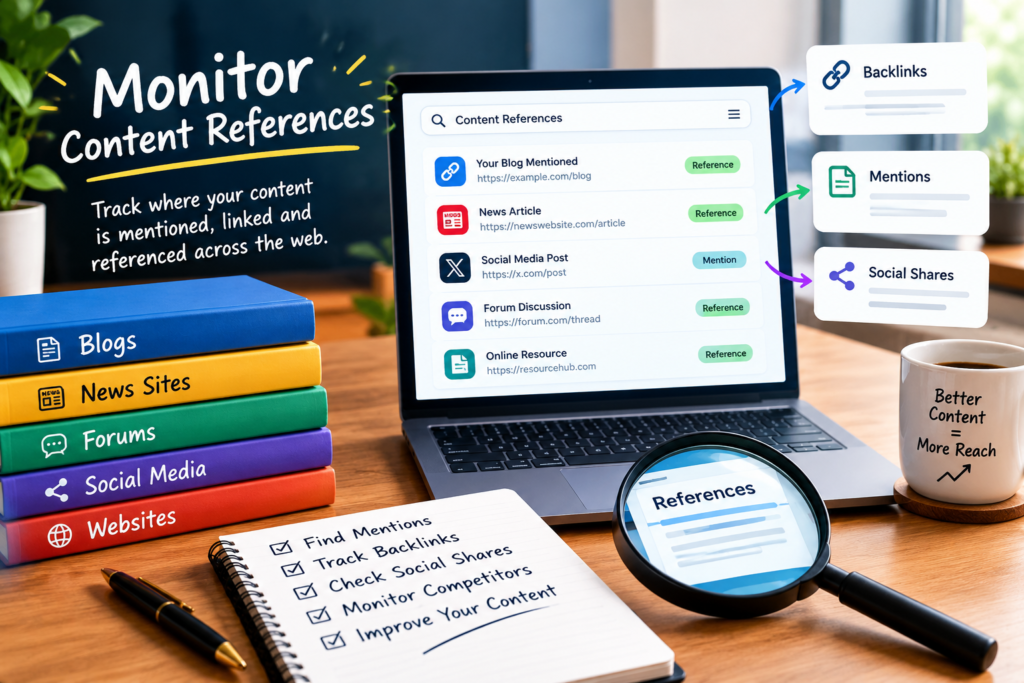
For bloggers and publishers, pingbacks can provide another way to notice references to published articles. This may help with general content and link monitoring.
Problems Associated With Pingbacks

Although pingbacks can be useful, they also have disadvantages.
One major issue is spam. Websites can receive large numbers of unwanted pingback notifications, particularly when automated systems or low-quality websites generate them.
Another concern is unnecessary comment activity. If a website receives many pingbacks, its comments or moderation area can become difficult to manage.
Pingbacks can also create additional requests between websites. On websites with high traffic or poor hosting resources, unnecessary requests may contribute to performance concerns.
Because of these issues, some website administrators prefer to disable pingbacks completely.
How to Disable Pingbacks in WordPress
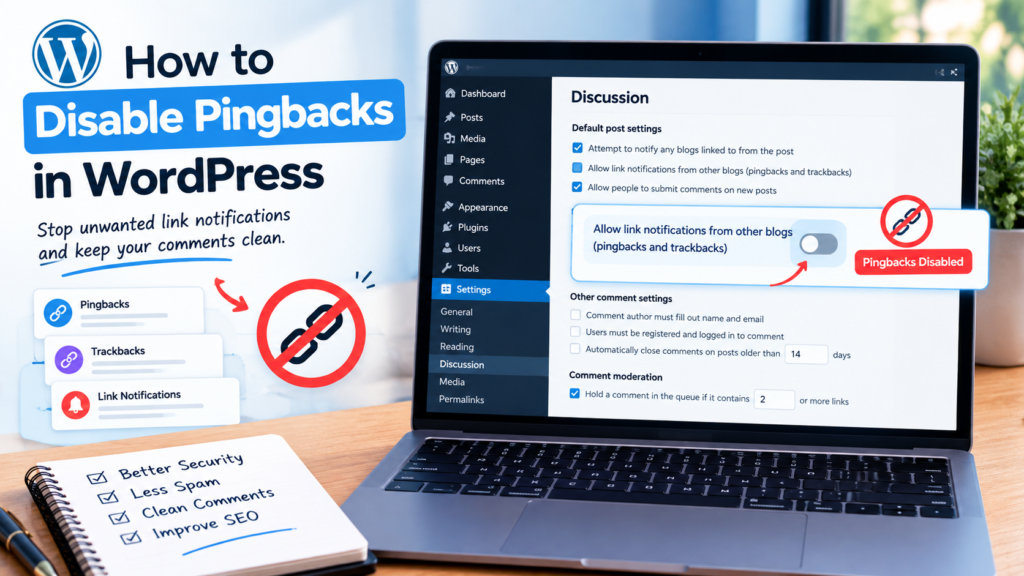
If you do not want to use pingbacks, WordPress provides settings that allow you to control them.
To check the relevant setting, log in to your WordPress dashboard and open:
Settings → Discussion
Look for the option related to allowing notification links from other blogs or websites. You can change this setting according to your website’s requirements.
Keep in mind that changing the setting can affect how future pingbacks are handled. Existing pingback comments may still require separate management.
The exact options available can vary depending on the WordPress version, hosting environment, themes, and plugins installed on your website.
Should You Disable Pingbacks?
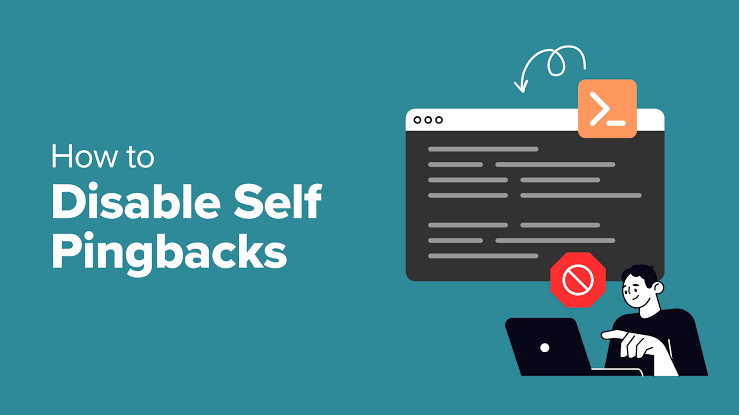
There is no single setting that is appropriate for every website. The decision depends on how you manage your comments and whether pingback notifications are useful to you.
If you regularly receive valuable references from other websites and want to monitor them through WordPress, keeping pingbacks enabled may be useful.
On the other hand, if your website receives large amounts of spam or you do not use pingbacks, disabling them can simplify comment management.
It is also important to review your website’s overall comment settings and security practices rather than relying on pingbacks as a method of monitoring backlinks.
Pingbacks vs Backlinks
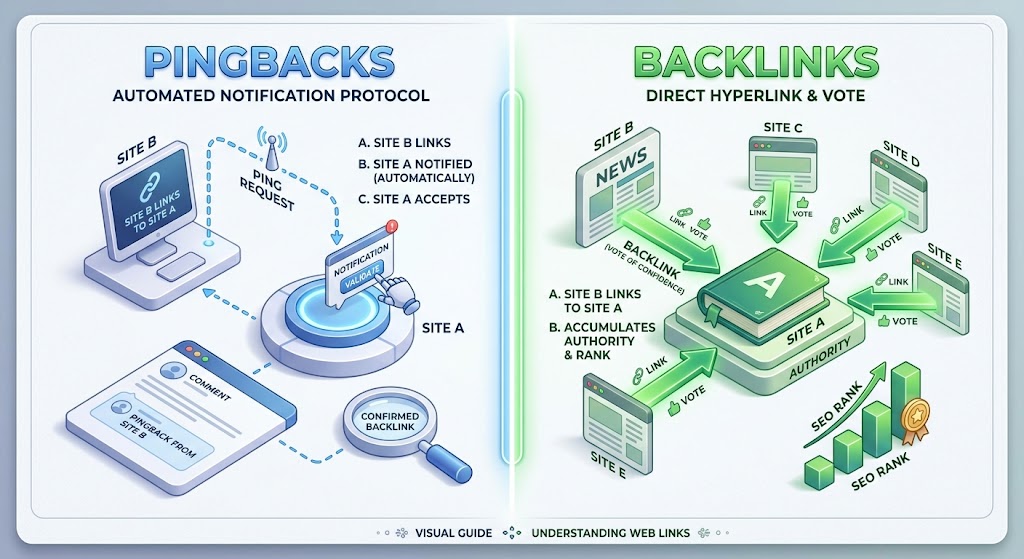
Pingbacks and backlinks are not the same thing.
A backlink is a hyperlink that directs users from one website to a page on another website.
For example, if Website A links to your article, that link is a backlink for your website.
A pingback is a notification mechanism that can inform your WordPress website that another compatible website has linked to your content.
Therefore, a backlink can exist without a pingback. A pingback is essentially a notification related to a link, while the backlink itself is the actual link between two webpages.
Understanding this difference is important for beginners learning WordPress and SEO.
Final Thoughts
Understanding what is pingback in WordPress can help website owners manage link notifications and comment activity more effectively. Pingbacks were designed to allow compatible websites to automatically notify each other when content is referenced through links.
They can help identify incoming references, but they are not a replacement for proper backlink analysis or a complete SEO strategy. Website owners should also be aware of spam and unnecessary notifications.
Whether you keep pingbacks enabled or disable them depends on your website’s needs. If pingbacks provide useful information, they can remain part of your WordPress workflow. If they create unwanted activity, reviewing the Discussion settings can help you manage them more efficiently.
Frequently Asked Questions
What is a pingback in WordPress?
A pingback is an automatic notification that can be generated when one compatible website links to content published on another WordPress website.
Are pingbacks the same as backlinks?
No. A backlink is the actual link pointing from one website to another, while a pingback is a notification associated with that link.
Do pingbacks help SEO?
Pingbacks themselves are not a guaranteed SEO ranking factor. The quality, relevance, and usefulness of links are more important considerations for SEO.
Can I disable pingbacks in WordPress?
Yes. WordPress provides discussion settings that allow website owners to control whether certain link notifications are accepted.
Are WordPress pingbacks safe?
Pingbacks are a normal WordPress feature, but they can sometimes be abused for spam or unwanted notifications. Website owners should monitor them and adjust their settings when necessary.
Should beginners disable pingbacks?
It depends on the website. Beginners who receive excessive spam may prefer to disable them, while website owners who find link notifications useful may choose to keep them enabled.