
An SEO Audit Checklist is an essential tool for evaluating the health and performance of your website. Even if you regularly publish high-quality content, your website can still lose rankings because of technical errors, outdated SEO practices, broken links, or poor user experience. Performing an SEO audit helps identify these issues before they impact your organic traffic.
An SEO audit is more than just checking keywords. It involves reviewing every important aspect of your website, including technical SEO, on-page optimization, website speed, mobile usability, internal linking, security, and indexing.Reviewing these factors helps identify areas for improvement, increasing search visibility while enhancing the overall user experience.
Whether you own a personal blog, a business website, or an eCommerce store, conducting regular SEO audits is an effective way to maintain strong search performance. This guide explains the key areas every website owner should review to keep their site optimized and competitive.
What Is an SEO Audit?

An SEO audit is a detailed review of your website to identify factors that affect its visibility in search engines. It helps uncover technical issues, content weaknesses, and optimization opportunities that may limit your website’s performance.
The purpose of an audit is to ensure that search engines can crawl, understand, and index your website efficiently while providing visitors with a fast and user-friendly experience.
A well-executed audit forms the foundation of a successful SEO strategy.
Why Is an SEO Audit Important?
Regular SEO audits help maintain a healthy website and prevent small issues from becoming larger problems.
Some major benefits include:
- Improved search visibility
- Better user experience
- Faster website performance
- Stronger crawl efficiency
- Increased organic traffic
- Higher conversion opportunities
- Better long-term SEO results
Websites that are reviewed regularly are more likely to adapt successfully to search engine updates and changing user expectations.
Check Website Crawlability
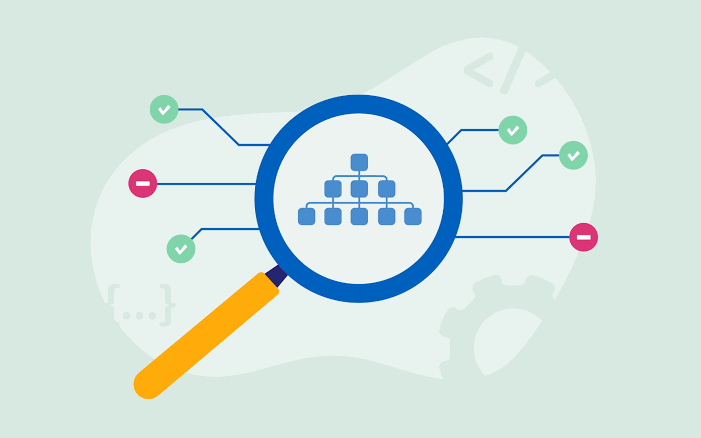
Search engines must be able to access your pages before they can appear in search results.
During your audit, review:
- Internal links
- XML sitemap
- Robots.txt file
- Crawl errors
- Blocked resources
Improving crawlability ensures important pages remain accessible to search engines.
Verify Indexing Status
Indexing determines whether your pages are eligible to appear in search results.
Check for:
- Indexed pages
- Pages excluded from indexing
- Duplicate URLs
- Canonical tags
- Redirect issues
Keeping your index clean helps search engines focus on valuable content.
Evaluate Website Speed

Page speed plays an important role in both user experience and SEO.
Review factors such as:
- Image optimization
- Browser caching
- Page caching
- CSS and JavaScript optimization
- Server response time
Test Mobile Friendliness
Most users now browse websites using smartphones.
Your website should provide:
- Responsive design
- Readable text
- Touch-friendly navigation
- Fast loading
- Stable layouts
A positive mobile experience supports stronger search visibility.
Review HTTPS Security
Website security builds trust with both users and search engines.
Confirm that:
- HTTPS is enabled
- SSL certificate is valid
- Mixed-content issues are resolved
Secure websites create a safer browsing experience.
Audit On-Page SEO
Review the optimization of every important page.
Check:
- Title tags
- Meta descriptions
- Heading structure
- Keyword placement
- Image alt text
- URL structure
Proper on-page optimization helps search engines understand your content more effectively.
Review Internal Linking
Internal links create connections between relevant pages while helping share page authority across your website.
- Identify orphan pages
- Fix broken internal links
- Improve anchor text
- Link related articles naturally
A strong internal linking structure benefits both users and search engines.
Check Content Quality

Content should remain accurate, useful, and relevant.
Review:
- Outdated information
- Duplicate content
- Thin pages
- Readability
- Keyword relevance
Updating existing content often provides significant SEO improvements.
Optimize Images
Images should support website performance without slowing loading times.
Review:
- Image size
- Compression
- File names
- Alt text
- Mobile compatibility
Well-optimized images improve both speed and accessibility.
Perform a Technical SEO Audit
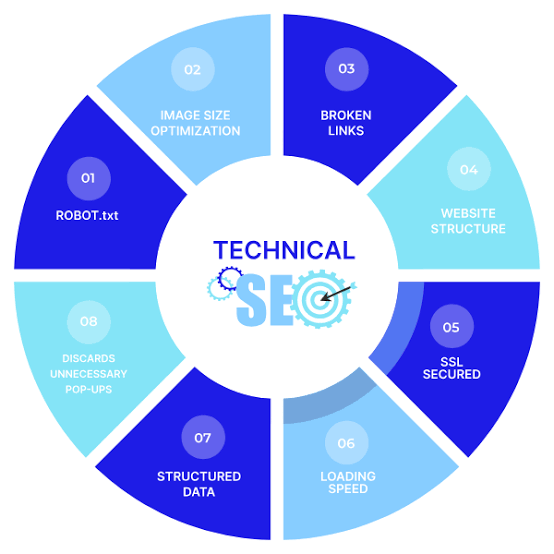
A technical SEO audit helps identify issues that may prevent search engines from crawling, indexing, and understanding your website correctly. Even excellent content can struggle to rank if technical problems remain unresolved.
During your technical review, examine the following areas:
XML Sitemap
Ensure your XML sitemap is updated and includes all important pages. Remove outdated or unnecessary URLs to help search engines discover your latest content efficiently.
Robots.txt File
Review your Robots.txt file to confirm that important pages are accessible while unnecessary directories are restricted from crawling.
Canonical Tags
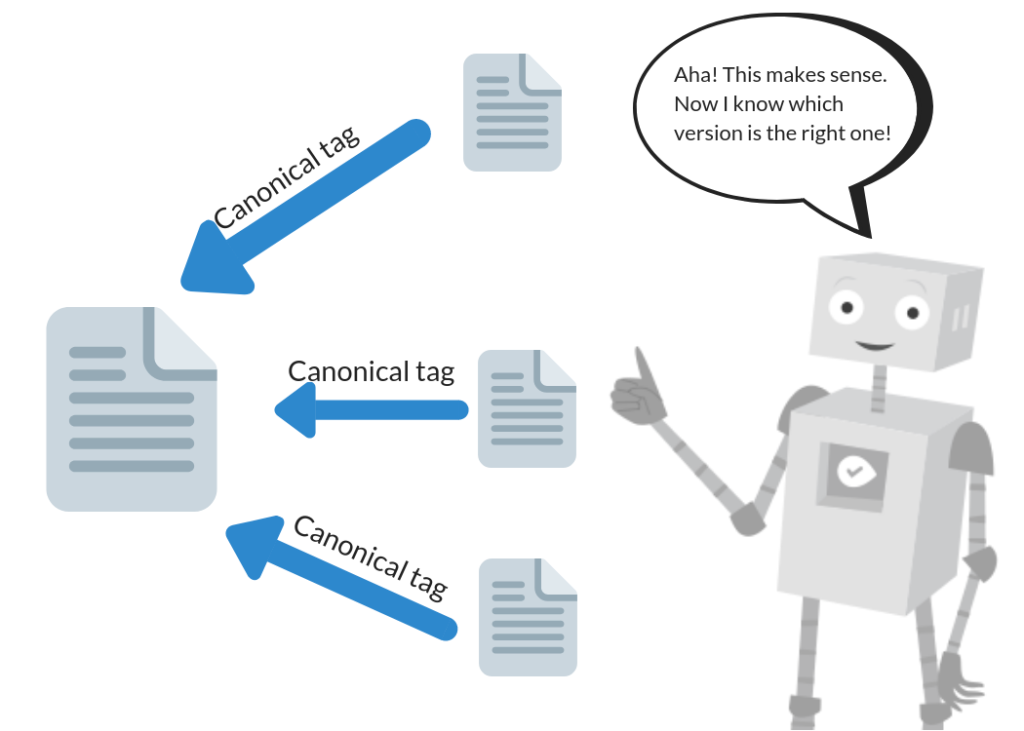
Check canonical tags to ensure duplicate or similar pages point to the preferred version. This helps consolidate ranking signals and reduces duplicate content issues.
Broken Links
Broken internal or external links create a poor user experience and waste crawl resources. Replace or remove broken links during every SEO audit.
Review Core Web Vitals
Core Web Vitals measure real-world user experience and are an important part of modern SEO.
Largest Contentful Paint (LCP)
. . Faster loading creates a smoother experience for visitors.
Interaction to Next Paint (INP)
INP measures how quickly your website responds to user interactions such as clicks and keyboard input. Responsive websites improve usability.
Cumulative Layout Shift (CLS)
Stable layouts help users interact with pages without accidental clicks.
Regularly monitoring these metrics helps maintain consistent website performance.
Analyze Your Backlink Profile
Backlinks remain an important ranking factor, but quality matters more than quantity.
During your audit:
- Identify high-quality referring websites.
- Look for broken backlinks.
- Review anchor text diversity.
- Monitor newly acquired backlinks.
- Remove or disavow harmful links when necessary.
A healthy backlink profile strengthens website authority and supports long-term SEO growth.
Check User Experience
User experience influences how visitors interact with your website.
Review the following:
- Easy navigation
- Clear page layout
- Readable typography
- Mobile usability
- Fast page loading
- Logical content organization
A positive experience encourages visitors to spend more time exploring your website.
Common SEO Audit Mistakes
Avoiding common mistakes improves the effectiveness of every SEO audit.
Ignoring Technical Issues
Slow loading pages, crawl errors, and indexing problems should always be addressed before focusing on advanced optimization.
Publishing Without Reviewing Old Content
Older articles may contain outdated information or broken links. Refreshing existing content often improves rankings.
Focusing Only on Keywords
SEO involves much more than keyword optimization. Website structure, performance, and user experience also contribute to success.
Skipping Mobile Testing
Since most users browse on mobile devices, always verify that your website performs well across different screen sizes.
Complete SEO Audit Checklist
Use this checklist whenever reviewing your website.
- Confirm HTTPS is enabled.
- Check XML sitemap accuracy.
- Review Robots.txt configuration.
- Verify page indexing.
- Improve website speed.
- Optimize Core Web Vitals.
- Test mobile responsiveness.
- Audit title tags and meta descriptions.
- Optimize heading structure.
- Improve internal linking.
- Repair broken links.
- Review image optimization.
- Refresh outdated content.
- Monitor backlink quality.
- Check structured data implementation.
Completing these steps regularly helps maintain a technically healthy and search-friendly website.
How Often Should You Perform an SEO Audit?
The ideal audit frequency depends on your website size and update schedule.
- Small websites: every three to six months.
- Business websites: every two to three months.
- Large blogs and eCommerce websites: monthly or after major updates.
Regular audits help identify problems early and maintain consistent SEO performance.
Frequently Asked Questions (FAQs)
What is an SEO Audit Checklist?
An SEO Audit Checklist is a structured list of tasks used to evaluate and improve the technical, on-page, and performance aspects of a website.
Why is an SEO audit important?
It helps identify technical errors, improve user experience, strengthen search visibility, and maintain long-term SEO health.
How long does an SEO audit take?
The time varies depending on website size, but a complete audit may take several hours to several days for larger websites.
Should beginners perform SEO audits?
Yes. Even basic audits can uncover issues that affect website performance and help build a stronger SEO foundation.
Does an SEO audit improve rankings?
An audit itself does not increase rankings, but fixing the issues identified during the audit can lead to better visibility and improved organic traffic.
Conclusion
A well-planned SEO Audit Checklist is one of the most effective tools for maintaining a healthy, high-performing website. By regularly reviewing technical SEO, page optimization, website speed, mobile usability, internal linking, indexing, and backlink quality, you can identify issues before they impact your search performance.
SEO is an ongoing process, and regular audits ensure your website continues to meet search engine standards while providing an excellent experience for visitors. Combining consistent audits with high-quality content, technical improvements, and user-focused optimization creates a strong foundation for sustainable organic growth and long-term search success.