

1. What Is Reverse Image Search?
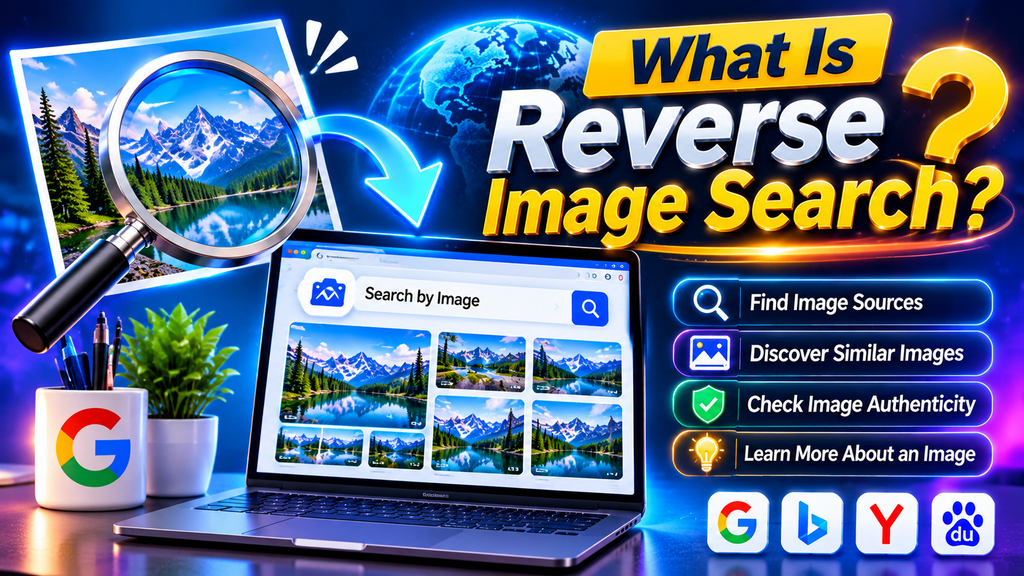
Reverse image search enables users to find information online by uploading a picture rather than entering words or phrases into a search engine. Rather than typing a description into a search engine, you upload a photograph, paste an image URL, or select an image from a website to discover related information. The results may include websites containing the same image, visually similar pictures, alternative image sizes, and pages that provide additional context.
In today’s digital world, millions of photographs are shared across websites, blogs, online stores, and social media platforms. Finding the original source of a picture can be difficult when you do not know its name, creator, or location. Reverse image search makes this process easier by helping users investigate an image through visual recognition technology.
For example, if you discover an unfamiliar product in a photograph, you can search with that picture to find product pages and related information. Similarly, photographers can use image search tools to investigate where their photographs appear online, while journalists can use them as part of a broader fact-checking process.
Popular options include Google Lens and TinEye. Google Lens can identify objects and return visually related information, while TinEye focuses on finding matching images, including certain edited or resized versions. Their capabilities differ, so using more than one tool can sometimes produce better results.
2. How Does Reverse Image Search Work?

Reverse image search tools examine the visual elements of an uploaded photo and match them against pictures stored in their indexed databases to find relevant results.Depending on the service, this process may involve computer vision, image recognition, visual features, and machine-learning techniques.
When you submit a photograph, the system examines characteristics such as shapes, colors, patterns, objects, and other visual details. Some services generate a compact digital representation of the image, which can then be compared against indexed images. TinEye, for example, explains that it creates a digital fingerprint for image matching rather than relying on the filename or associated metadata.
After processing the image, the search engine displays available matches and related results. These may lead to websites, product listings, articles, or other pages where the picture appears.
However, different tools produce different types of results. Some are particularly effective at finding copies of an existing image, while others can recognize the subject and suggest related photographs or useful information.
Reverse image search also has limitations. An image may not appear in the results if it has never been indexed, is hosted on a restricted website, or has been changed significantly. Search engines cannot guarantee that every online appearance will be discovered.
For this reason, reverse image search should be treated as an investigative tool rather than a perfect identification system.
3. How to Perform a Reverse Image Search on Google Lens
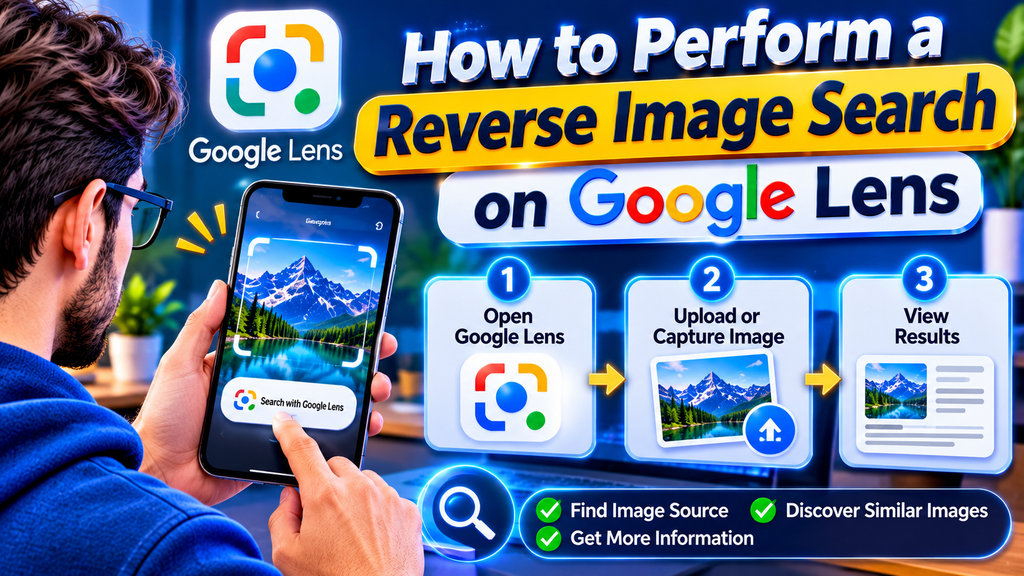
Google Lens is a convenient option for people who want to identify objects, explore similar pictures, or discover websites related to a photograph. It works with supported Google services and can be used on many desktop and mobile devices.
Follow these steps to perform a reverse image search with Google Lens:
- Open Google or a supported Chrome browser.
- Find the Google Lens feature and access its image search tool.
- Upload a picture from your device, select an available image, or use the supported image-search feature on a website.
- Wait for the tool to process and examine your uploaded picture.
- Review the search results for matching pictures, related websites, products, or other relevant information.
- Refine the search by selecting a specific object or area of the photograph when that option is available.
On many Android devices, you can open an image in Chrome, press and hold it, and select the option to search the image with Google Lens. The exact interface may vary according to your browser, device, and software version.
Google Lens is particularly useful when you want to identify a plant, recognize an unfamiliar product, find similar clothing, or learn more about an object in a photograph. It may also help you discover pages containing the same or a visually related image.
Remember that visually similar results are not necessarily exact copies. If your primary goal is to determine whether an image has been reused elsewhere, compare the results carefully and consider using another image-search service.
4. How to Use TinEye for Reverse Image Search

TinEye is a dedicated reverse image search engine designed to help users discover where images appear online. It can identify matching images and certain modified versions, making it useful for photographers, publishers, researchers, and website owners.
To use TinEye, follow these steps:
- Visit the official website at https://tineye.com/.
- Upload the image you want to investigate, paste it from your clipboard, or enter an accessible image URL.
- Click the search button and allow the tool a few moments to display the matching results.
- Examine the websites and image matches returned by the service.
- Use the available sorting options to explore results by criteria such as image size or crawl date.
- Open relevant pages to investigate the context in which the image appears.
One helpful feature is the ability to compare an original picture with a returned match. This can help reveal differences caused by cropping, resizing, rotation, or other edits.
TinEye is not designed to identify every photograph of the same subject. For instance, it may find a resized copy of a particular landscape photograph but fail to return a different photograph of the same landscape. A visual search tool with broader object recognition may be more appropriate in that situation.
TinEye also explains that submitted images are not added to its public search index. Nevertheless, users should review the current privacy terms of any service before uploading confidential or sensitive material.
5. Benefits and Practical Uses of Reverse Image Search

Reverse image search has many practical applications for individuals, businesses, researchers, and digital content creators.
Finding the original image source: Users can investigate where a photograph first appeared in the search results or locate websites that provide additional information about it. However, the earliest result found by a search engine is not necessarily the original publication.
Checking image authenticity: Journalists and researchers can investigate whether a photograph has appeared in an earlier context. For example, an image presented as a recent event may have been published years earlier. Search results can provide useful clues, although independent verification remains necessary.
Protecting original photographs: Photographers, illustrators, and website owners can search for matching versions of their work. If a potentially unauthorized use is discovered, they can examine the relevant website and decide whether further action is appropriate.
Shopping for products: A picture of a bag, chair, electronic device, or clothing item may help users find similar products online. Search results can reveal product listings, alternative designs, and possible retailers.
Researching unfamiliar objects: Students and curious users can investigate landmarks, plants, artwork, and other recognizable subjects. The usefulness of the results depends on image quality and the capabilities of the selected service.
Improving content research: Bloggers and publishers can use image search to investigate visual references, locate original creators, and find additional context before preparing an article.
Identifying duplicate content: Website administrators can look for matching images appearing across different pages. This may help with content audits and image attribution checks.
Although these benefits are valuable, reverse image search cannot independently establish copyright ownership, prove that a photograph is authentic, or confirm a person’s identity. Additional evidence may be required.
6. Reverse Image Search on Mobile Devices and Privacy Tips

You do not need a desktop computer to search by image. Many reverse image search tools offer mobile-friendly websites or features integrated into popular browsers and apps.
On an Android phone, you can often use Google Lens through the Google app or Chrome. Depending on the available options, select a photograph from your device or search directly from an image displayed on a webpage.
On an iPhone, you can use supported Google services through a browser or the Google app. Open the image-search feature, choose an appropriate photograph, and review the results. Available steps may differ depending on your iOS version and the application you use.
If a photograph is stored in your gallery, make sure you select the correct file before starting the search. A clear, high-quality image often makes visual details easier to analyze.
Privacy is another important consideration. Before uploading an image, consider whether it contains personal information, private documents, identifiable faces, home addresses, or other sensitive details. Read the service’s privacy policy and avoid submitting confidential images to unfamiliar websites.
You should also remember that a reverse image search does not make an image private or remove it from the internet. It is a way to investigate available visual matches, not a tool for controlling every copy of a photograph.
For better results, use reputable services, check the destination websites before opening unfamiliar links, and avoid uploading material you do not have permission to share.
7. Best Practices for Accurate Image Search and Verification

Getting useful results from a reverse image search often requires more than uploading a photograph once. A few practical techniques can help you investigate images more effectively.
Start with a clear image. Blurry, heavily compressed, or extremely small pictures may contain fewer recognizable details. When possible, use a high-quality version of the image.
Try more than one search engine. Google Lens and TinEye have different strengths. One may identify a subject or visually related image, while another may locate matching copies. Comparing their results can provide a broader perspective.
Search a specific portion of the image. If the picture contains several objects, select the most distinctive area when the tool supports this feature. A recognizable logo, product shape, or landmark may provide more useful results than the entire photograph.
Check the surrounding context. Open relevant pages and read captions, publication dates, author information, and article content. A matching image alone does not explain when, where, or why it was published.
Use additional search terms. If image search produces limited results, combine what you can see with descriptive keywords. For example, searching for a building’s visible name alongside its architectural style may help narrow down the possibilities.
Verify dates and locations independently. When investigating a news photograph, compare search results with credible reporting, official statements, and other available evidence. Do not assume that a website’s publication date is the date the photograph was taken.
Respect copyright and licensing. Finding an image online does not automatically grant permission to republish it. Check the license, contact the rights holder when necessary, and follow the applicable usage conditions.
For website owners, image SEO also matters. Google recommends descriptive filenames, useful alt text, relevant surrounding content, and appropriate image quality. These practices can help search engines understand images and improve accessibility, although they do not guarantee a particular ranking.
Frequently Asked Questions About Reverse Image Search
1. What is reverse image search used for?
Reverse image search helps users find matching images, discover websites where a photograph appears, investigate possible image sources, and locate visually related information. It is useful for research, shopping, content verification, and checking the online use of photographs.
2. Is reverse image search free to use?
Many popular reverse image search services offer free searches. Google Lens and TinEye provide publicly accessible image-search options, although individual services may have usage limits or additional paid features for certain applications.
3. Can I reverse image search on my phone?
Yes. You can use supported mobile features in Google Lens, Chrome, or other image-search services. Depending on your device and browser, you may upload a photograph, select an image from a webpage, or paste an image URL.
4. Which reverse image search tool is best?
The best tool depends on your goal. Google Lens is useful for identifying objects and discovering related information, while TinEye specializes in finding matching images and certain edited versions. Testing both can help when one service returns limited results.
5. Can reverse image search find the original source of a photo?
It can help identify websites where a photograph appears and may reveal an early publication. However, the oldest result returned is not necessarily the original source. You should verify publication dates, creator details, and other evidence before drawing conclusions.
6. Can I find someone using reverse image search?
An image search may locate public webpages containing a photograph, but results do not reliably establish someone’s identity. Avoid treating visual matches as proof of identity, and respect people’s privacy when researching personal images.
7. Does reverse image search work with screenshots?
Yes, screenshots can sometimes produce useful results, especially when they contain a recognizable photograph or object. Cropping away unrelated interface elements and selecting a clear portion of the image may improve results.
8. Why does reverse image search sometimes fail?
A search may return no useful matches because the image is not indexed, has been substantially modified, is too low in quality, or appears on inaccessible webpages. Try another search engine, improve the image quality, or use descriptive keywords.
9. Is reverse image search safe for private photographs?
Safety depends on the service and the image you submit. Review the provider’s privacy policy before uploading personal or confidential material. Avoid sending sensitive photographs to unfamiliar services, even when they advertise free image searches.
10. Can reverse image search detect copyright infringement?
It can help locate websites that display matching versions of a photograph, providing a starting point for a copyright investigation. However, a match does not automatically prove infringement. Ownership, licensing terms, permissions, and applicable law must also be considered.
Reverse image search is a practical way to explore the online history and context of photographs. By choosing the right tools, comparing results, checking reliable sources, and respecting privacy and copyright, users can make better-informed decisions about the images they discover online.