
Mobile applications have become an essential part of modern technology, helping businesses connect with customers and allowing people to complete everyday tasks more conveniently. From shopping and education to entertainment and communication, mobile apps are changing how people interact with digital services. As demand for mobile applications continues to increase, learning a modern development framework can create valuable opportunities for beginners and experienced programmers.
Flutter app development from scratch is an excellent starting point for anyone interested in creating applications for multiple platforms. Flutter is an open-source framework developed by Google that allows developers to build applications using a single codebase. Instead of maintaining completely separate projects for different operating systems, developers can create applications for Android, iOS, web, and desktop using Flutter’s development ecosystem.
This guide explains everything beginners need to understand before starting their Flutter journey. It covers programming fundamentals, development tools, widgets, interface design, application testing, and publishing. Whether you want to create a personal project or develop professional applications, understanding these concepts will help you build a strong foundation.
1. What Is Flutter App Development?

Flutter is an open-source software development framework that developers use to create applications for different platforms. It uses the Dart programming language and provides a collection of ready-made tools, widgets, and development features.
One of Flutter’s biggest advantages is its ability to support multiple platforms through a shared codebase. Developers can write application logic once and adapt the interface for different screen sizes and operating systems.
Flutter also provides a rendering system that gives developers considerable control over the appearance of application interfaces. This makes it suitable for projects that require customized layouts, attractive animations, and interactive elements.
Important features of Flutter include:
- Single codebase: Develop applications for multiple platforms without maintaining entirely separate projects.
- Hot Reload: View many code changes quickly without restarting the entire application.
- Customizable widgets: Create different layouts using reusable interface components.
- Open-source framework: Access development resources and community contributions.
- Flexible UI development: Build interfaces with customized colors, shapes, animations, and layouts.
Flutter is useful for startups, independent developers, educational projects, and businesses that want to create applications efficiently.
2. Why Should Beginners Learn Flutter Development?
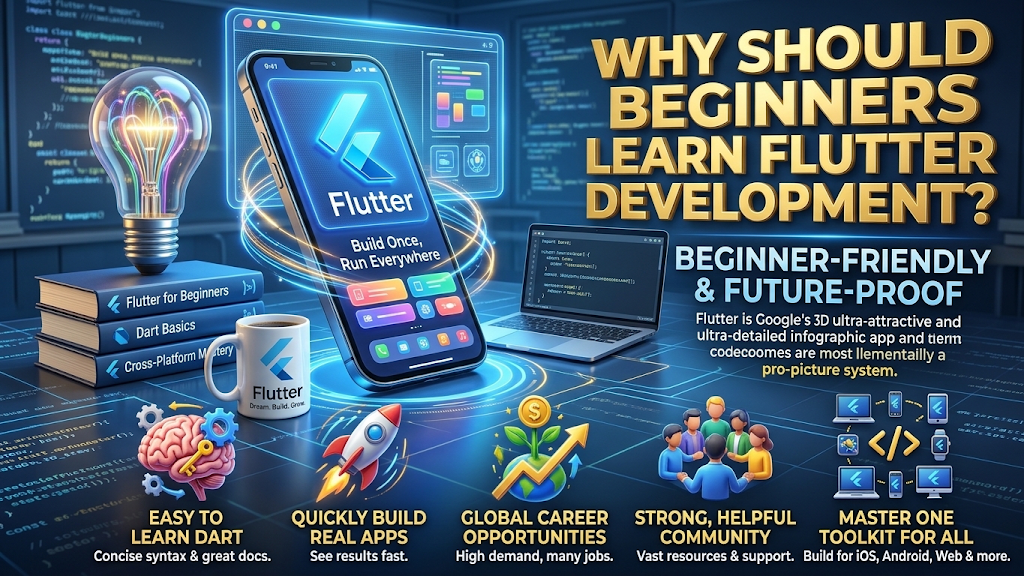
Learning Flutter can be a practical choice for people who want to enter the mobile application development industry. Its development environment combines programming tools, interface components, and cross-platform capabilities in one ecosystem.
Beginners can start with basic programming concepts and gradually develop more advanced applications. The framework also provides documentation and learning materials that make it easier to understand different development features.
Here are some important reasons to consider learning Flutter.
Cross-Platform Development
One of the most attractive features of Flutter is its cross-platform support. Developers can create applications for Android and iOS using much of the same code. Flutter also supports web and desktop development, depending on project requirements.
Faster Development Process
Flutter includes Hot Reload, which allows developers to see many changes without rebuilding the entire application. This feature makes experimenting with layouts and fixing interface problems more convenient.
Custom User Interfaces
Flutter provides extensive customization options. Developers can create buttons, navigation menus, forms, cards, and other interface elements according to their project requirements.
Strong Learning Resources
Flutter has official documentation, tutorials, sample projects, and an active developer community. Beginners can use these resources to understand programming concepts and solve common development problems.
Career and Project Opportunities
Flutter knowledge can help developers work on personal applications, freelance projects, business software, and professional development teams.
3. Essential Tools and Requirements for Flutter Development
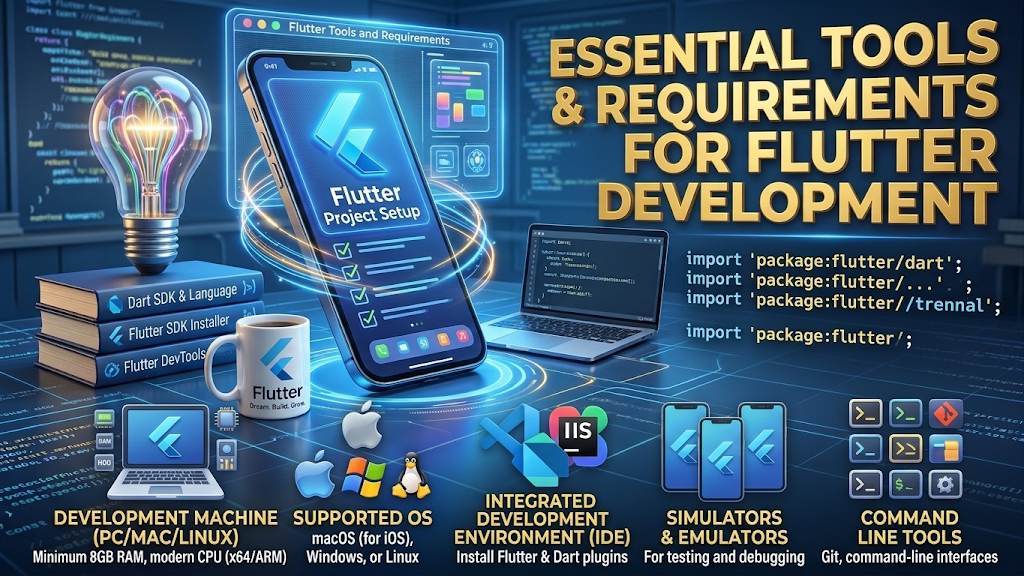
Before beginning Flutter app development from scratch, you need a suitable computer and the necessary development software. Setting up the environment correctly helps prevent technical problems during programming.
You do not need expensive equipment to start learning. A reasonably capable Windows, macOS, or Linux computer can be sufficient for many beginner projects.
The following tools are commonly used in Flutter development.
1. Flutter SDK
The Flutter Software Development Kit provides the main tools required to create, test, and run Flutter applications. It includes the Flutter command-line interface, framework libraries, and development utilities.
2. Dart SDK
Its SDK provides the tools required to write and execute Dart code..
3. Visual Studio Code
Visual Studio Code is a lightweight code editor that supports Flutter development through official extensions. It provides code suggestions, debugging features, and an integrated terminal.
4. Android Studio
Android Studio provides Android development tools and an emulator for testing applications. Developers can also install Flutter and Dart plugins to work with Flutter projects.
5. Android Emulator or Physical Device
You need a device to test your application. An Android emulator can simulate a mobile environment on your computer, while a physical smartphone allows you to test the application on actual hardware.
Basic setup checklist:
- Install the Flutter SDK.
- Install Visual Studio Code or Android Studio.
- Configure the Flutter and Dart extensions.
- Set up the required Android development tools.
- Create or connect a testing device.
- Run the Flutter doctor command to identify missing dependencies.
After completing the setup, you can start building your first app.
4. Learning Dart Programming Before Building Apps

Flutter applications are primarily built using the Dart programming language.
It is a programming language designed by Google that supports object-oriented programming, asynchronous operations, and modern application development practices.
You can begin your first Flutter project without mastering every aspect of Dart programming.
However, understanding its basic concepts will make application development easier.
Variables and Data Types
Variables store information that an application uses. Dart supports several data types, including integers, strings, Boolean values, and floating-point numbers.
For example:
void main() {
String appName = “My First Flutter App”;
int appVersion = 1;
bool isActive = true;
print(appName);
print(appVersion);
print(isActive);
}
Functions
Functions are sections of code designed to execute particular operations and can be used repeatedly throughout a program.
They help organize application logic and reduce unnecessary repetition.
void welcomeUser() {
print(“Welcome to Flutter Development”);
}
void main() {
welcomeUser();
}
Conditional Statements
Conditional statements allow applications to make decisions based on different situations.
void main() {
int age = 20;
if (age >= 18) {
print(“Access allowed”);
} else {
print(“Access restricted”);
}
}
Classes and Objects
Dart supports object-oriented programming. Classes define structures, while objects represent individual instances of those structures.
Beginners should also understand loops, lists, maps, constructors, and asynchronous programming. These concepts become especially important when building applications that communicate with online services or manage user information.
5. How to Create Your First Flutter Application
After learning the basics of Dart and installing the development tools, you can create your first Flutter application.
The process is straightforward, especially when you follow each step carefully.
Step 1: Check Your Flutter Installation
Open your terminal or command prompt and enter:
flutter doctor
This command checks your Flutter development environment and identifies missing dependencies or configuration problems.
Step 2: Create a New Project
Use the following command to create a Flutter application:
flutter create my_first_app
Flutter generates the project directory and includes the basic files required to start development.
Step 3: Open Your Project
Move into the project directory:
cd my_first_app
Open the folder using Visual Studio Code or Android Studio.
Step 4: Explore the Project Structure
A Flutter project contains different directories and files. Some important components include:
- lib/: Contains the main application code.
- lib/main.dart: Usually contains the application’s entry point.
- android/: Stores Android-specific project configuration.
- ios/: Contains iOS-specific project files.
- test/: Contains automated tests.
- pubspec.yaml: Defines project dependencies, assets, and configuration.
Step 5: Run Your Application
Connect a physical device or start an emulator. Then execute:
flutter run
Flutter builds and launches the application on the selected device.
You should now see the default Flutter application. From here, you can replace the sample interface with your own design and functionality.
6. Understanding Flutter Widgets and User Interface Design
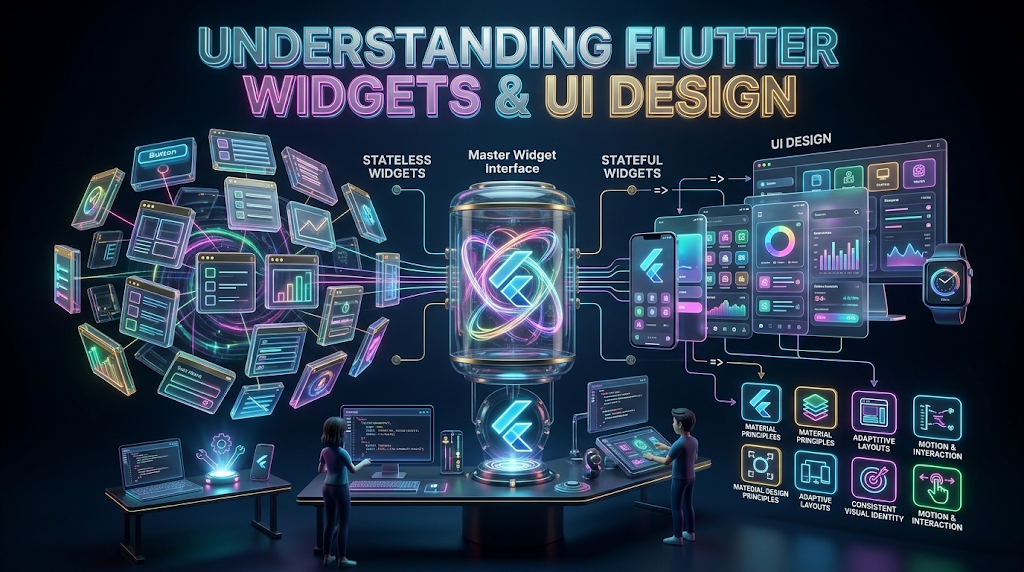
Understanding widgets is essential because they allow developers to create organized and reusable interfaces.
Flutter provides two major widget categories.
Stateless Widgets
A StatelessWidget is used when a component does not manage changing internal state. It is suitable for elements such as static headings, logos, labels, and decorative interface components.
Example:
import ‘package:flutter/material.dart’;
class WelcomeScreen extends StatelessWidget {
const WelcomeScreen({super.key});
@override
Widget build(BuildContext context) {
return const Scaffold(
body: Center(
child: Text(“Welcome to My App”),
),
);
}
}
Stateful Widgets
A StatefulWidget is useful when an interface needs to change in response to user interactions or other events.
For example, a counter application can use a StatefulWidget to update a number whenever someone presses a button.
Common Flutter Widgets
| Widget | Purpose |
| Text | Displays written content |
| Container | Creates a customizable layout box |
| Row | Arranges elements horizontally |
| Column | Arranges elements vertically |
| Image | Displays pictures |
| Icon | Shows graphical symbols |
| Scaffold | Provides a basic screen structure |
| ElevatedButton | Creates an interactive button |
| ListView | Displays scrollable content |
Tips for Better Interface Design
- Keep navigation simple and understandable.
- Use readable font sizes and suitable color combinations.
- Maintain consistent spacing between interface elements.
- Design layouts that adapt to different screen sizes.
- Make buttons and interactive components easy to identify.
- Avoid placing too much information on one screen.
A well-designed interface improves usability and makes an application easier to navigate.
7. Testing, Debugging, and Publishing Your Flutter Application
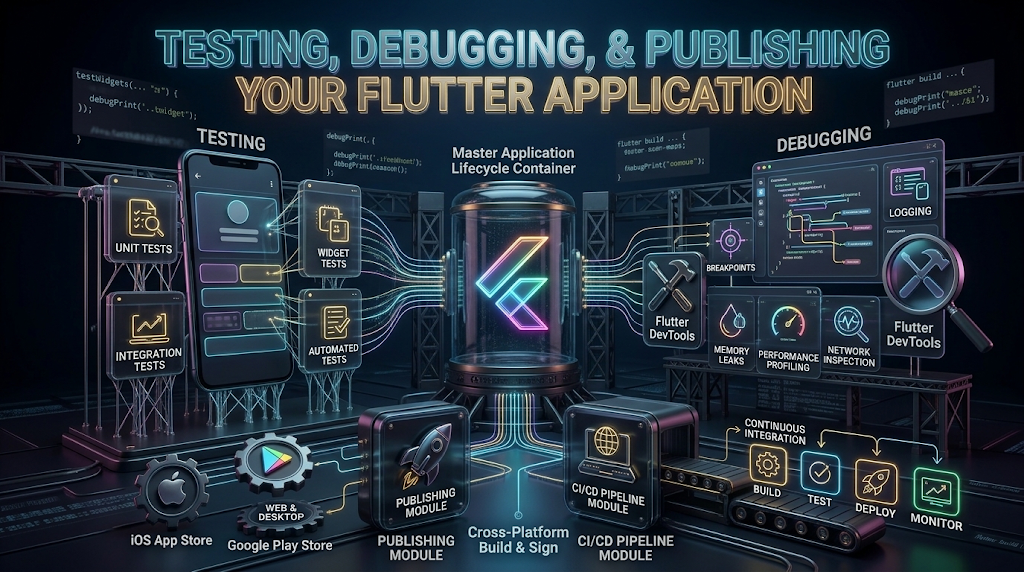
Creating an application is only one part of the development process. Before releasing it, developers need to check whether its features work correctly and whether the interface behaves properly on different devices.
Testing helps identify errors before users experience them.
Testing Your Application
Flutter supports different testing approaches:
- Unit testing: Checks individual functions and smaller sections of application logic.
- Widget testing: Examines individual widgets and their behavior.
- Integration testing: Tests how different application components work together.
Using these methods can help developers identify problems early and improve application reliability.
Debugging Common Problems
Debugging involves finding and correcting issues in application code.
Common problems include:
- Incorrect variable names or programming syntax.
- Missing dependencies.
- Improper widget arrangements.
- Unexpected application behavior.
- Device configuration errors.
- Problems with network connections.
Flutter’s debugging tools and development environment can help locate these issues.
Preparing Your App for Publishing
When the application is ready, you can prepare a release build.
For Android, developers commonly generate an Android App Bundle using:
flutter build appbundle
The generated bundle can be prepared for submission to Google Play, subject to its current requirements.
For iOS, developers generally use macOS and Apple’s development tools to prepare an application build for App Store submission.
Before publishing, check application permissions, privacy information, performance, compatibility, and store listing requirements.
Remember that successful publishing does not automatically guarantee downloads. An application also needs useful features, a clear purpose, and ongoing improvements to attract and retain users.
8. Frequently Asked Questions About Flutter App Development
Here are ten common questions beginners ask when learning Flutter app development from scratch.
1. What is Flutter app development?
Flutter app development is the process of creating applications using Google’s open-source Flutter framework. It allows developers to build applications for Android, iOS, web, and desktop using a shared codebase.
2. Is Flutter suitable for beginners?
Yes. Flutter is suitable for beginners who want to learn mobile application development. Starting with basic Dart programming, simple widgets, and small projects makes the learning process easier.
3. Which programming language does Flutter use?
Flutter uses Dart as its primary programming language. Dart supports object-oriented programming, asynchronous operations, and the development of interactive applications.
4. Can I develop Android and iOS apps with Flutter?
Yes. Flutter supports both Android and iOS application development. Developers can share much of their application code across both platforms, although some platform-specific configuration may still be necessary.
5. Is Flutter free to use?
Yes. Flutter is an open-source framework that developers can use without paying a framework licensing fee. However, publishing applications, using certain third-party services, or maintaining development infrastructure may involve additional costs.
6. How long does it take to learn Flutter?
Learning time depends on your previous programming experience, study schedule, and project complexity. Beginners can understand basic concepts relatively quickly, while developing advanced applications requires consistent practice.
7. Do I need to learn Dart before Flutter?
Learning basic Dart before starting Flutter is recommended. Understanding variables, functions, classes, conditions, and asynchronous programming makes it easier to understand Flutter code.
8. Which software is best for Flutter development?
Visual Studio Code and Android Studio are popular choices. Both support Flutter development through the appropriate extensions or plugins and provide useful coding and debugging features.
9. Can Flutter applications work without an internet connection?
Yes. Flutter applications can provide offline functionality when their features and data storage are designed to support it. However, features such as online accounts, cloud synchronization, and live information generally require an internet connection.
10. Can I build professional applications using Flutter?
Yes. Flutter can be used to develop professional applications for businesses, educational services, online platforms, and many other purposes. The final quality depends on application architecture, interface design, testing, and development practices.
Conclusion
Flutter provides an accessible and flexible way to enter modern application development. Its cross-platform capabilities, customizable widgets, development tools, and Dart programming language make it a useful framework for creating different types of digital products.
Starting with Flutter app development from scratch requires learning programming fundamentals, configuring the development environment, understanding widgets, and practicing through small projects. As your knowledge improves, you can explore advanced topics such as API integration, database management, authentication, animations, and application architecture.
The most effective way to improve is to build practical projects and learn from the challenges you encounter. With consistent practice and a clear understanding of Flutter’s development features, you can gradually move from simple applications to more advanced mobile solutions.
SEO, AEO and GEO Optimization Checklist
SEO optimization
Included
- Focus keyword included in the title and introduction.
- Related keywords distributed naturally.
- Descriptive H2 and H3 headings.
- Search-friendly FAQ section.
AEO optimization
Included - Direct answers to common questions.
- Clear explanations and definitions.
- Numbered steps and structured information.
- Ten question-and-answer pairs.
GEO optimization
Included - Context-rich explanations.
- Clear entity references such as Flutter, Dart, Google, Android, and iOS.
- Easy-to-understand factual statements.
- Structured content suitable for AI-powered search experiences.