

Construction projects require careful planning, accurate calculations, and effective budget management. Whether a contractor is building a residential property, renovating a commercial space, or managing a large infrastructure project, understanding the expected costs is essential. Even small estimating mistakes can affect project profitability, create unexpected expenses, and cause delays.
Traditionally, contractors and construction professionals prepared estimates manually using spreadsheets, paper documents, calculators, and supplier quotations. Although these methods can work for smaller projects, they become difficult to manage when projects involve multiple materials, labor requirements, subcontractors, equipment costs, and changing prices.
Construction estimating software plays an essential role in simplifying and improving the estimation process.It helps contractors, builders, quantity surveyors, and construction companies calculate project costs, prepare professional estimates, organize material quantities, and create more consistent bids.
Modern estimating solutions can also connect with project management, accounting, scheduling, and purchasing workflows. These capabilities help businesses manage information more efficiently throughout the construction process.
However, choosing the right solution requires understanding how estimating software works, which features matter, how pricing is structured, and what limitations to consider.
In this guide, we will explore the major features, benefits, costs, selection criteria, and practical applications of construction estimating software. We will also explain how businesses can use these tools to improve estimating accuracy and make better project decisions.
1. What Is Construction Estimating Software?

Construction estimating software is a specialized digital solution that enables industry professionals to forecast and calculate the total costs involved in completing construction projects.
It organizes important cost information, including materials, labor, equipment, subcontractor services, overhead expenses, and other project-related charges.
Instead of calculating every item manually, users can enter project quantities, apply prices, select cost categories, and generate estimates through a structured system.
Consider a contractor who needs to calculate the estimated costs of building a new home.The project may require concrete, bricks, steel, electrical materials, plumbing supplies, roofing materials, workers, and construction equipment.
The contractor must calculate how much of each resource is needed and determine its expected cost. Estimating software helps organize these calculations into a complete project estimate.
How Does Construction Estimating Software Work?
Most estimating applications follow a similar process:
- Create a project: Enter the project name, location, client information, and basic details.
- Add measurements: Enter dimensions, quantities, areas, lengths, or volumes.
- Calculate material requirements: Determine the estimated quantity of materials needed.
- Add labor expenses: Include expected working hours, labor rates, and workforce requirements.
- Include equipment and subcontractors: Add machinery rental, specialist services, and other expenses.
- Calculate total costs: Combine the estimated expenses into a project budget.
- Apply markup: Include overhead, contingency allowances, and the intended profit margin.
- Generate a proposal: Create an estimate or bid document for the client.
The final estimate provides a structured overview of the expected project cost.
It is important to understand that estimating software does not automatically guarantee accurate results. The quality of an estimate still depends on correct measurements, reliable pricing information, appropriate assumptions, and professional review.
2. Key Features of Construction Estimating Software
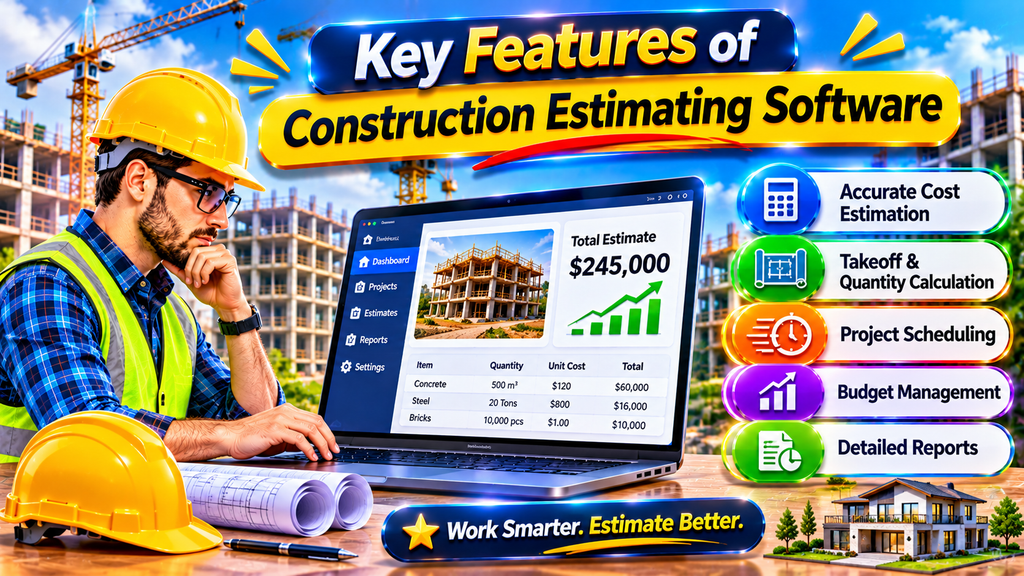
Different estimating applications provide different capabilities. However, several features are particularly useful for contractors and construction businesses.
Material Cost Estimation
Material estimation is one of the most important parts of construction budgeting.
Software allows users to create material lists, enter quantities, assign unit prices, and calculate expected expenses.
For example, a contractor can estimate the required quantities of cement, sand, steel, bricks, tiles, and other building materials.
Some applications also support reusable cost databases, making it easier to update prices when suppliers change their rates.
Labor Cost Calculation
Labor expenses can represent a significant portion of construction costs.
Estimating tools help contractors calculate workforce expenses by considering:
- Number of workers
- Working hours
- Hourly or daily labor rates
- Specialized skills
- Expected project duration
- Overtime requirements
These calculations help businesses understand the expected labor budget before construction begins.
Quantity Takeoff
Quantity takeoff involves determining the amount of materials needed for a construction project through detailed measurements and calculations.
Some estimating platforms allow users to upload digital drawings and measure dimensions directly from plans.
Depending on the software, users may calculate:
- Wall areas
- Floor areas
- Concrete volumes
- Roof measurements
- Foundation quantities
- Electrical and plumbing requirements
Digital takeoff features can reduce repetitive calculations, although measurements should always be checked against project drawings and specifications.
Bid and Proposal Generation
Contractors need professional documents when submitting project quotations.
Estimating software can organize calculations into structured proposals containing material costs, labor expenses, project descriptions, and total prices.
This helps businesses communicate their pricing more clearly to potential clients.
Cost Database Management
A cost database stores information about materials, labor rates, equipment expenses, and other frequently used items.
Instead of entering the same information repeatedly, users can reuse existing records when preparing new estimates.
However, cost databases must be reviewed regularly because prices can vary by supplier, location, availability, and market conditions.
Reporting and Budget Tracking
Some platforms provide reporting tools that help businesses review estimated costs and compare them with actual expenses.
These reports can identify differences between the original estimate and the project’s current financial position.
This information supports better budgeting and financial decision-making.
3. Benefits of Using Construction Estimating Software

Construction businesses can gain several operational advantages by replacing disconnected manual processes with organized estimating workflows.
Improved Estimating Accuracy
Manual calculations can lead to mistakes, especially when a project contains hundreds of cost items.
Estimating software helps organize quantities, unit prices, formulas, and cost categories.
It can reduce repetitive calculation errors and make it easier to review the information included in an estimate.
However, accurate software calculations still require accurate input data.
Faster Bid Preparation
Preparing construction bids manually can take considerable time.
With reusable templates, stored material prices, and automated calculations, contractors can prepare estimates more efficiently.
This is especially useful for companies that regularly submit proposals for similar projects.
Better Cost Control
Estimating software helps businesses understand where project money is expected to go.
Contractors can review material expenses, labor costs, equipment charges, and other budget categories before committing to a project.
Some applications also allow estimated costs to be compared with actual spending.
Reduced Administrative Work
Managing multiple spreadsheets and paper documents can create unnecessary administrative work.
Digital estimating tools organize information in one system, making it easier to find previous estimates, update prices, and prepare reports.
More Professional Client Proposals
A well-organized proposal improves communication between contractors and clients.
Estimating software can help create clear documents that explain project expenses and pricing assumptions.
Clients can better understand what is included in a quotation and where major expenses come from.
Improved Business Profitability
Accurate estimating supports better financial planning.
When contractors understand their expected costs and include appropriate overhead and profit margins, they can make more informed decisions about which projects to accept.
Software cannot guarantee profitability, but it can provide better information for managing financial risks.
4. Types of Construction Estimating Software

Construction businesses have different estimating requirements. A small residential contractor may need a simple quotation tool, while a large construction company may require advanced quantity takeoff and cost management capabilities.
Understanding the major software categories can help users select an appropriate solution.
General Contractor Estimating Software
General contractor estimating applications help businesses calculate project expenses across multiple construction activities.
They may include material pricing, labor calculations, subcontractor costs, overhead, and proposal generation.
These tools are suitable for contractors managing residential and commercial projects.
Residential Construction Estimating Software
Residential estimating tools focus on houses, apartments, renovations, and smaller building projects.
They may provide features for calculating flooring, roofing, foundations, framing, electrical work, and plumbing expenses.
Their interfaces are often designed to make common residential calculations easier.
Commercial Construction Estimating Software
Commercial construction projects can involve more complex drawings, multiple subcontractors, detailed specifications, and larger budgets.
Commercial estimating platforms may provide advanced cost databases, detailed quantity takeoffs, bid management, and reporting capabilities.
They are useful for organizations that regularly prepare estimates for large projects.
Quantity Takeoff Software
Quantity takeoff applications focus on measuring construction drawings and calculating material quantities.
Some tools support digital plan measurements, area calculations, linear measurements, and volume calculations.
They are particularly useful for estimators and quantity surveyors.
Cloud-Based Estimating Software
Cloud-based solutions allow authorized users to access project information through supported internet-connected devices.
Depending on the platform, teams may collaborate on estimates, share documents, and access updated project information from different locations.
Businesses should review account permissions, data protection, offline access, and subscription requirements before selecting a cloud-based solution.
5. How to Choose the Best Construction Estimating Software

Choosing the right application is an important decision because estimating workflows can affect project planning, bidding, and financial performance.
The best software is not necessarily the one with the largest number of features. It is the one that matches your business requirements, project size, team capabilities, and budget.
Understand Your Business Requirements
Start by identifying the types of projects your company handles.
A residential contractor may prioritize material calculations and quotation templates, while a commercial builder may require advanced takeoff tools and subcontractor cost management.
Make a list of the tasks you want to improve before comparing applications.
Check Essential Features
Look for features that directly support your estimating workflow.
Important capabilities may include:
- Material and labor cost calculations
- Digital quantity takeoff
- Custom cost databases
- Reusable estimating templates
- Bid and proposal generation
- Cost reporting
- Data export options
- Integration with accounting applications
Avoid paying for advanced features that your business does not actually need.
Consider Ease of Use
A powerful application is not useful if employees struggle to operate it.
Choose software with a clear interface, understandable workflows, and accessible training resources.
If possible, test a free trial or product demonstration before purchasing a subscription.
Review Pricing and Subscription Plans
Construction estimating applications may use different pricing models.
Some charge monthly or annual subscriptions, while others offer project-based, user-based, or customized pricing.
Consider the complete cost, including:
- Subscription fees
- Additional user accounts
- Training expenses
- Implementation charges
- Premium features
- Data storage requirements
- Support services
Compare the total cost with the practical benefits your business expects to receive.
Check Customer Support and Training
Reliable technical support can be important when an estimating application becomes part of daily business operations.
Review available support channels, documentation, tutorials, and training resources.
A platform that provides useful onboarding materials may be easier for employees to adopt.
Review Security and Data Management
Estimates may contain confidential project information, client details, supplier prices, and business financial data.
Check whether the provider offers secure access controls, backup procedures, encryption, and appropriate data management policies.
For cloud-based applications, understand how your data is stored and whether you can export it if you decide to change providers.
6. Popular Construction Estimating Software Solutions

Several established software providers offer estimating-related features for different construction workflows. Their capabilities, pricing, and availability may vary by region and subscription plan.
Here are some well-known options worth researching.
1. STACK
STACK is a cloud-based construction takeoff and estimating platform.
It is designed to help construction professionals measure digital plans, organize quantities, and prepare estimates.
It may be worth evaluating for contractors and estimators who work extensively with construction drawings.
Official website: https://www.stackct.com/
2. PlanSwift
PlanSwift is known for digital construction takeoff and estimating workflows.
It helps users measure drawings and calculate quantities for different construction activities.
Contractors who regularly work with digital plans may find its measurement-focused capabilities useful.
Official website: https://www.planswift.com/
3. ProEst
ProEst is a construction estimating solution associated with commercial estimating and preconstruction workflows.
Its capabilities are designed to support estimating activities, cost organization, and bid preparation.
It is worth evaluating for businesses that need more structured estimating processes.
Official website: https://www.proest.com/
4. Buildertrend
Buildertrend provides construction project management capabilities for residential construction businesses and other building professionals.
Its broader workflow includes project coordination and financial management features. Businesses should review the specific estimating capabilities available in their chosen plan.
Official website: https://buildertrend.com/
5. Sage Estimating
Sage Estimating is designed for construction estimating and cost management workflows.
It is an option for businesses that need structured estimating processes and detailed cost information.
Its suitability depends on project complexity, existing systems, and business requirements.
Official website: https://www.sage.com/
Which option should you choose?
There is no single best application for every contractor.
A business focused on digital measurements may prioritize takeoff capabilities. A residential builder may prefer a broader project management system, while a commercial estimator may need advanced cost databases and detailed bid preparation.
Compare actual features, available demonstrations, support, and total pricing before making a final decision.
7. Common Challenges, Implementation Tips, and Best Practices

Although estimating software can improve construction workflows, successful implementation requires proper planning.
Incorrect Material Prices
One common challenge is using outdated material prices.
Construction material costs can change because of supplier adjustments, transportation expenses, availability, and regional market conditions.
Best practice: Review supplier quotations regularly and update the cost database before preparing important project estimates.
Inaccurate Project Measurements
Incorrect measurements can create major differences between estimated and actual material requirements.
This can happen because of incomplete drawings, measurement errors, or misunderstood specifications.
Best practice: Verify dimensions, drawing revisions, units, and material quantities before finalizing an estimate.
Ignoring Hidden Project Expenses
Some estimates include material and labor costs but overlook other expenses.
These may include equipment rental, transportation, permits, insurance, site preparation, waste disposal, and temporary facilities.
Best practice: Create a standard cost checklist to ensure that all relevant project expenses are considered.
Employee Training Problems
Employees may find it difficult to adopt a new estimating system without proper training.
Best practice: Introduce the software gradually, provide practical demonstrations, and create standard estimating templates for frequently performed tasks.
Poor Communication Between Teams
Estimating information can become outdated when project managers, procurement teams, and contractors work with different documents.
Best practice: Establish a clear process for sharing revised estimates, project drawings, cost updates, and approved changes.
Practical Steps for Successful Implementation
Businesses can follow this simple implementation approach:
- Review existing estimating methods.
- Identify the biggest calculation and workflow problems.
- Select software based on actual business requirements.
- Import or create a reliable cost database.
- Prepare standard estimating templates.
- Train employees using sample projects.
- Compare software estimates with manually verified calculations.
- Monitor results and improve the workflow over time.
It is also important to maintain a record of estimate revisions. When project scope or material specifications change, the business should document the updated assumptions and costs.
A consistent estimating process helps teams understand how each project budget was developed.
ConclusionConstruction estimating software has become an important resource for contractors, builders, quantity surveyors, and construction companies that want to improve their cost estimation processes.
By organizing material quantities, labor expenses, equipment costs, subcontractor charges, and other project expenses, these tools make it easier to prepare structured estimates and professional bids.
The right software can also reduce repetitive administrative work, improve cost visibility, support better project planning, and help businesses make informed financial decisions.
However, selecting an application requires more than comparing feature lists. Businesses should consider their project requirements, available budget, team experience, integration needs, and data security.
Solutions such as STACK, PlanSwift, ProEst, Buildertrend, and Sage Estimating offer different capabilities for construction professionals. Comparing their features and testing suitable options can help businesses identify the right solution.
Ultimately, successful construction estimating depends on reliable project information, accurate measurements, updated pricing, and professional judgment. When these elements are combined with suitable estimating software, construction businesses can build more organized workflows and manage project costs with greater confidence.
Frequently Asked Questions About Construction Estimating Software
1. What is construction estimating software used for?
Construction estimating software is used to calculate expected project expenses, including materials, labor, equipment, subcontractors, and overhead. It helps contractors prepare estimates, organize project costs, and generate professional bids.
2. What is the best construction estimating software?
The best option depends on the size and type of construction business. STACK and PlanSwift are worth considering for digital takeoff workflows, while Buildertrend offers broader residential construction management capabilities. Compare features and pricing before choosing.
3. Is construction estimating software suitable for small contractors?
Yes. Small contractors can use estimating software to organize material prices, calculate labor expenses, prepare quotations, and manage project budgets. A simple application may be sufficient for businesses handling smaller projects.
4. Can construction estimating software calculate material quantities?
Yes. Many applications support quantity calculations using measurements, formulas, and digital takeoff tools. However, users should verify the measurements and material specifications to avoid inaccurate estimates.
5. What is the difference between estimating software and takeoff software?
Estimating software focuses on calculating total project expenses, including materials, labor, equipment, and overhead. Takeoff software primarily measures construction drawings and determines required quantities. Some applications combine both capabilities.
6. Is free construction estimating software available?
Some providers offer free trials, limited free plans, or basic estimating tools. However, advanced features such as digital takeoff, team collaboration, and detailed reporting may require paid subscriptions.
7. How much does construction estimating software cost?
Pricing varies depending on the provider, features, subscription plan, and number of users. Some tools use monthly or annual subscriptions, while others offer customized pricing. Check the provider’s current pricing page for accurate costs.
8. Can construction estimating software prepare professional bids?
Yes. Many estimating applications can generate organized proposals and bid documents containing project details, cost breakdowns, quantities, and pricing information. Users should review the final documents before sending them to clients.
9. Does construction estimating software improve project profitability?
It can support better profitability by improving cost visibility, reducing repetitive calculation errors, and helping contractors evaluate project budgets. However, actual profitability also depends on project management, purchasing decisions, labor productivity, and changing site conditions.
10. What should I consider before purchasing construction estimating software?
Consider your project requirements, essential features, pricing, ease of use, integrations, customer support, data security, and employee training needs. Testing the software before purchasing can help you make a more informed decision.