
Introduction

AI is now widely used in today’s digital world to support everyday tasks and professional activities. People now use AI for writing, studying, research, graphic design, programming, marketing, and many other everyday activities. The best part is that many AI platforms provide free options, allowing beginners and professionals to explore their features without immediately paying for a subscription.
Choosing the right tool can sometimes be difficult because different AI platforms are designed for different purposes. Some are excellent for writing, while others are better for research, images, coding, presentations, or productivity. In this guide, we will explore some of the Best Free AI Tools that can help users save time, improve their work, and become more productive.
1. ChatGPT for General AI Assistance
ChatGPT is a versatile AI assistant that can be used for a wide range of tasks. Users can ask questions, generate ideas, create outlines, summarize information, improve writing, learn difficult subjects, and get help with coding.
Students can use it to understand complicated concepts, while freelancers can use it for emails, proposals, content ideas, and research planning. Website owners can also use AI assistance for brainstorming blog topics and creating content structures.
Its free access makes it a useful starting point for anyone who wants to learn how AI can support everyday tasks.
2. Google Gemini for Everyday Productivity

Google Gemini is another useful AI assistant for people who want help with research, writing, brainstorming, and general productivity. It can answer questions and help users organize ideas or understand information.
People who already use Google’s ecosystem may find Gemini particularly convenient. It can be useful for students, office workers, content creators, and anyone who regularly works with digital information.
As with other AI services, available features and free usage limits can change, so users should check the current offering before relying on a specific feature.
3. Claude for Writing and Reasoning
Claude is well known for its ability to work with text and provide detailed responses. It can help users draft content, rewrite paragraphs, summarize documents, brainstorm ideas, and understand complex subjects.
Writers can use it during the editing process, while students can use it as a learning assistant. It can also support programming and problem-solving tasks.
For people who care about clear and natural writing, Claude is worth considering among the available free AI options.
4. Perplexity for Online Research

Perplexity is designed primarily around AI-assisted research. It can help users explore questions and find information from online sources.
This makes it useful for bloggers, students, researchers, and professionals who need to investigate a subject before preparing their own content.
Instead of accepting every AI-generated answer without checking it, users should review the cited information and confirm important facts through reliable sources.
5. Canva AI for Graphic Design
Canva is a popular design platform that also provides AI-powered features. It can help beginners create social media posts, presentations, posters, marketing graphics, and other visual materials.
People without professional design experience can use templates and AI-assisted features to produce attractive content more quickly.
For small businesses and social media creators, Canva can reduce the time needed to prepare basic visual content.
6. Microsoft Copilot for Work
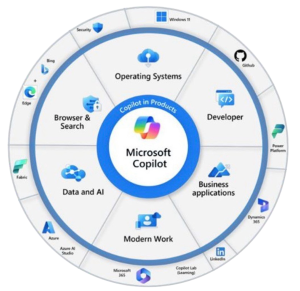
Microsoft Copilot can assist with writing, brainstorming, summarizing, and other productivity tasks. It can be particularly useful for people who already work with Microsoft’s collection of applications and services.
Professionals can use AI assistance to prepare drafts, organize information, generate ideas, and simplify repetitive tasks.
The exact features available without payment can vary depending on the product and account, so it is important to check Microsoft’s current plans.
7. GitHub Copilot for Coding
For programmers and people learning software development, GitHub Copilot can be a helpful AI coding assistant. It can suggest code, explain programming concepts, and help developers work through coding problems.
Beginners can use it to understand examples and practice programming, while experienced developers can use AI suggestions to speed up certain development tasks.
AI-generated code should always be reviewed carefully. Developers need to check the code for errors, security problems, and compatibility before using it in important projects.
8. Grammarly for Better Writing
Grammarly is useful for improving written communication. It can identify grammar, spelling, punctuation, and clarity problems and can help users make their writing easier to understand.
Students can use it when reviewing assignments, while freelancers and professionals can use it for emails, proposals, website copy, and other business communication.
The free version provides useful basic writing support, making it a practical choice for people who want to improve their written English.
9. DeepSeek for AI Questions and Coding
DeepSeek is another AI platform that has become popular for general questions, reasoning, and programming-related tasks.
It can be useful for brainstorming, solving problems, explaining concepts, and exploring coding questions. Users can experiment with its capabilities without necessarily purchasing a premium subscription.
As with any online AI service, users should avoid entering sensitive or confidential information unless they understand the platform’s privacy practices.
10. NotebookLM for Documents and Learning

NotebookLM is especially useful when a user wants to work with specific source material. It can help people understand and explore information contained in documents and other provided sources.
Students can use it when studying lengthy material, while professionals can use it to organize information from work-related documents.
This makes it different from a general chatbot because the user’s own source material can become an important part of the conversation.
How to Choose the Best Free AI Tools
The best AI tool depends on what you want to accomplish. There is no single platform that is perfect for every task.
For general questions and content ideas, ChatGPT or Gemini can be useful. Writers may prefer ChatGPT, Claude, or Grammarly. People doing online research can consider Perplexity, while designers can benefit from Canva.
Developers may find GitHub Copilot helpful, and students working with documents can explore NotebookLM.
Using several specialized tools can sometimes produce better results than relying on one platform for everything.
Benefits of Free AI Tools

Free AI tools can provide several important benefits. They can reduce the time required for repetitive tasks and help users generate ideas more quickly.
Students can use AI to understand difficult concepts and organize study material. Freelancers can use it for proposals, emails, and content planning. Businesses can use AI for marketing ideas, customer communication, and productivity.
Another major advantage is accessibility. Beginners can experiment with artificial intelligence before deciding whether they need premium features.
However, free plans often include restrictions such as usage limits, fewer advanced features, or limited access during busy periods.
Things to Consider Before Using AI
AI can be helpful, but users should not assume that every generated answer is accurate. Important information should be checked against trustworthy sources.
Privacy is another important consideration. Avoid entering passwords, confidential business information, private documents, or other sensitive data unless you understand how the service handles that information.
AI should be treated as an assistant rather than a complete replacement for human judgment. Reviewing, editing, and fact-checking AI-generated material can improve its quality significantly.
Conclusion
The Best Free AI Tools can make many digital tasks easier and faster. Tools such as ChatGPT, Gemini, Claude, Perplexity, Canva, Copilot, GitHub Copilot, Grammarly, DeepSeek, and NotebookLM each have different strengths.
The right choice depends on your specific needs. Students may need research and learning assistance, writers may focus on content creation, designers may need visual tools, and developers may prefer coding assistants.
Start with the free option that matches your main task and learn how to use it effectively. With the right workflow, AI can become a valuable assistant for work, education, creativity, and everyday productivity.
FAQs
What are the best free AI tools in 2026?
Some useful options include ChatGPT, Gemini, Claude, Perplexity, Canva, Copilot, Grammarly, DeepSeek, GitHub Copilot, and NotebookLM.
Which free AI tool is best for writing?
ChatGPT and Claude are useful for drafting, brainstorming, rewriting, and organizing written content. Grammarly can also help improve grammar and clarity.
Which AI tool is best for students?
Students can use ChatGPT, Gemini, Perplexity, and NotebookLM for explanations, research, brainstorming, and studying source material.
Are free AI tools completely free?
Many AI platforms offer free versions, but they may have usage restrictions or limit access to advanced features. These limits can change over time.
Can AI tools help with SEO?
Yes. AI can help with keyword ideas, content outlines, title suggestions, meta descriptions, topic research, and content planning. However, SEO content should still be reviewed and optimized for search intent and quality.
Can free AI tools replace human writers?
AI can assist with many parts of the writing process, but human review remains important. Creativity, experience, fact-checking, originality, and editorial judgment are still valuable.
Which free AI tool is best for coding?
GitHub Copilot and general AI assistants such as ChatGPT or DeepSeek can help with programming questions and code generation. Generated code should always be tested and reviewed.