
Finding keywords is easy. Finding keywords that can actually rank is much harder. Many website owners spend hours using SEO tools but still target keywords with high competition. As a result, their content receives very little organic traffic.
Google Trends can help solve this problem.
It is one of the best free SEO tools for discovering search trends, seasonal topics, and growing keyword opportunities. Instead of relying only on search volume, you can understand how people’s interests change over time. This helps you publish content before your competitors.
Whether you run a blog, an eCommerce store, or a business website, Google Trends can help you find keyword opportunities that have the potential to bring more visitors from Google Search.
In this guide, you will learn how to use Google Trends for SEO in 2026, how to discover low competition keywords, and how to create content based on real search demand.
What Is Google Trends?

Google Trends is a free tool from Google that shows how often a search term is searched over time. Instead of displaying exact search volume, it shows the popularity of a keyword on a scale from 0 to 100.
This information helps SEO professionals identify:
- Growing search trends
- Seasonal keywords
- Popular topics
- Regional interest
- Related search queries
- Rising keyword opportunities
Because the data comes directly from Google Search, it is one of the most trusted resources for understanding user search behavior.
Google Trends A Valuable Tool for SEO Success in 2026

SEO has changed significantly over the last few years. Google now rewards websites that create helpful, relevant, and timely content.
Publishing content after a topic becomes popular often means competing against large websites that already dominate the search results.
Google Trends helps you discover topics while they are still growing.
Some of the biggest benefits include:
- Discover keywords before they become highly competitive.
- Identify trending topics in your industry.
- Understand seasonal search behavior.
- Compare multiple keyword ideas.
- Improve your content calendar.
- Find local SEO opportunities.
- Create articles that match current search interest.
Using trend data allows you to focus on topics that people are actively searching for instead of guessing what might work.
How Google Trends Works
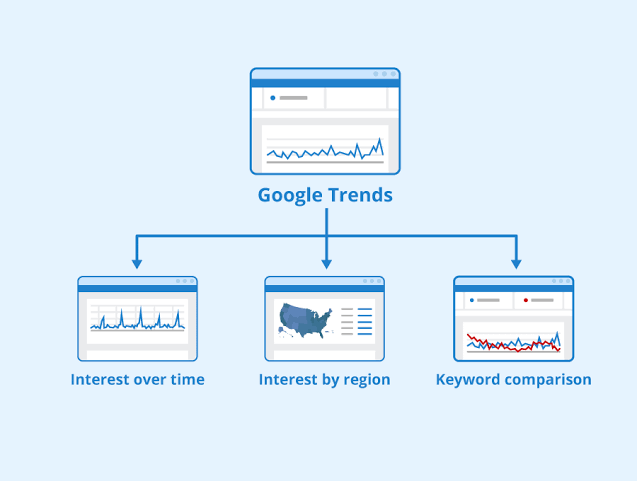
Google Trends collects anonymous search data from Google users around the world.
Instead of showing total searches, it measures keyword popularity over a selected period.
For example:
If one keyword receives a score of 100, it represents the highest search interest during the selected timeframe.
A score of 50 means the keyword was about half as popular.
A score of 0 does not necessarily mean nobody searched for it. It simply means there was not enough data compared to other searches.
Understanding this scoring system helps you compare keywords more accurately.
1: Start with Your Main Keyword

Begin with a broad keyword related to your niche.
Examples include:
- WordPress SEO
- AI Writing Tools
- Electric Cars
- Digital Marketing
- Running Shoes
Enter your keyword into Google Trends and choose:
- Country
- Time range
- Category
- Search type
Selecting the correct country is important because search behavior varies between regions.
For local businesses, always analyze trends for your target location instead of worldwide data.
2: Compare Multiple Keywords
One of the most useful features is keyword comparison.
Example:
- SEO Tools
- SEO Software
- SEO Platforms
You may discover that one keyword has steady growth while another is declining.
Choosing the growing keyword gives your content a better chance of attracting long-term traffic.
3: Find Rising Keywords
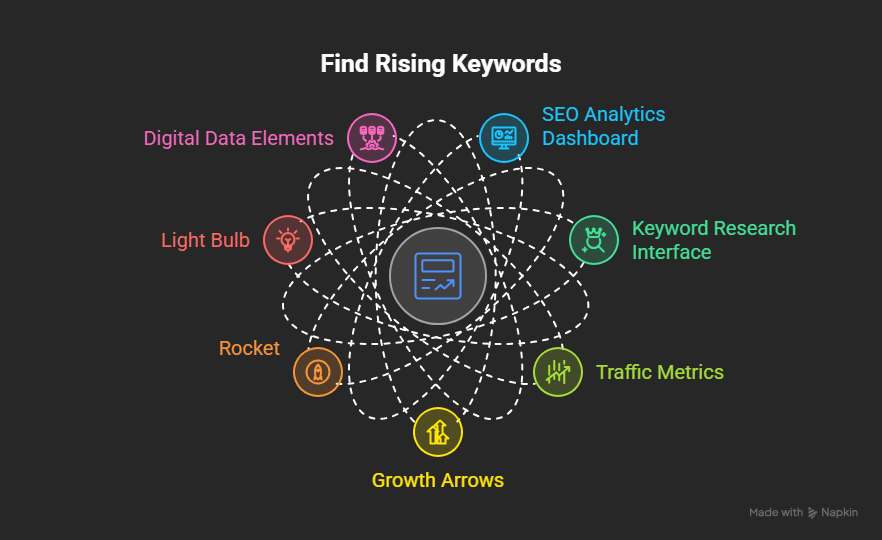
This feature is often overlooked, but it is one of the best ways to discover low competition opportunities.
Scroll to the Related Queries section.
You will see two options:
Top Queries
These are the most searched related keywords.
Many already have strong competition.
Rising Queries
These show keywords that are rapidly increasing in popularity.
Some may even display Breakout, which means search interest has increased dramatically.
These keywords are excellent opportunities because many websites have not yet created detailed content around them.
Publishing helpful articles early can help your pages gain visibility before competition increases.
4: Discover Seasonal Keywords

Many keywords become popular only during certain times of the year.
Examples include:
- Black Friday Deals
- Christmas Gifts
- Summer Fashion
- Tax Filing
- Valentine’s Day Ideas
Google Trends allows you to identify exactly when interest starts increasing.
Instead of publishing your content after demand peaks, publish it several weeks before the trend begins.
This gives Google enough time to crawl, index, and rank your content before search traffic reaches its highest point.
5: Analyze Regional Interest
Google Trends also shows where a keyword is most popular.
This feature is valuable for:
- Local SEO
- Small businesses
- International websites
- eCommerce stores
For example, a keyword may perform well in the United States but receive very little interest in another country.
Creating location-specific landing pages based on regional search demand can improve both rankings and conversions.
6: Find Low Competition Keywords with Google Trends

Google Trends does not show keyword difficulty, but it helps you discover opportunities before they become highly competitive.
Use this simple process:
Start with a Broad Keyword
For example, search for:
SEO
Google Trends will display related topics and related queries.
Look for Rising Queries
Instead of choosing only popular keywords, pay attention to keywords marked as Rising or Breakout.
These terms often have less competition because they are new or growing quickly.
Check Google Search Results
Search the keyword on Google and review the first page.
Ask yourself:
- Are the top results old?
- Are the articles outdated?
- Is the search intent fully answered?
- Can you create better content?
If the answer is yes, the keyword may be a great opportunity.
Combine Google Trends with Other SEO Tools

Google Trends works even better when combined with keyword research tools.
Here are some useful combinations:
| Tool | Purpose |
| Google Trends | Discover trending topics |
| Google Keyword Planner | Estimate search volume |
| Google Search Console | Find keywords your site already ranks for |
| Ahrefs | Check keyword difficulty and backlinks |
| Semrush | Analyze competitors |
| Ubersuggest | Generate keyword ideas |
Using multiple tools gives you a more complete picture before writing content.
Build a Content Calendar with Google Trends
Instead of publishing random articles, plan your content based on search demand.
Example:
January
- Fitness Tips
- Weight Loss
- Healthy Recipes
March
- Tax Filing
- Spring Fashion
June
- Summer Travel
- Camping Equipment
September
- Back to School
- Student Discounts
November
- Black Friday Deals
December
- Christmas Gifts
- Holiday Shopping
Publishing before search demand increases gives Google time to index your content and improves your chances of ranking when traffic peaks.
Best Practices for Using Google Trends
Follow these tips to get better SEO results.
Choose the Right Time Range
Use the last 12 months for seasonal topics.
Use the last 5 years to identify long-term trends.
Use the last 30 days when researching current events or breaking topics.
Compare Similar Keywords
Small wording differences can affect search popularity.
For example:
- AI Writing Tools
- Best AI Writing Software
- AI Content Generator
Comparing them helps you select the strongest keyword.
Use Category Filters
Some keywords have multiple meanings.
Selecting the correct category improves the accuracy of the trend data.
Analyze Different Search Types
Google Trends allows you to compare:
- Web Search
- Image Search
- YouTube Search
- Google Shopping
- News Search
Choose the search type that matches your audience.
Common Google Trends Mistakes
Many beginners make these mistakes.
Ignoring Search Intent
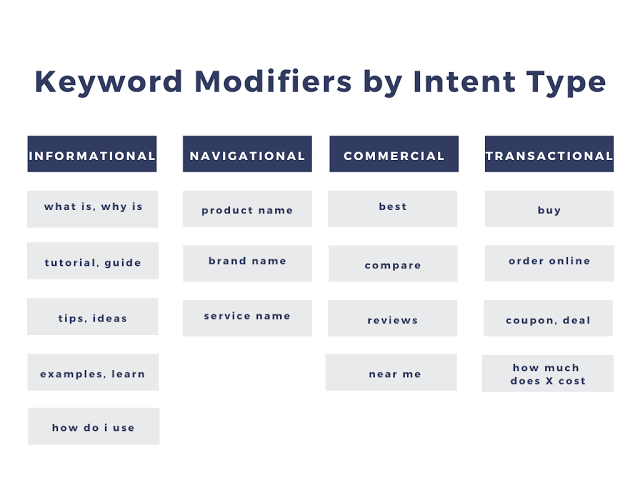
A trending keyword is useless if it does not match what users actually want.
Always create content that answers the searcher’s question.
Only Following Short-Term Trends
Some trends disappear within days.
Balance trending topics with evergreen content that brings traffic throughout the year.
Publishing Too Late
If hundreds of websites have already covered the topic, ranking becomes more difficult.
Publish while interest is still growing.
Not Updating Existing Content
Google Trends can also help improve older blog posts.
Update outdated articles with fresh statistics, examples, and keywords when trends change.
Expert SEO Tips for 2026
To get better results from Google Trends:
- Focus on helpful content instead of keyword stuffing.
- Write for users first and search engines second.
- Add original screenshots from Google Trends.
- Include charts and real examples.
- Use descriptive headings.
- Add internal links to related articles.
- Link to trusted sources when necessary.
- Optimize images with descriptive ALT text.
- Improve page speed and Core Web Vitals.
- Refresh your content every few months based on new trend data.
Real Example
Imagine you own a technology blog.
Instead of writing about:
Artificial Intelligence
Use Google Trends to discover growing searches such as:
- AI productivity tools
- AI coding assistants
- AI browser extensions
- AI image generators
- AI automation software
These specific topics often have lower competition and higher user intent.
The same strategy works for every niche, including:
- WordPress
- SEO
- Digital Marketing
- Health
- Fitness
- Automotive
- Education
- Finance
Final Thoughts
Google Trends remains one of the most valuable free SEO tools in 2026. While it does not replace traditional keyword research tools, it helps you discover opportunities before they become saturated.
The best strategy is to combine Google Trends with search volume analysis, competitor research, and helpful content creation.
If you consistently publish articles based on growing search trends, update your content regularly, and focus on solving real user problems, you can build steady organic traffic over time.
SEO success does not come from chasing every trend. It comes from choosing the right topics, publishing quality content at the right time, and providing a better experience than competing pages.
Frequently Asked Questions
1. Is Google Trends free to use?
Yes. Google Trends is completely free and provides search trend data directly from Google.
2. Can Google Trends help with keyword research?
Yes. It helps you identify trending topics, seasonal keywords, and growing search queries that can support your SEO strategy.
3. Does Google Trends show search volume?
No. Google Trends shows the relative popularity of a keyword over time, not the exact monthly search volume.
4. How often should I check Google Trends?
Checking weekly or monthly is a good practice, especially if you publish content regularly or manage a content calendar.
5. Is Google Trends better than keyword research tools?
Google Trends and keyword research tools serve different purposes. Google Trends helps identify search trends, while tools like Google Keyword Planner or Ahrefs provide search volume, keyword difficulty, and competitor insights.