
Many website owners become concerned when they see the status “Discovered – Currently Not Indexed” inside Google Search Console. The message often creates confusion because it suggests that Google already knows about a page, yet the page still does not appear in search results.
The good news is that this status does not necessarily mean something is broken. Instead, it indicates that Google has found the URL but has not yet crawled and indexed it.
Understanding why this happens and how to improve indexing opportunities can help your website gain better visibility in search results.
What Does Discovered Currently Not Indexed Mean?
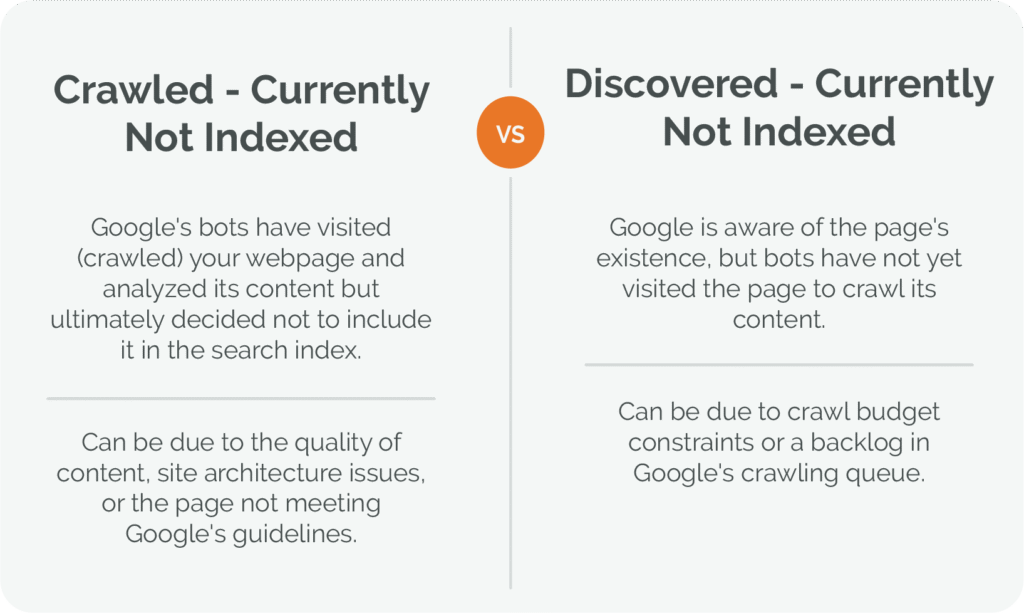
This status appears when Google becomes aware of a URL through methods such as:
- internal links
- XML sitemaps
- external links
- website navigation
Although Google knows the page exists, its systems have not scheduled the page for crawling and indexing yet.
In simple terms:
Google found the page but has not processed it fully.
As a result, the page cannot appear in Google search results until additional evaluation takes place.
Why Google Delays Crawling Some Pages
Google processes billions of URLs across the web.
Because resources are limited, search engines prioritize which pages deserve immediate attention.
Several factors can influence this decision.
Low Content Quality
Pages with very little information may not be considered a high priority.
If a page offers limited value or contains only basic information, Google may delay crawling it.
Content that answers specific questions and provides useful insights generally performs better.
Large Numbers of New URLs
When a website publish many page in a short time, Google may not crawling all of them immediately.
New websites often experience this issue because Google is still learning how frequently the site publishes content.
Weak Internal Linking
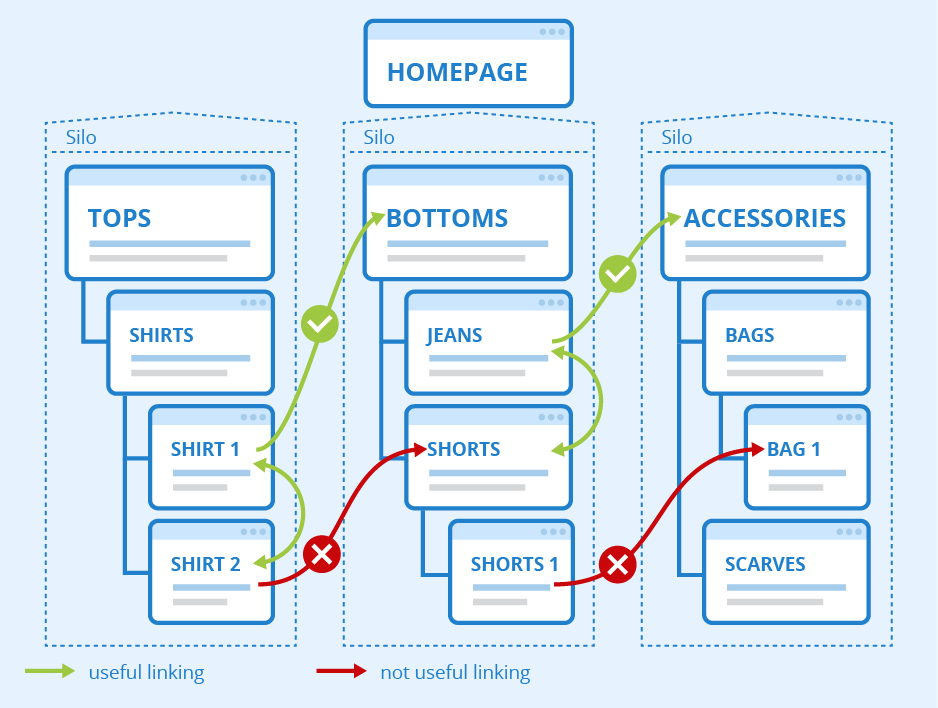
Pages that receive few internal links can be difficult for search engines to prioritize.
Strong internal linking helps Google understand which content is important.
Server Resource Concerns
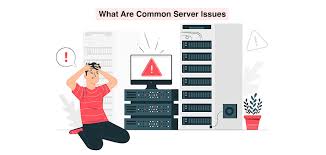
If a website responds slowly or experiences occasional accessibility problems, Google may reduce crawling activity.
Reliable website performance helps search engines access content more efficiently.
Common Causes of the Problem
Several technical and content-related factors may contribute to this status.
Thin Pages
Short pages with limited information often struggle to attract crawling attention.
Adding detailed explanations, examples, and useful information can improve content quality.
Duplicate Content
If multiple pages contain very similar information, Google may delay crawling because the pages appear repetitive.
Unique content helps distinguish a page from other URLs.
Orphan Pages
Orphan pages are URLs that receive little or no internal linking support.
Search engines may discover them through a sitemap but still consider them low priority.
Weak Website Authority
New websites and smaller websites often experience slower crawling rates compared to established sites.
As authority grows, crawling frequency may improve.
How to Fix Discovered Currently Not Indexed
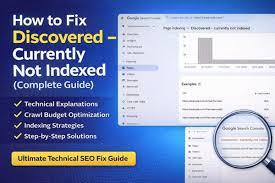
The solution usually involves improving overall website quality rather than applying a single technical fix.
Create More Valuable Content
Every page should serve a clear purpose.
Instead of publishing short articles, focus on creating comprehensive content that answers user questions thoroughly.
Helpful content often receives more attention from search engines.
Strengthen Internal Linking
Connect important pages naturally throughout your website.
Internal links help Google discover content while also signaling page importance.
Relevant contextual links are often more valuable than excessive navigation links.
Improve Website Structure
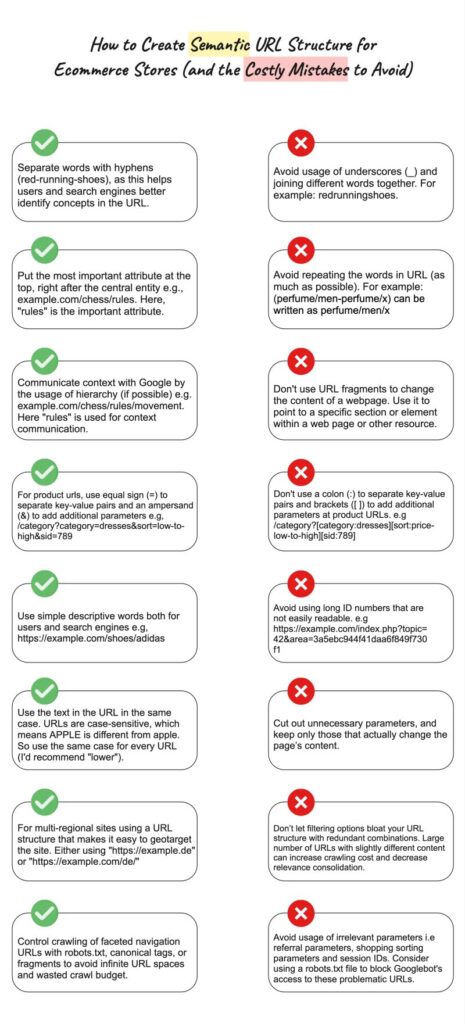
A clear website structure helps search engines understand relationships between pages.
Content categories should be organized logically and easy to navigate.
Update Existing Content
Refreshing older content can demonstrate ongoing relevance.
Adding new information, examples, and updated statistics may encourage Google to revisit pages.
Submit Updated URLs
After making meaningful improvements, use the URL Inspection tool in Search Console to request indexing.
This action does not guarantee indexing, but it can encourage Google to review the page sooner.
The Role of XML Sitemaps
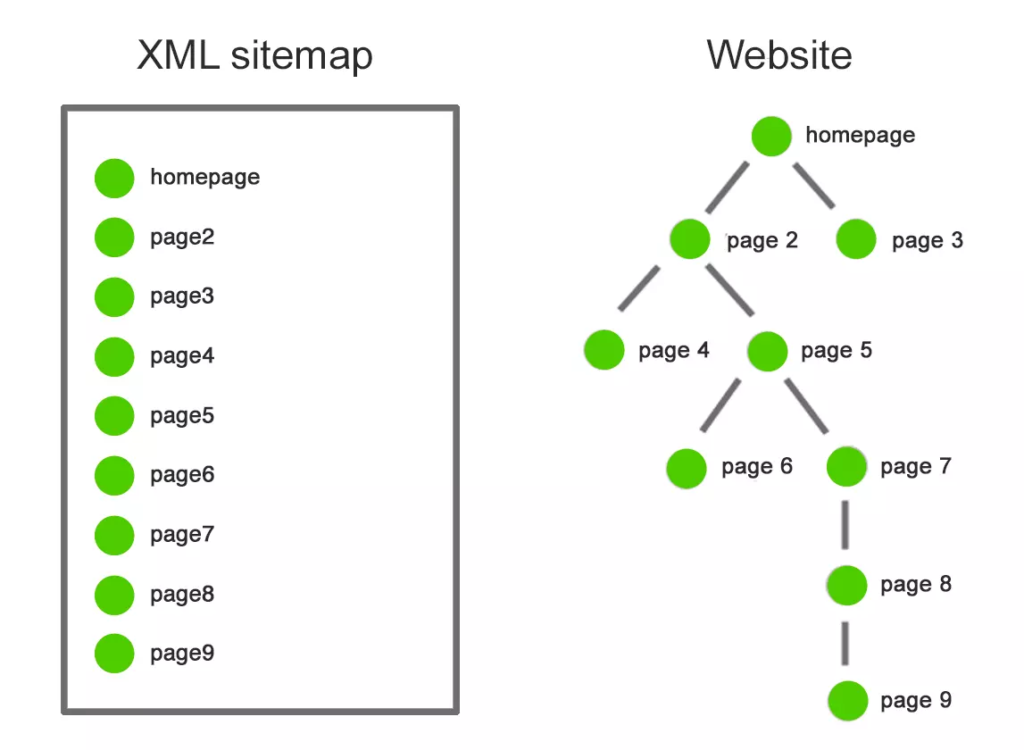
XML sitemaps help search engines discover website URLs.
However, sitemap submission alone does not guarantee crawling or indexing.
A sitemap should be viewed as a discovery tool rather than an indexing solution.
High-quality content remains the most important factor.
Mistakes That Can Slow Indexing
Website owners sometimes unintentionally create obstacles that reduce crawling efficiency.
Common examples include:
- publishing large numbers of low-quality pages
- creating duplicate content
- poor internal linking
- weak website structure
- ignoring technical maintenance
Avoiding these issues can improve long-term indexing performance.
How Long Does the Status Last?
There is no fixed timeframe.
Some pages are crawled within a few days, while others may remain in this status for several weeks.
The timeline often depends on:
- website quality
- content value
- crawl demand
- technical performance
Patience is often required, especially for newer websites.
Building Long-Term Indexing Success
Rather than focusing only on individual URLs, website owners should improve overall site quality.
Search engines are more likely to prioritize websites that consistently publish useful information and maintain strong technical performance.
Over time, a well-maintained website can earn greater trust and more efficient crawling activity.
Final Thoughts
The “Discovered – Currently Not Indexed” status does not mean Google has rejected your page. It simply means the page is waiting for further evaluation and crawling.
The best approach involves publishing valuable content, improving internal linking, maintaining technical health, and creating a strong user experience.
Websites that focus on quality often see better indexing results over the long term.
FAQs
What does Discovered Currently Not Indexed mean in Google Search Console?
It means Google knows the page exists but has not crawled and indexed it yet.
Can a page remain in this status for several weeks?
Yes. Depending on website quality and crawl demand, some pages may remain in this state for an extended period.
Does submitting a sitemap guarantee indexing?
No. Sitemaps help search engines discover pages, but indexing decisions depend on many other factors.
Can internal links help fix this issue?
Yes. Internal links help search engines discover content and understand page importance.
What is the most effective way to encourage indexing?
Publishing useful, original, and well-structured content remains one of the strongest methods for improving indexing opportunities.