
Website security has become an essential part of modern website management. Users expect secure browsing experiences, and search engines prefer websites that protect visitor information. One common issue many website owners face after installing an SSL certificate is the mixed content error.
This issue can affect website appearance, create browser warnings, and reduce visitor trust. In some cases, it may even affect search performance if important resources fail to load correctly.
Fortunately, mixed content problems are usually easy to identify and fix when you understand the cause.
What Is a Mixed Content Error?
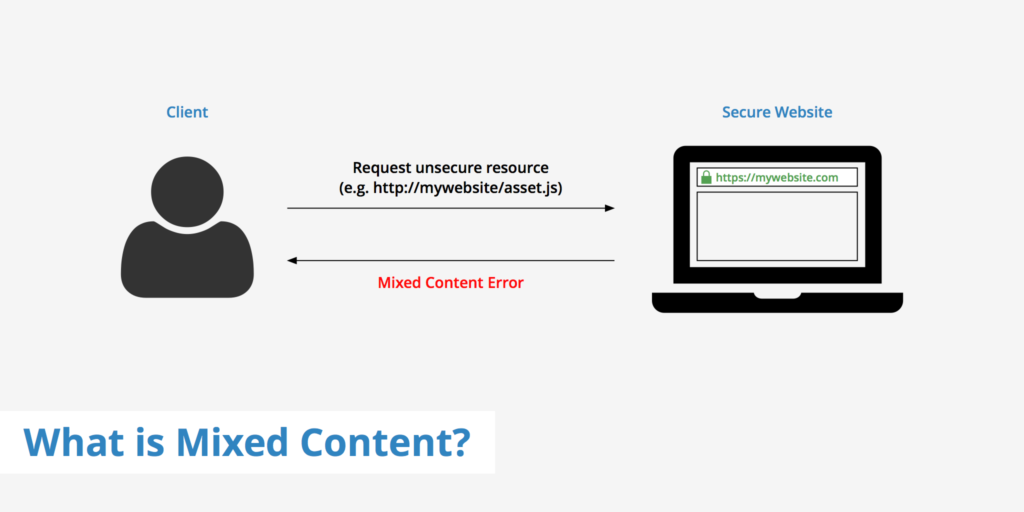
A mixed content error happens when a secure HTTPS webpage loads certain resources through an insecure HTTP connection.
For example, a webpage may load securely using HTTPS, but some resources such as:
- Images
- Scripts
- Videos
- CSS files
- Fonts
may still load through HTTP.
Because secure and insecure resources are mixed together, browsers display security warnings.
Why Mixed Content Errors Happen
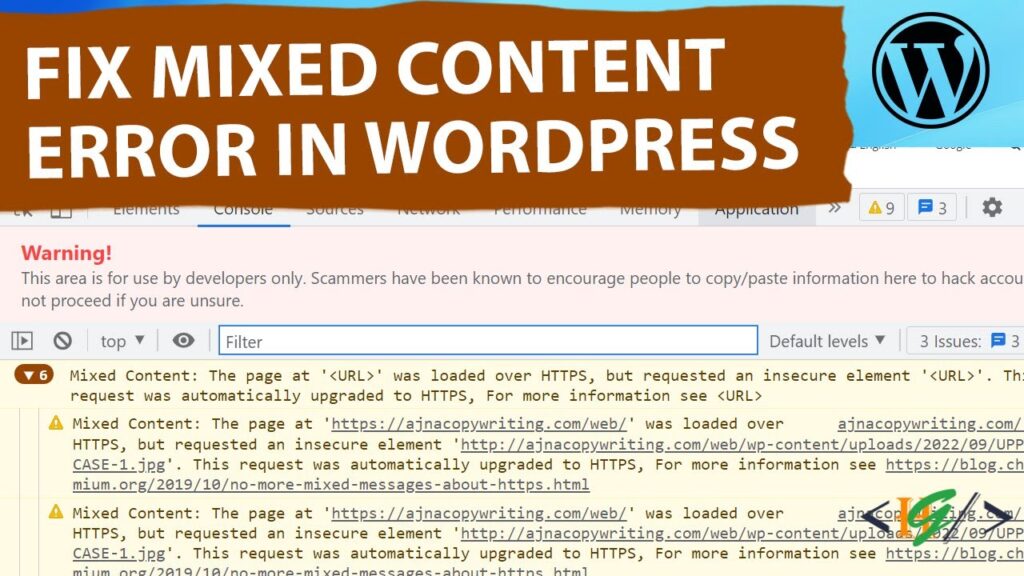
This issue usually appears after enabling SSL on a website.
Common causes include:
- Old HTTP links inside pages
- Hard-coded resource URLs
- Plugin-related issues
- Theme file errors
- Database links using HTTP
- Third-party content sources
Many websites continue loading older resource paths after switching to HTTPS.
Why Mixed Content Errors Matter
Some website owners ignore these warnings, but mixed content problems can create several issues.
Possible effects include:
Reduced Visitor Trust
Modern browsers display security warnings that can make visitors uncomfortable.
Broken Website Design
Images, stylesheets, and scripts may stop loading.
Lower User Experience
Pages can appear incomplete or function incorrectly.
Potential SEO Impact
Search engines prefer secure websites and better browsing experiences.
Security Concerns
Insecure resources can create opportunities for attacks.
Fixing these issues helps maintain a safer and more professional website.
Types of Mixed Content
Mixed content generally appears in two forms.
Passive Mixed Content
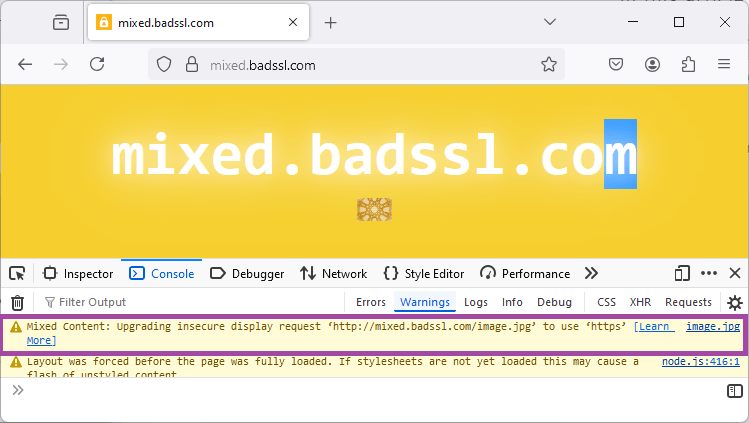
Passive content includes resources that do not directly affect webpage behavior.
Examples:
- Images
- Audio files
- Video content
Although less dangerous, browsers may still show warnings.
Active Mixed Content
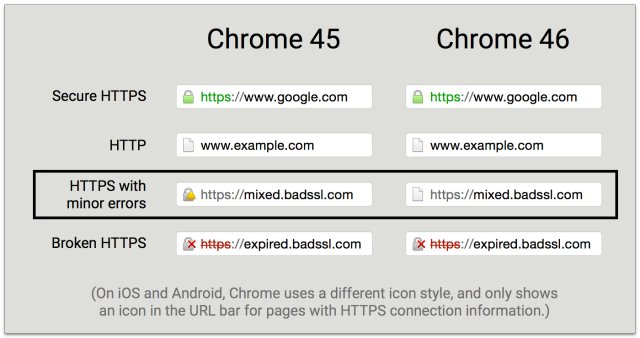
Active content directly interacts with website functions.
Examples:
- JavaScript files
- CSS files
- Embedded scripts
Browsers often block active mixed content automatically because it creates greater security risks.
How to Identify Mixed Content Issues

Before fixing the problem, identify which files create warnings.
Methods include:
Browser Inspection Tools
Most browsers provide developer tools.
Open:
- Right click page
- Select Inspect
- Open Console tab
Error messages often identify insecure resources.
Online SSL Testing Tools
Website testing tools can scan pages and detect insecure resources.
These reports help locate problem files faster.
1: Update WordPress Address Settings
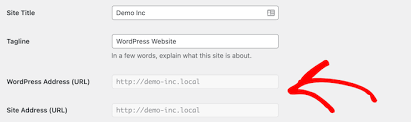
Incorrect WordPress settings can create HTTPS problems.
Check:
Settings → General
Verify:
- WordPress Address URL
- Site Address URL
Both should begin with:
https://
Incorrect URLs frequently create mixed content errors.
2: Replace Old HTTP Links

Older links stored inside content or databases often continue loading insecure resources.
Search for:
http://yourwebsite.com
Replace with:
This updates resource locations.
3: Check Theme Files
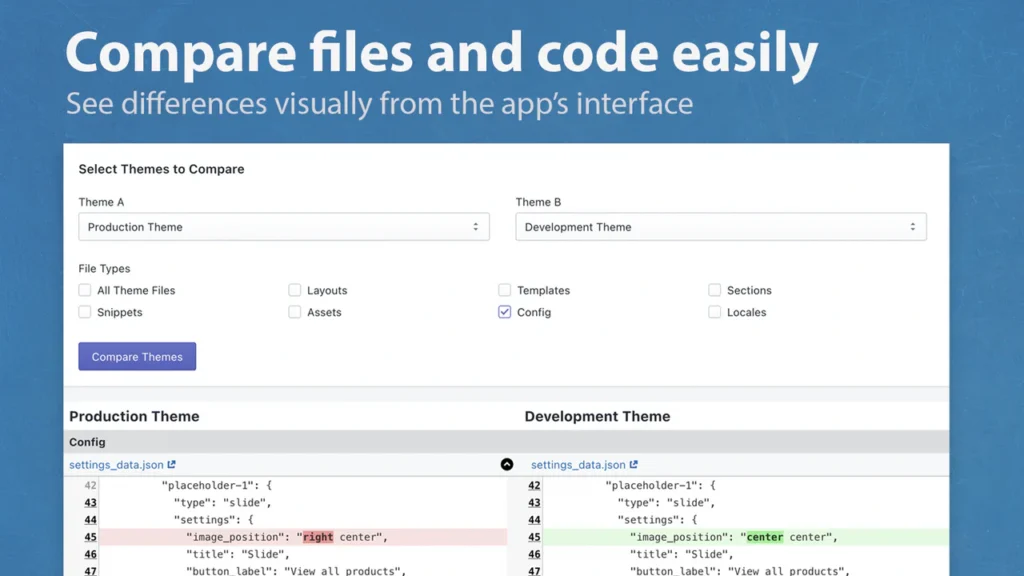
Theme files sometimes contain manually added links.
Review important files:
- header.php
- footer.php
- functions.php
- custom template files
Look for hard-coded HTTP resources.
Replace them with HTTPS versions.
4: Review Plugin Settings
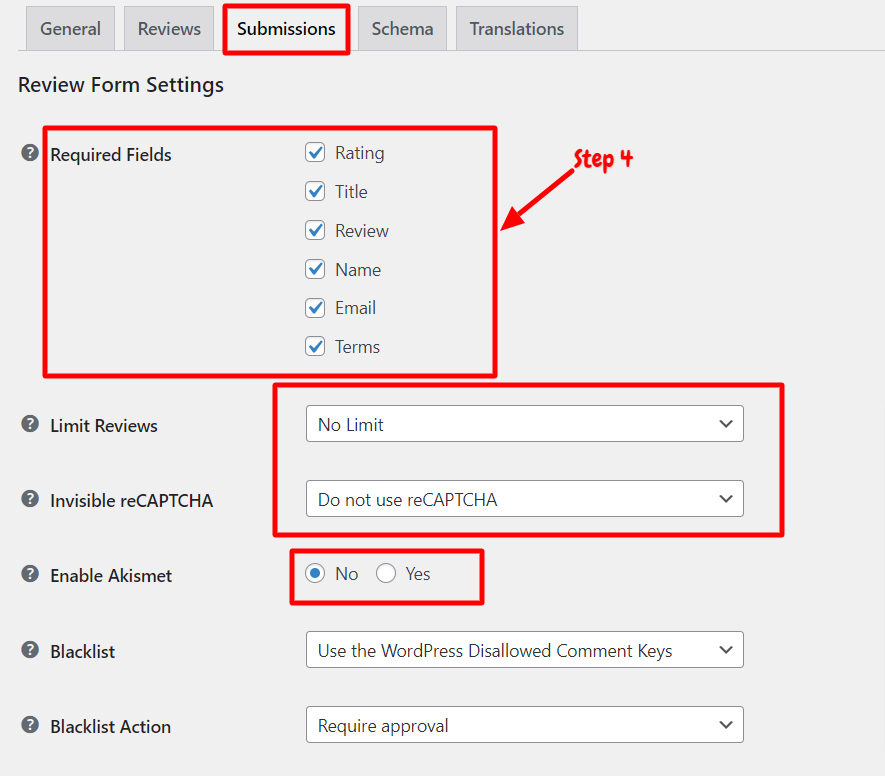
Some plugins store resource URLs separately.
Check plugin settings for:
- External scripts
- Image links
- Embedded resources
Update outdated URLs where necessary.
5: Force HTTPS Across the Website
Redirect all traffic through HTTPS.
Common methods include:
- Hosting settings
- Configuration rules
- SSL redirection tools
Consistent HTTPS usage reduces future problems.
6: Clear Cache After Changes
Cached files sometimes continue showing old resources.
Clear:
- Browser cache
- Website cache
- CDN cache
- Server cache
After clearing cache, reload the website and verify changes.
How to Prevent Mixed Content Errors
Prevention saves time and reduces technical problems.
Recommended practices:
- Use HTTPS from the beginning
- Install trusted themes
- Use quality plugins
- Avoid hard-coded URLs
- Test websites after SSL installation
- Perform regular maintenance
Small checks help prevent future issues.
Final Thoughts
Mixed content errors commonly appear after SSL installation, but they are usually straightforward to fix. Most cases involve outdated resource links, plugin conflicts, or incorrect settings.
Correcting these issues improves website security, visitor trust, and overall browsing experience. Maintaining secure HTTPS connections across every website resource creates a stronger and more reliable website.
FAQs
1. What is a mixed content error?
A mixed content error occurs when a secure HTTPS webpage loads resources through insecure HTTP links.
2. Can mixed content affect SEO?
Yes. Security warnings and broken resources may affect user experience and website performance.
3. Why do mixed content errors happen after SSL installation?
Old HTTP links often remain inside website files or databases after SSL activation.
4. Can plugins create mixed content issues?
Yes. Some plugins may continue loading outdated resource URLs.
5. How can I check mixed content problems?
Browser developer tools and SSL testing tools can help identify insecure resources.