
Website security is no longer something that website owners can ignore. As cyber threats continue evolving, WordPress users face increasing risks from malware, brute-force attacks, phishing attempts, and unauthorized access. Since WordPress powers a large percentage of websites worldwide, it naturally attracts attention from attackers looking for vulnerabilities.
A secure website protects business information, customer trust, and search performance. Security problems can lead to traffic loss, damaged reputation, and lower rankings in search results.
Following modern WordPress security practices can significantly reduce risk and create a stronger foundation for long-term website success.
Why WordPress Security Matters More in 2026
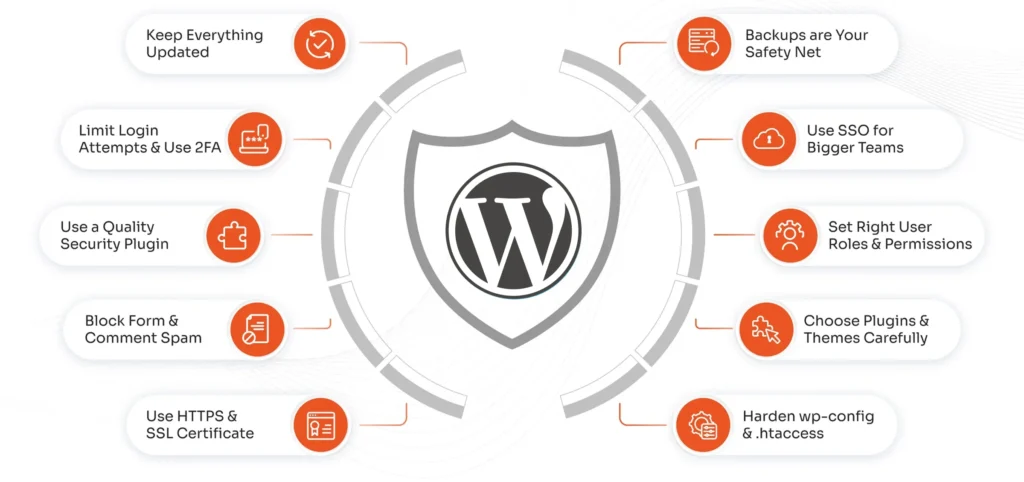
Cybersecurity threats continue becoming more sophisticated. Attackers no longer rely only on basic methods. Automated systems can scan thousands of websites searching for outdated software, weak passwords, and vulnerable plugins.
Security is important because it helps:
- Protect sensitive information
- Prevent website downtime
- Reduce malware infections
- Maintain customer trust
- Support SEO performance
A hacked website can affect both visitors and business growth.
Use Strong Login Credentials
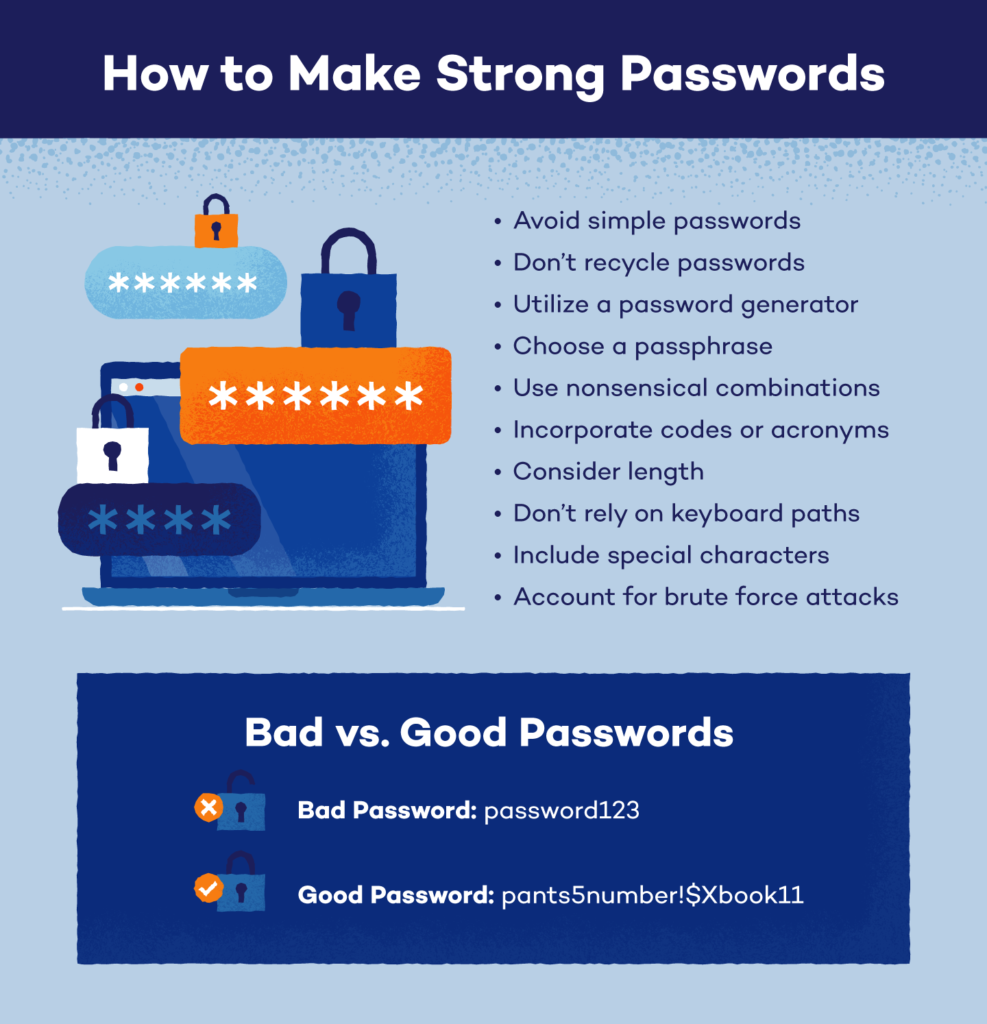
Weak login information remains one of the biggest security problems.
Avoid passwords such as:
- admin123
- password123
- website2026
Create stronger passwords by combining:
- Uppercase letters
- Lowercase letters
- Numbers
- Special characters
Long and unique passwords reduce unauthorized access attempts.
Enable Two-Factor Authentication
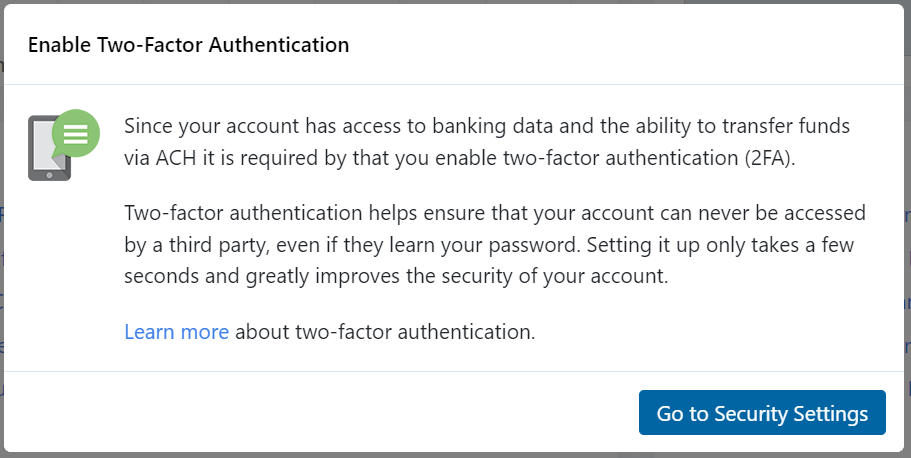
Two-factor authentication adds another protection layer.
Users verify login attempts using:
- Authentication applications
- Email codes
- Mobile verification methods
Even if someone discovers a password, additional verification can stop unauthorized access.
Keep WordPress Updated
Updates are critical for security.
Website owners should regularly update:
- WordPress core files
- Plugins
- Themes
Updates often include:
- Security patches
- Performance improvements
- Bug fixes
- Compatibility updates
Running outdated software creates opportunities for attackers.
Remove Unused Plugins and Themes
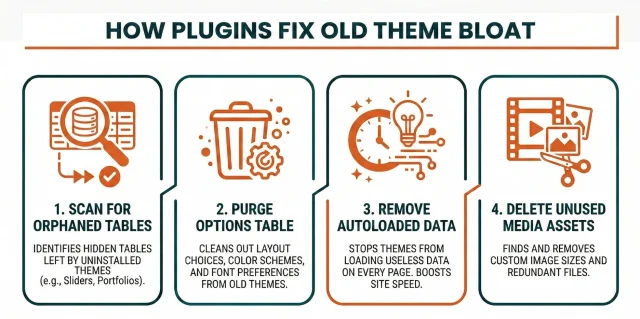
Inactive tools can still create security risks.
Many website owners install plugins and forget about them later.
Unused plugins may:
- Contain vulnerabilities
- Increase resource usage
- Create compatibility issues
Delete unnecessary plugins and themes instead of leaving them inactive.
Choose Trusted Plugins Only
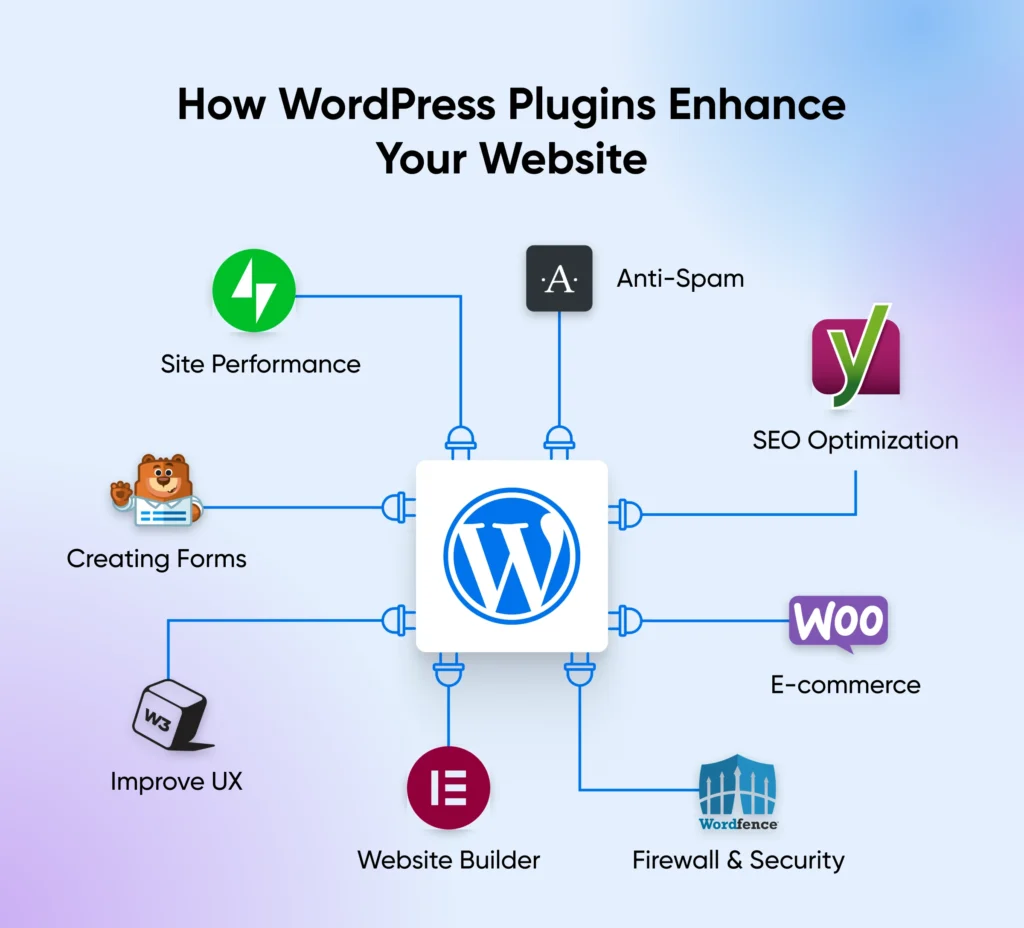
Installing random plugins from unknown developers increases risk.
Before installing:
- Review ratings
- Check update history
- Verify developer reputation
- Read user feedback
Quality matters more than quantity.
Change the Default Login URL
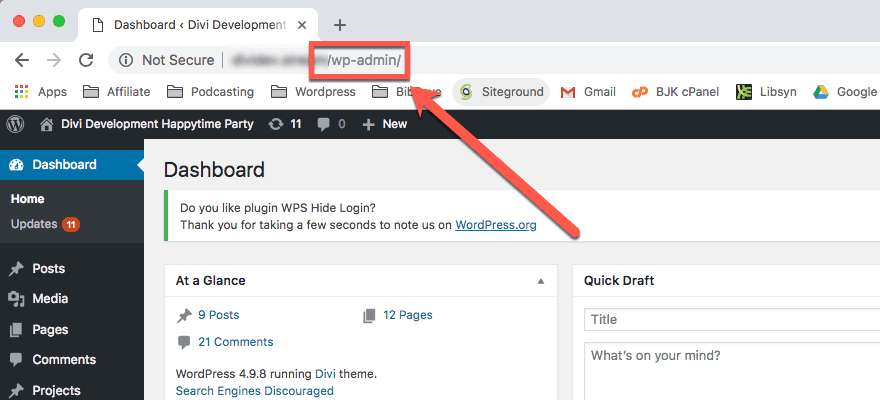
Many WordPress websites use standard login paths.
Attackers frequently target these pages through automated login attempts.
Changing the login URL helps reduce:
- Brute-force attacks
- Bot traffic
- Unauthorized login attempts
Custom login pages create an additional barrier.
Install a Security Plugin
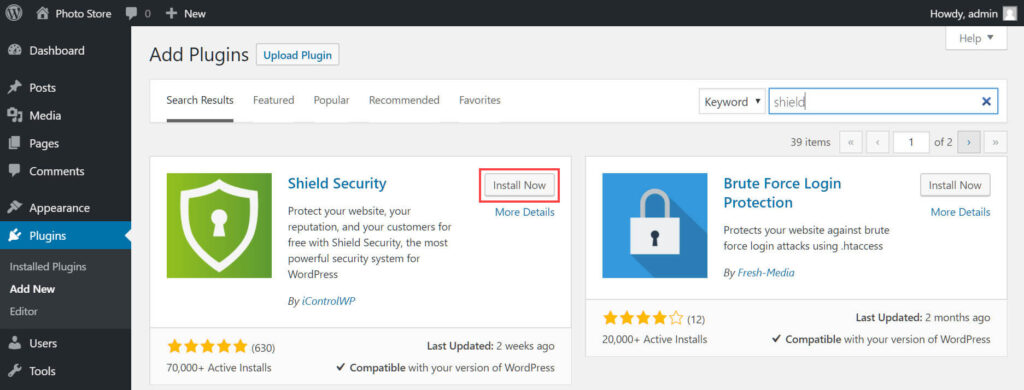
Security plugins provide monitoring and protection features.
Useful features include:
- Malware scanning
- Firewall protection
- Login monitoring
- Suspicious activity alerts
- Security reports
Regular monitoring helps identify issues early.
Enable Automatic Website Backups
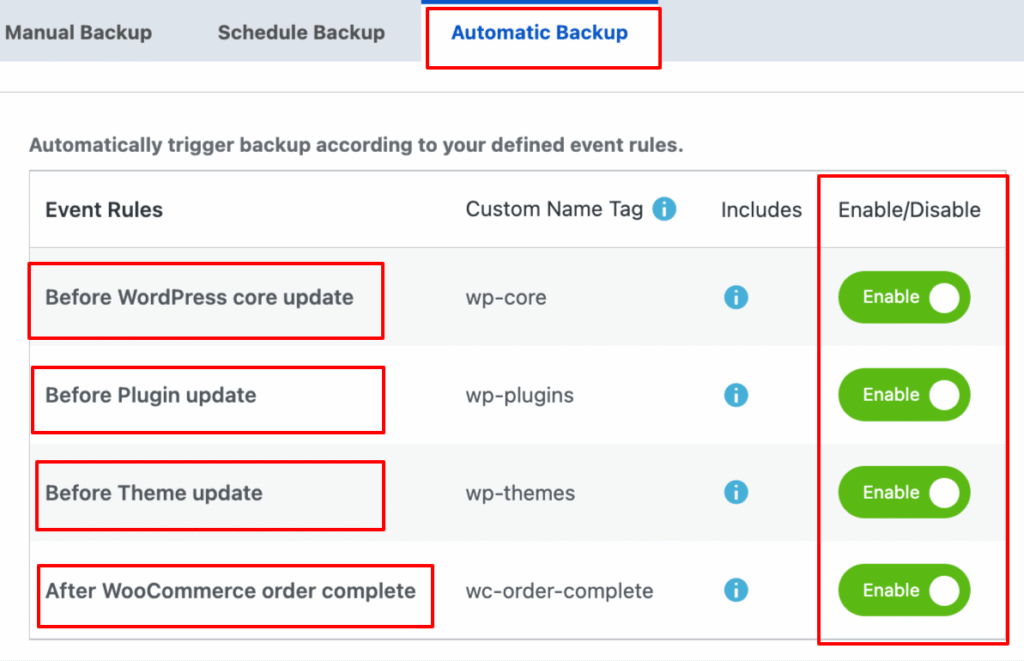
Backups are important because security incidents can happen unexpectedly.
Good backup practices include:
- Daily backups
- Cloud storage backups
- Multiple backup copies
Backups allow faster recovery if something goes wrong.
Use SSL Certificates
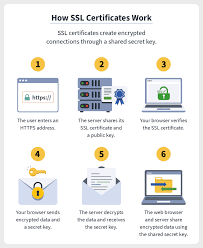
SSL certificates encrypt information exchanged between websites and visitors.
Benefits include:
- Secure communication
- Increased visitor trust
- Better browser security indicators
- Improved SEO support
Modern websites should always use HTTPS connections.
Limit Login Attempts
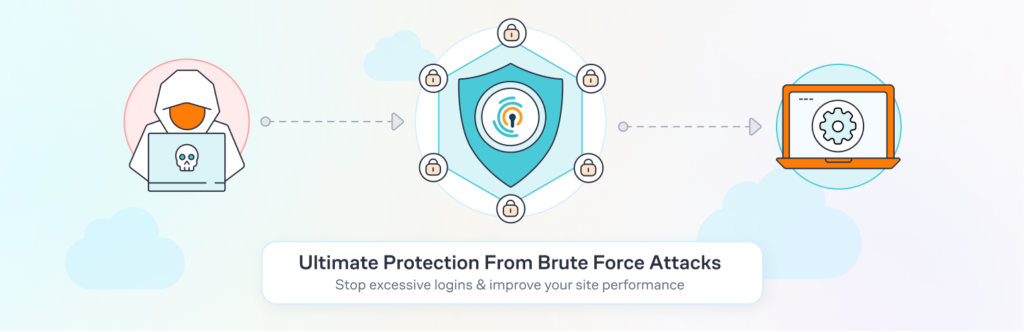
Unlimited login attempts make websites vulnerable to brute-force attacks.
Limiting attempts helps:
- Block repeated failed logins
- Reduce automated attacks
- Protect user accounts
Security improves significantly with this simple adjustment.
Monitor User Permissions
Not every website user needs full administrative access.
Assign permissions carefully:
- Administrator
- Editor
- Author
- Contributor
Limiting access reduces potential security problems.
Scan Websites for Malware
Regular scanning helps detect hidden threats.
Security scans can identify:
- Malicious scripts
- Suspicious files
- Unauthorized changes
- Hidden vulnerabilities
Early detection prevents larger issues later.
Protect the Database
Your database stores critical website information.
Database security recommendations:
- Change default database prefixes
- Create strong database passwords
- Restrict database access
Strong database protection reduces attack opportunities.
Security and SEO Connection
Website security affects SEO more than many people realize.
Security issues can cause:
- Search ranking drops
- Browser warnings
- Reduced traffic
- Decreased user trust
Search engines prioritize safe user experiences.
Final Thoughts
WordPress security in 2026 requires proactive management rather than reactive fixes. Website owners who combine strong passwords, regular updates, backups, monitoring, and trusted tools can reduce risks significantly.
Building security into daily website management creates a safer experience for visitors while protecting long-term website performance and search visibility.
FAQs
1. Why is WordPress security important?
WordPress security protects websites from malware, hacking attempts, and unauthorized access.
2. Can plugins create security risks?
Yes. Poorly developed or outdated plugins can introduce vulnerabilities.
3. How often should WordPress be updated?
Updates should be installed whenever stable versions become available.
4. Does SSL improve website security?
Yes. SSL encrypts communication and helps protect user information.
5. Can a hacked website affect SEO?
Yes. Security issues can lower rankings and reduce visitor trust.