
Creating high-quality videos traditionally requires cameras, editing software, scripts, voiceovers, and considerable time. Artificial intelligence is changing this process by allowing users to generate and edit videos with simple text instructions and automated tools.
The best AI video generators can help marketers, content creators, businesses, educators, and social media users produce engaging videos without requiring advanced video-editing skills. These platforms can turn written ideas into visual content, create presentations, generate avatars, and assist with many other video production tasks.
What Are AI Video Generators?
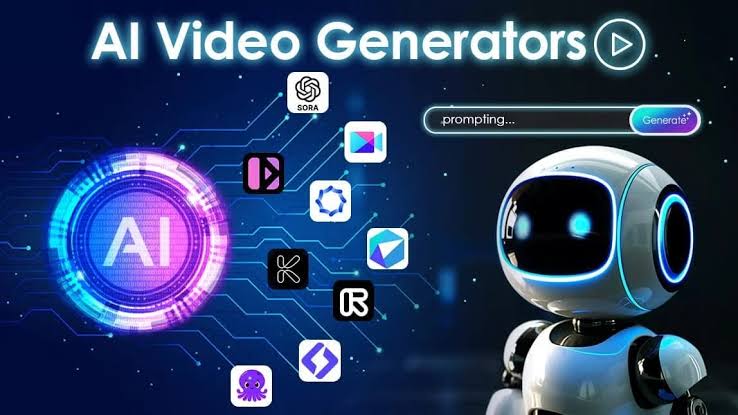
AI video generators are software tools that use artificial intelligence to create or modify video content. Depending on the platform, users may provide a text prompt, script, image, or existing video and receive an automatically generated result.
Some tools focus on realistic scenes, while others are designed for marketing videos, presentations, social media content, or animated clips. The quality and available features vary between platforms.
Why Use an AI Video Generator?
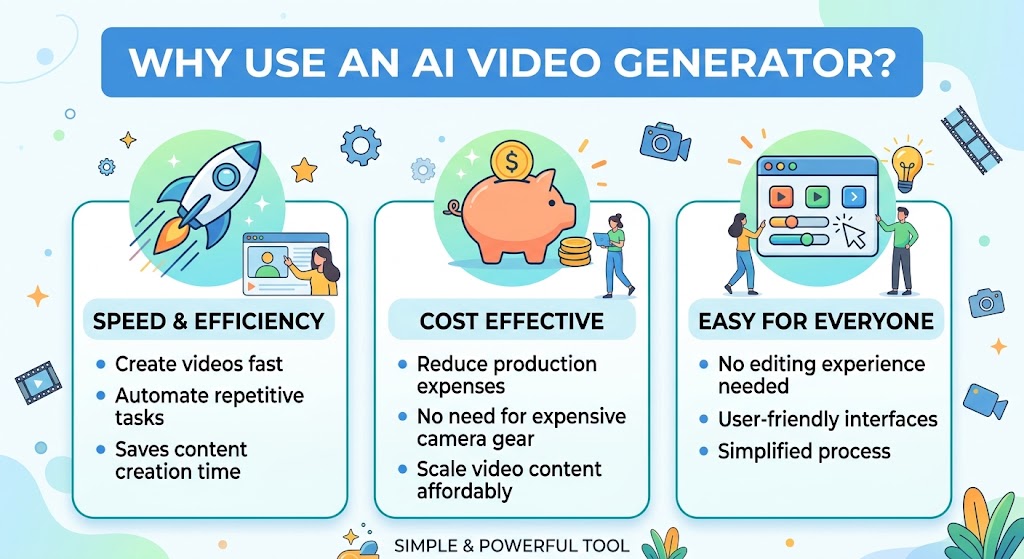
A major benefit of using AI for video production is that it can significantly reduce the time needed to create content. Traditional video production can require hours or even days of preparation and editing. AI technology can handle various stages of the video creation process automatically.
They can also make video creation more accessible. Someone without professional editing experience can create a basic video by entering a script or describing the desired scene.
Other benefits include:
- Faster content production
- Easier video editing
- Automated voice generation
- AI avatars and presenters
- Text-to-video creation
- Image-to-video animation
- Multiple visual styles
- Support for social media content
1. Runway
Runway is an AI-focused creative platform designed for generating and editing visual content. It offers tools that can transform text or images into video and provides features for experimenting with different creative concepts.
It can be useful for filmmakers, designers, marketers, and creators who want more control over AI-generated visuals.
2. Synthesia
Synthesia focuses on AI-generated presenter videos. Users can create videos from scripts and use digital avatars to deliver information.
This type of platform can be useful for training materials, company presentations, educational content, product explanations, and internal communications.
Its approach is particularly helpful when you need a presenter but do not want to record a person on camera.
3. Pika
Pika is designed for creating short AI-generated video content from text and visual inputs. It is aimed at creators who want to experiment with imaginative scenes and visual effects.
The platform can be useful for social media clips, creative experiments, promotional concepts, and short-form visual storytelling.
4. InVideo AI
InVideo AI helps users turn written ideas and instructions into videos with minimal effort. Users can provide an idea or script, and the platform can assist with creating a complete video structure.
It can be useful for YouTube creators, marketers, businesses, and social media users who need content without spending extensive time editing individual scenes.
5. HeyGen
HeyGen is an AI video platform that focuses heavily on digital avatars and AI-powered presentations. Users can create videos in which virtual presenters communicate a prepared message.
It can be useful for marketing campaigns, tutorials, business communication, product demonstrations, and educational videos.
6. Adobe Firefly
Adobe Firefly includes generative AI features designed for creative workflows. Its video-related capabilities are aimed at helping creators generate and enhance visual content while working within a broader creative ecosystem.
It can be especially useful for people who already use Adobe’s creative applications and want AI assistance as part of their workflow.
7. VEED
VEED combines online video editing with AI-powered features. Instead of relying only on traditional editing techniques, users can use AI assistance for tasks such as generating content, subtitles, and other production elements.
It is suitable for creators and businesses that want an accessible browser-based video workflow.
How to Choose the Best AI Video Generator
The right tool depends on the type of video you want to produce. There is no single AI video generator that is perfect for every user.
Keep these important points in mind when selecting the right platform.
Video Quality
Look at the realism, resolution, movement, lighting, and consistency of generated videos. If you need professional-looking content, visual quality should be a major consideration.
Ease of Use

Beginners should choose a platform with a simple interface and straightforward workflow. Complicated software can make the production process slower rather than faster.
AI Features
Compare the features offered by each tool. Some specialize in text-to-video generation, while others focus on avatars, editing, animation, or image-to-video creation.
Pricing
Many AI video platforms provide free trials or limited free plans, while advanced features may require a paid subscription. Check the available plans and determine whether they fit your budget.
Export Options
Check whether the platform supports the resolution, file format, aspect ratio, and watermark requirements you need.
Tips for Getting Better AI Video Results
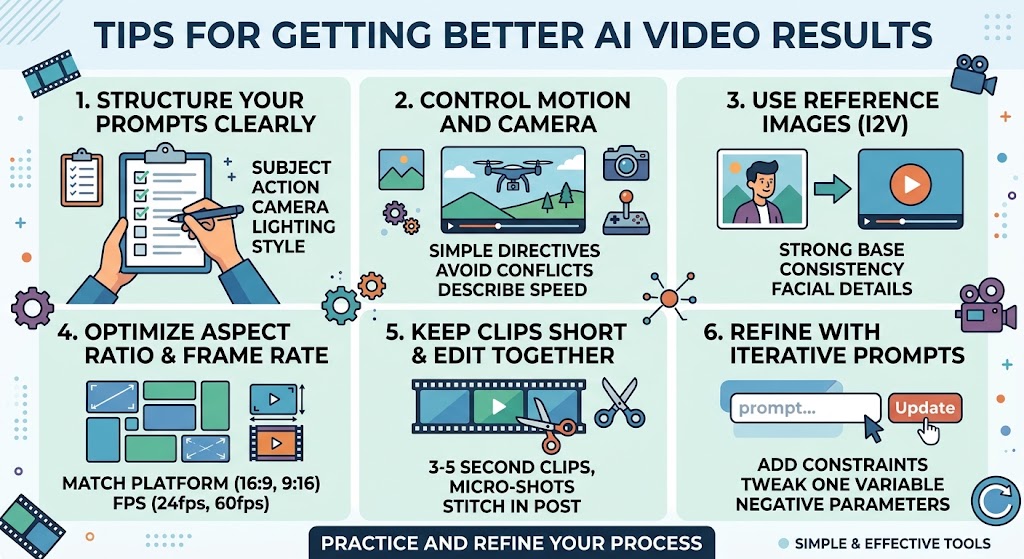
The quality of an AI-generated video often depends on how clearly you describe your idea.
Instead of using a short and vague instruction, provide useful details about the subject, environment, camera movement, visual style, lighting, and mood.
For example, rather than simply asking for a city video, describe the location, time of day, camera angle, atmosphere, and desired visual style.
You should also review AI-generated content carefully. AI systems can sometimes create incorrect details, unusual movements, inconsistent objects, or other visual problems.
Human review remains important, particularly when videos are being created for professional or commercial purposes.
AI Video Generators for Different Users
AI video tools can provide useful advantages for creators, businesses, educators, and other types of users.
Content creators can use them to produce YouTube videos, shorts, and social media clips.
Businesses can create advertisements, product presentations, tutorials, and training materials.
Teachers and educators can develop explanatory videos and learning materials.
Marketers can experiment with promotional videos and social media campaigns.
Designers and filmmakers can use AI-generated footage for concepts, storyboards, and creative experiments.
Can AI Video Generators Replace Traditional Video Production?
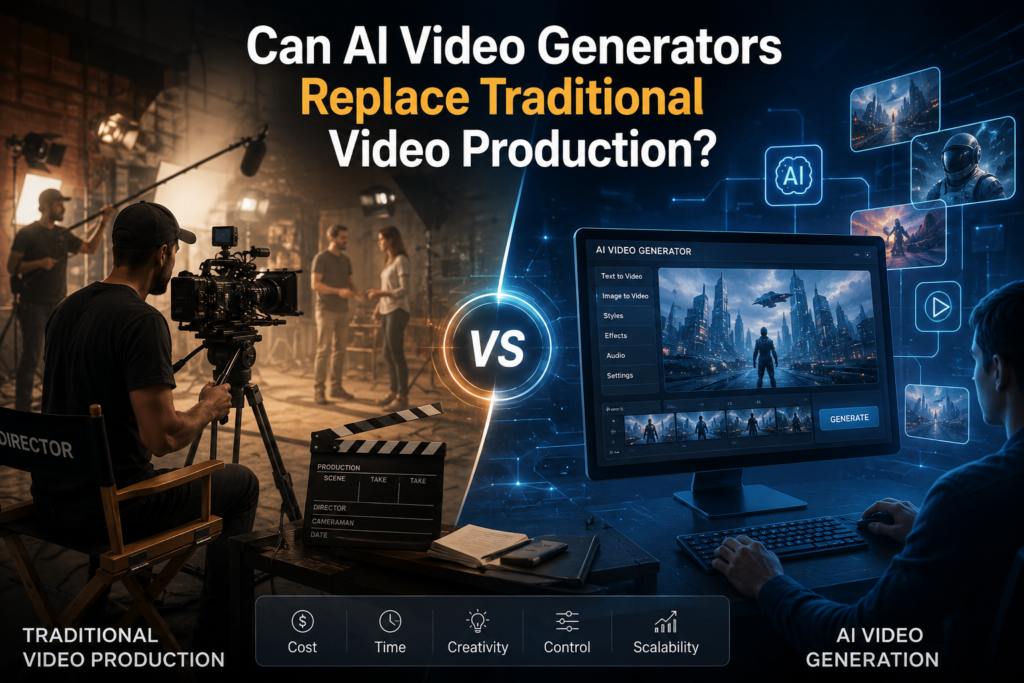
AI video generators are powerful, but they do not completely replace traditional video production. Professional projects often require creative direction, detailed editing, storytelling, human judgment, and quality control.
AI is better viewed as a production assistant that can automate repetitive tasks and help creators turn ideas into visual content more quickly.
As the technology develops, AI video tools are likely to become more capable and easier to use.
Conclusion
The best AI video generators can make video production faster, easier, and more accessible. Tools such as Runway, Synthesia, Pika, InVideo AI, HeyGen, Adobe Firefly, and VEED offer different approaches to AI-powered video creation.
Before choosing a platform, consider your content type, required quality, available features, budget, and editing needs. Most importantly, experiment with different tools and evaluate the actual results rather than choosing a platform based only on its feature list.
AI can significantly simplify video creation, but human creativity and review remain essential for producing useful and engaging content.
FAQs
What is the best AI video generator?
The best option depends on your needs. Some platforms are better for realistic scenes, while others focus on AI avatars, marketing videos, editing, or social media content.
Can AI generate videos from text?
Yes. Many modern AI video platforms can create video content from written prompts or scripts.
Are AI video generators free?
Some offer free plans or trials with limited features. Advanced capabilities, higher limits, or commercial features may require a paid subscription.
Can beginners use AI video generators?
Yes. Many AI video tools are designed for users with little or no professional video-editing experience.
Are AI-generated videos good for YouTube?
They can be useful for YouTube content, provided the videos offer original value and meet YouTube’s applicable content and monetization requiOne of the biggest advantages of AI video creation is time savings. ements.
Can AI create realistic videos?
Yes, some advanced systems can produce highly realistic scenes. However, generated footage may still contain visual inconsistencies, so reviewing the final video is important.
What should I consider before choosing an AI video tool?
Consider video quality, available AI features, ease of use, pricing, export options, commercial-use terms, and the type of content you want to create.