
Introduction
A reliable internet connection has become an essential part of everyday life. People use the internet for online education, remote work, video streaming, gaming, business communication, and browsing. However, even when users subscribe to a high-speed internet plan, they may experience slow downloads, buffering videos, delayed video calls, or unexpected network interruptions. These problems often raise an important question: Is the internet connection actually delivering the speed promised by the service provider?
The best sites to test internet speed help users understand how their internet connection performs in real-world conditions. These online tools measure important network performance indicators, including download speed, upload speed, ping, latency, jitter, and sometimes packet loss. By checking these measurements, users can identify possible network issues and determine whether their connection is suitable for their daily activities.
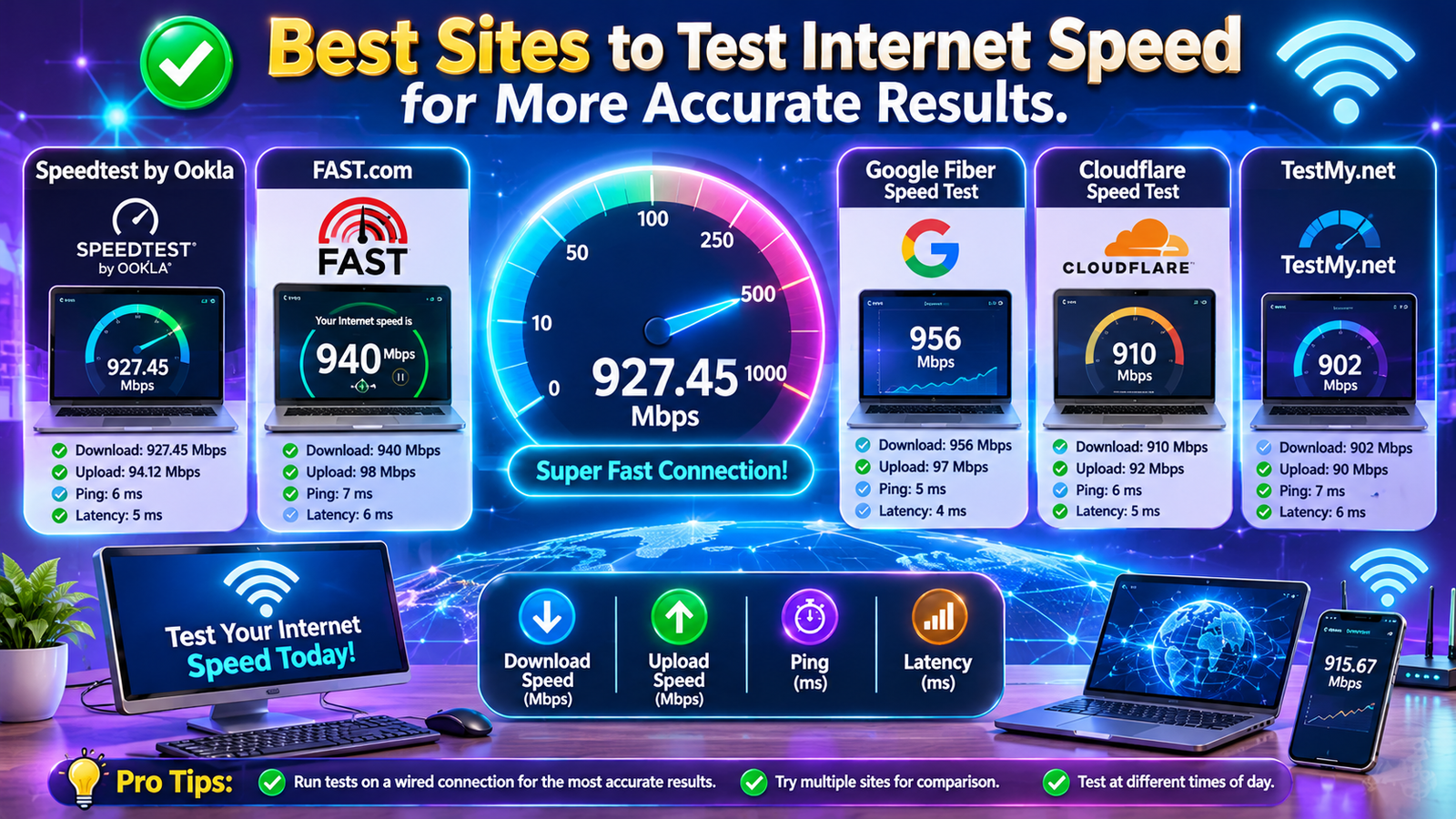
Some internet speed testing platforms are designed for quick and simple measurements, while others provide detailed network diagnostics. Speedtest by Ookla, Fast.com, Cloudflare Speed Test, TestMy.net, and Measurement Lab are popular options for checking internet performance.
The best internet speed test site for you depends on what you need to measure. A gamer may prioritize low latency, a remote worker may require stable upload speed, and a streaming user may focus on download performance. This guide explains the best internet speed test websites, their features, benefits, limitations, and practical ways to obtain more reliable results.
Why Use the Best Sites to Test Internet Speed?
Internet speed testing websites allow users to evaluate their connection without installing complicated software. Most tools work directly through a browser and provide results within a short period.
Testing your internet speed can help you understand whether your connection is performing properly. For example, if your internet plan provides 100 Mbps but your repeated tests show significantly lower results under suitable testing conditions, you may need to investigate your router, Wi-Fi network, or internet service provider.
These sites can also help track how network performance changes throughout the day. Internet connections can experience congestion during busy hours, particularly when multiple devices are connected to the same network.
Regular speed testing can help users:
- Measure how quickly their connection can download and upload data.
- Identify potential Wi-Fi problems.
- See how connection speeds differ between busy and quieter times of day.
- Understand whether their connection supports gaming and video streaming.
- Evaluate network stability for online meetings.
- Record your speed-test results before reaching out to your internet provider.
Keep in mind that running a test won’t, by itself, make your connection faster. Instead, it provides useful information that can help you identify the cause of slow internet performance.
Top 10 Best Sites to Test Internet Speed
Several online platforms provide free internet speed testing services. The following websites are useful for different purposes, from basic speed measurements to advanced network diagnostics.
1. Speedtest by Ookla
Website: https://www.speedtest.net/
Speedtest by Ookla is one of the most widely recognized internet speed testing platforms. It is suitable for users who want to check their overall internet performance quickly and conveniently.
The platform measures download speed, upload speed, and ping. Users can also select different test servers and compare results across multiple measurements. Its mobile applications and result history features make it convenient for users who want to monitor their connection over time.
Speedtest by Ookla is particularly useful for checking whether an internet connection is performing close to the speed provided by an internet service provider.
Best for: General internet speed testing and ISP performance comparisons.
2. Fast.com
Website: https://fast.com/
Fast.com is an easy-to-use internet speed testing website developed by Netflix. Its simple interface makes it an excellent choice for people who want to check their internet speed without unnecessary settings.
The website automatically begins measuring download performance when users open the page. Additional information, including upload speed and latency, can be displayed through the advanced information option.
Fast.com is especially helpful for users who regularly watch online videos and want a quick indication of their connection’s performance toward Netflix’s network.
Best for: Quick download speed checks and streaming-related testing.
3. Cloudflare Speed Test
Website: https://speed.cloudflare.com/
Cloudflare Speed Test is a useful platform for users who want more detailed information about their internet connection. It provides measurements such as download speed, upload speed, latency, jitter, and packet loss.
These metrics are important because a high download speed does not always guarantee a smooth online experience. For example, online games and video calls may perform poorly when latency increases or packet loss occurs.
Cloudflare’s testing approach focuses on connection quality as well as throughput, making it valuable for users who want to investigate network performance.
Best for: Gaming, video calls, and detailed network quality checks.
4. TestMy.net
Website: https://testmy.net/
TestMy.net is a browser-based internet speed testing platform that provides separate download and upload tests. Users can perform customized measurements and repeat tests to compare network performance.
Its testing approach can be helpful when users want an alternative measurement instead of relying on a single speed testing service.
The platform also supports automated testing options, which can help users observe performance patterns over time.
Best for: Independent testing and repeated network measurements.
5. Measurement Lab (M-Lab)
Website: https://speed.measurementlab.net/
Measurement Lab, commonly known as M-Lab, provides internet measurement tools that support public research and network performance analysis.
Its Network Diagnostic Tool, or NDT, measures important aspects of internet performance. M-Lab also makes measurement data available for research purposes.
This platform is useful for people who want to understand their connection through a research-oriented testing service. Users should review its privacy information because some measurement data may be publicly accessible.
Best for: Research-oriented measurements and network diagnostics.
6. SpeedOf.Me
Website: https://speedof.me/
SpeedOf.Me is a browser-based internet speed testing website that focuses on a straightforward testing experience. It uses browser technologies to measure connection performance without requiring traditional desktop software.
Its interface displays test results visually, helping users observe how their connection behaves during the measurement.
The platform can be useful for users who prefer a simple alternative to larger speed testing services.
Best for: Browser-based testing and visual result monitoring.
7. SpeedSmart
Website: https://speedsmart.net/
SpeedSmart is an internet speed testing service that allows users to measure download speed, upload speed, and ping.
It offers a convenient testing experience for people who want to evaluate their internet connection using a browser or supported mobile applications.
Users who regularly test their connection can use the platform to compare results and identify possible changes in network performance.
Best for: Routine internet speed monitoring.
8. nPerf
Website: https://www.nperf.com/
nPerf provides internet performance testing tools that evaluate several aspects of a network connection.
Depending on the available test, users can measure download speed, upload speed, and latency. The platform also offers additional information related to browsing, streaming, and mobile network performance.
It can be helpful for people who want to evaluate their internet connection beyond a basic download speed measurement.
Best for: Comprehensive internet and mobile network performance testing.
9. Opensignal
Website: https://www.opensignal.com/
Opensignal focuses on mobile network performance and connectivity experiences. Its tools and reports can help users understand cellular internet performance, including 4G and 5G network experiences.
It is particularly relevant for users who rely on mobile data rather than a fixed broadband connection.
Opensignal also provides network experience information and coverage-related insights in supported locations.
Best for: Mobile internet performance and cellular network comparisons.
10. Waveform Bufferbloat Test
Website: https://www.waveform.com/tools/bufferbloat
Waveform provides a specialized bufferbloat testing tool. Bufferbloat occurs when network equipment queues excessive data, potentially causing latency to increase while a connection is busy.
This issue can affect gaming, video conferencing, and other real-time applications. A connection may have excellent download speed but still experience noticeable lag during heavy network activity.
Waveform’s tool helps users evaluate latency changes under load and understand whether their network may be affected by bufferbloat.
Best for: Gaming lag, latency under load, and router performance investigation.
Comparison of the Best Internet Speed Testing Websites
Choosing an internet speed testing website becomes easier when you compare the main features of each platform.
| Website | Main Measurements | Best Use |
| Speedtest by Ookla | Download, upload, ping | General speed testing |
| Fast.com | Download, upload, latency | Streaming performance |
| Cloudflare | Download, upload, latency, jitter, packet loss | Network quality |
| TestMy.net | Download, upload, latency | Repeated testing |
| Measurement Lab | Download, upload, latency | Research measurements |
| SpeedOf.Me | Download, upload, latency | Browser testing |
| SpeedSmart | Download, upload, ping | Speed monitoring |
| nPerf | Download, upload, latency | Overall connectivity |
| Opensignal | Mobile download, upload, latency | Cellular internet |
| Waveform | Latency under load | Bufferbloat diagnosis |
No single website is guaranteed to provide the universally most accurate measurement for every connection. Different platforms use different servers, test methods, and network routes. For a better understanding of your internet performance, use more than one testing service.
Important Internet Speed Test Metrics Explained
Understanding the results is just as important as selecting the right website. Internet speed testing platforms commonly display several technical measurements.
Download Speed
Download speed measures how quickly your device receives data from the internet. It is usually expressed in megabits per second (Mbps).
Higher download speeds generally support faster file downloads, smoother video streaming, and quicker webpage loading.
Upload Speed
Upload speed measures how quickly your device sends data to the internet.
It is important for uploading files, sending emails with attachments, participating in video meetings, and backing up information to cloud storage.
Ping and Latency
Ping and latency describe the time required for data to travel between your device and a server and return. Latency is usually measured in milliseconds (ms).
Lower latency is generally better for online gaming, video calls, and other real-time activities.
Jitter
Jitter measures variations in latency over time. High jitter can cause inconsistent communication and may lead to interruptions during online meetings or gaming sessions.
Packet Loss
Packet loss occurs when some data packets fail to reach their destination. Even a small amount of packet loss can negatively affect real-time applications.
A good internet connection should provide sufficient speed, low latency, and stable performance.
How to Get More Accurate Internet Speed Test Results
Testing your internet connection correctly can improve the usefulness of your measurements. Follow these practical steps to obtain more consistent results.
Use a Wired Ethernet Connection
Whenever possible, connect your computer directly to your router using an Ethernet cable. Wired connections reduce the impact of wireless interference and provide a more stable testing environment.
Close Background Applications
Applications that download updates, stream videos, or upload files can affect your results. Close unnecessary programs before running the test.
Disconnect Unnecessary Devices
Multiple devices sharing the same network may consume available bandwidth. Temporarily disconnect devices that are not needed during testing.
Select a Nearby Test Server
A nearby server often provides lower latency and a more direct measurement of your connection. However, comparing different servers can also help you identify routing-related performance differences.
Run Multiple Tests
Perform several measurements instead of relying on one result. Repeat the tests at different times of the day and compare the results.
Test Your Wi-Fi in Different Locations
If you use Wi-Fi, test your connection near the router and then from the room where you normally use the internet. This can help identify weak wireless coverage.
Use the Same Device and Testing Conditions
When comparing results, try to use the same device, network, and testing method. This reduces the impact of changing conditions.
Frequently Asked Questions (FAQs)
1. What are the best sites to test internet speed?
The best sites to test internet speed include Speedtest by Ookla, Fast.com, Cloudflare Speed Test, TestMy.net, and Measurement Lab. Ookla is useful for general testing, Fast.com is suitable for streaming checks, and Cloudflare provides detailed connection quality measurements.
2. Which internet speed test website is the most accurate?
There is no single internet speed test website that is always the most accurate. Results depend on the testing server, network route, device, and measurement method. Using two or more reputable platforms can provide a more complete understanding of your connection.
3. Is Fast.com a free internet speed testing website?
Yes, Fast.com provides a free internet speed testing service. Users can check their download speed directly through a browser and access additional information about upload speed and latency.
4. How can I check my Wi-Fi speed online?
You can check your Wi-Fi speed by opening a trusted speed testing website such as Speedtest.net or Fast.com on a device connected to your Wi-Fi network. Run the test several times and compare the results.
5. What is a good internet speed for online gaming?
A stable connection with sufficient download and upload speed and low latency is important for online gaming. Many games can operate with moderate bandwidth, but low ping, minimal jitter, and little or no packet loss are especially valuable for competitive gameplay.
6. Why do different speed test websites show different results?
Different websites use different servers, testing techniques, network routes, and measurement durations. Network congestion, Wi-Fi signal strength, and background applications can also affect results.
7. Can an internet speed test improve my connection?
No, an internet speed test cannot directly increase your internet speed. It measures your connection performance and helps identify possible problems. You may improve performance by optimizing your router placement, reducing network congestion, or contacting your ISP.
8. What is the difference between download speed and upload speed?
Download speed measures how quickly your device receives information from the internet, while upload speed measures how quickly your device sends information. Download speed is important for streaming and downloading files, whereas upload speed is useful for video calls, cloud backups, and file sharing.
9. How often should I test my internet speed?
You can test your internet speed whenever you experience slow performance or want to monitor your connection. If you are investigating an ongoing issue, testing at different times of the day over several days can provide more useful information.
10. Which internet speed test is best for checking ping?
Speedtest by Ookla and Cloudflare Speed Test are useful options for checking ping and latency. Cloudflare also provides additional connection quality measurements that can help users investigate latency-related problems.
Conclusion
The best sites to test internet speed provide valuable information about download speed, upload speed, latency, and overall network performance. Whether you are checking your home Wi-Fi, evaluating a mobile connection, troubleshooting online gaming lag, or comparing your ISP’s advertised speeds, a reliable speed testing website can help you make informed decisions.
Speed