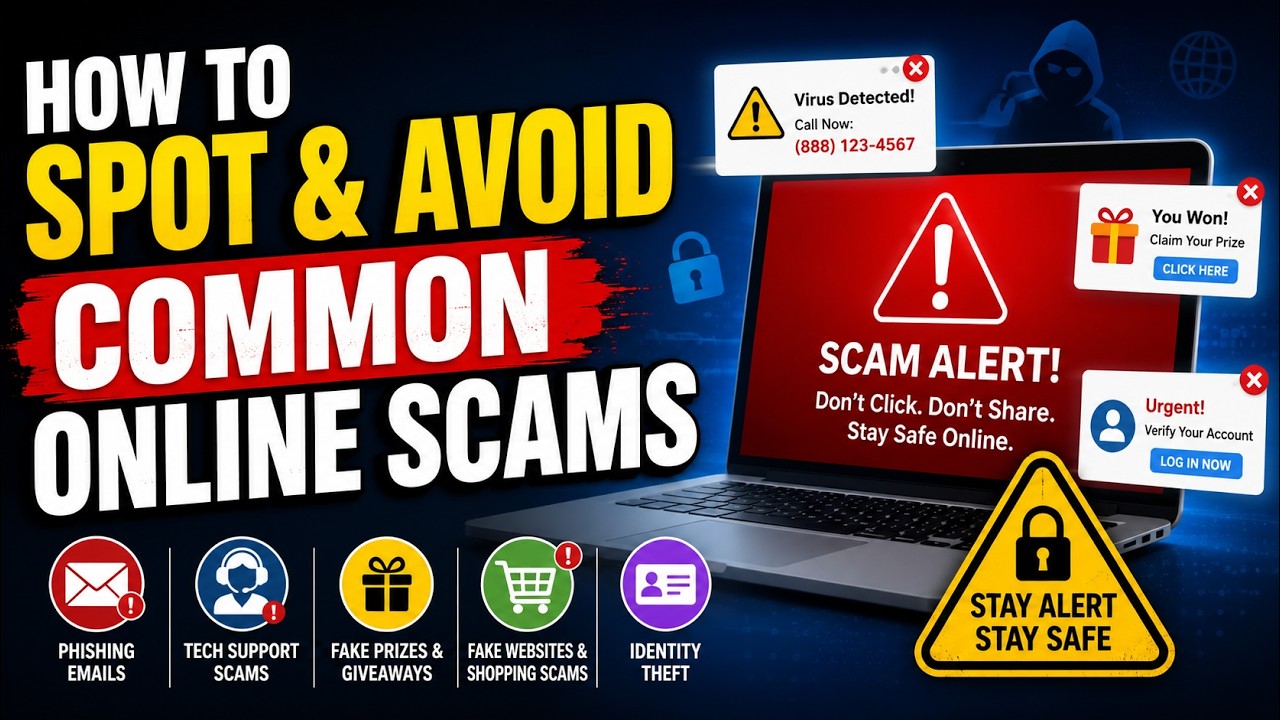

Introduction

The internet has made communication, shopping, banking, education, and entertainment easier than ever. However, the same convenience has also created opportunities for criminals to target unsuspecting users. Common online scams can affect people through emails, social media, websites, messaging apps, phone calls, and online marketplaces.
Scammers often create believable stories to make people reveal personal information, send money, download harmful files, or visit unsafe websites. Understanding how these scams work is one of the most effective ways to stay safe online.This guide covers common internet scams, explains how to recognize suspicious activity, and shares useful ways to keep your accounts and private information secure.
What Are Online Scams?
An online scam is a deceptive activity carried out through the internet or digital communication. The scammer usually pretends to be a trusted person, company, organization, or service. Their goal may be to steal money, passwords, account information, or other valuable data.
Some scams are easy to recognize, while others are carefully designed to look genuine. Criminals may copy logos, create convincing messages, use professional-looking websites, or pretend to know personal details about their targets.
The most important thing to remember is that scammers rely heavily on trust, urgency, fear, and curiosity.
1. Phishing Scams
In a phishing attempt, a scammer sends a message that appears to come from a legitimate organization, such as a bank, shopping website, email provider, or social media platform.
The message may claim that there is a problem with your account and ask you to click a link or confirm information.
For example, an email might say that an account will be locked unless the recipient signs in immediately. The included link may lead to a fake website designed to collect login details.
Warning signs include:
- Unexpected requests for passwords or personal information
- Urgent messages demanding immediate action
- Suspicious links or unusual website addresses
- Spelling and grammar mistakes
- Messages that create fear or panic
Instead of clicking the provided link, open the official website or app directly and check your account there.
2. Fake Shopping Websites
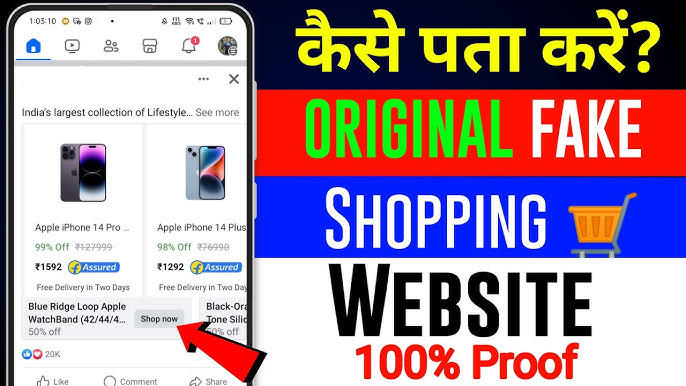
Online shopping scams have become increasingly common. Fraudulent websites may advertise popular products at unusually low prices. The website can look professional, but the seller may not actually provide the product after receiving payment.
Some fake stores also collect customers’ payment or personal information.
Before purchasing from an unfamiliar website, check its reputation, contact information, return policy, and payment options. Be especially careful when a deal appears unrealistic.
A very low price should not automatically be considered a great opportunity.
3. Social Media Scams
Social media platforms are frequently used by scammers because fake profiles can be created quickly. A scammer may pretend to be a friend, influencer, business, or customer-support representative.
Common examples include fake giveaways, investment promotions, account-recovery messages, and fraudulent product offers.
Scammers may also contact users privately and ask them to move the conversation to another platform. They might then request money, personal information, or login codes.
Never assume that a social media profile is genuine simply because it has photographs, followers, or professional-looking posts.
4. Tech Support Scams
In a tech support scam, someone contacts the victim and falsely claims that their computer, phone, or account has a serious security problem.
The scammer may ask the person to install software, provide remote access, or pay for unnecessary services.
A legitimate technology company generally does not randomly contact users and demand immediate access to their devices.
If you receive an unexpected technical-support warning, close the message or browser window and contact the relevant company through its official website.
5. Prize and Giveaway Scams
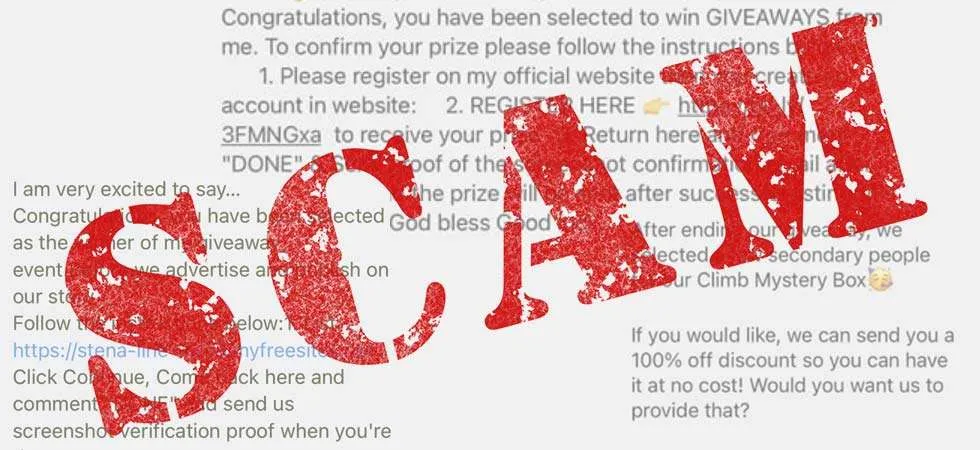
The scammer then requests a payment, personal information, or banking details before the supposed prize can be received.
A genuine prize should not normally require you to pay an unexpected fee simply to claim something you never entered to win.
Be cautious of messages saying you are a winner when you do not remember participating in the competition.
6. Job and Work-From-Home Scams
Fake job advertisements can target people searching for employment or online income opportunities. These scams may promise unusually high earnings for simple tasks.
A fraudulent recruiter might request registration fees, sensitive documents, banking information, or payments for supposed training.
Before accepting an online job, research the company independently. Verify its official website, contact details, and job advertisement. Avoid sending sensitive information to unknown individuals without confirming who they are.
7. Investment and Cryptocurrency Scams
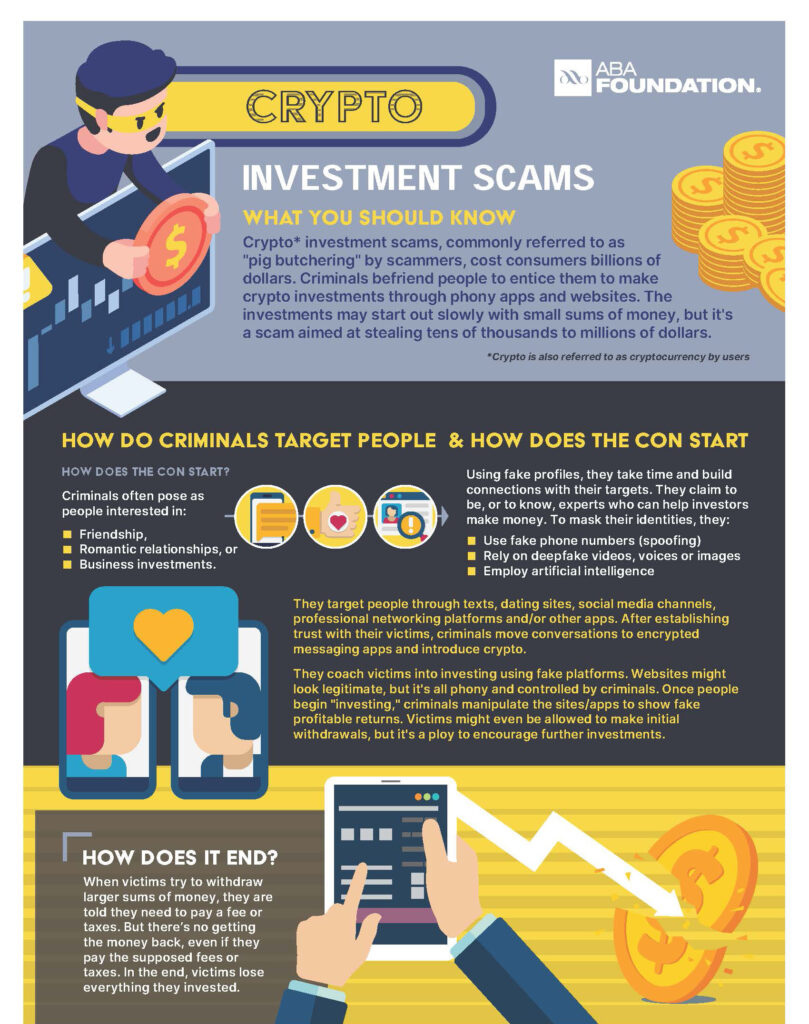
Investment scams often promise quick or guaranteed profits. Some scammers use fake trading platforms, fabricated success stories, or social media profiles to make their offers appear trustworthy.
A common warning sign is pressure to invest immediately because an opportunity supposedly expires soon.
No legitimate investment can guarantee that you will make a specific profit without risk. Always research financial opportunities carefully and discuss major financial decisions with a trusted adult or qualified professional.
How to Identify an Online Scam
Although scams can take many forms, several warning signs appear repeatedly.
Be careful when a message:
- Creates extreme urgency
- Promises unrealistic rewards
- Requests passwords or security codes
- Asks for unexpected payments
- Uses suspicious links
- Comes from an unknown account
- Demands secrecy
- Uses fear to pressure you into acting quickly
Taking a few minutes to verify a message can prevent a serious mistake.
How to Protect Yourself From Online Scams
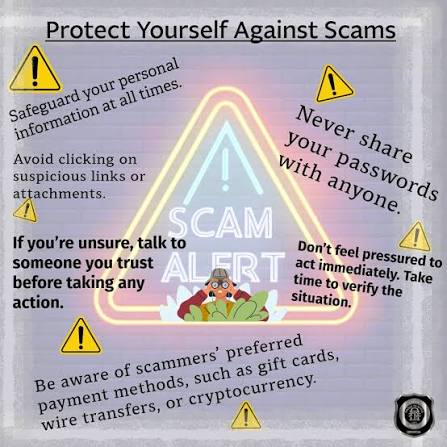
Online safety does not require complicated technical knowledge.Use strong, unique passwords for important accounts and enable multi-factor authentication whenever it is availableAvoid clicking unexpected links, especially when they ask for login or payment information. Instead, visit the official website by entering its address yourself or using a trusted application.
Do not share passwords, authentication codes, banking information, or other sensitive details with strangers online.
It is also useful to pause before responding to urgent messages. Scammers often want people to react emotionally instead of thinking carefully.
Steps to Take After Finding a Scam
If you realize that you have interacted with a suspicious message or website, do not panic. Stop communicating with the suspected scammer and avoid sending additional information.
If you entered a password on a suspicious website, change that password through the legitimate service. If the same password was used elsewhere, update those accounts as well.
For financial issues, contact the relevant bank or payment provider through an official channel as soon as possible. You can also report fraudulent accounts, websites, or messages to the appropriate platform or authorities.
Conclusion
Common online scams continue to evolve as technology changes. From phishing emails and fake shopping websites to social media fraud and fraudulent job offers, scammers use different techniques to gain trust and encourage quick decisions.
The best defense is awareness. Check unexpected messages carefully, avoid suspicious links, protect your passwords, enable additional account security, and never allow pressure to replace careful thinking.
By developing safe digital habits and learning the common warning signs, users can significantly reduce their chances of becoming victims of online fraud.
FAQs
1. What are the most common online scams?
Some common scams include phishing, fake shopping websites, social media fraud, fake giveaways, tech support scams, fraudulent job offers, and investment scams.
2. How can I tell if an online message is a scam?
Look for urgency, suspicious links, unexpected requests for personal information, unusual payment demands, unrealistic promises, and messages from unknown accounts.
3. Should I click a link in an unexpected email?
It is safer not to click unexpected links. Instead, visit the organization’s official website directly and check whether the message is genuine.
4. What should I do if I gave my password to a scammer?
Change the password immediately through the legitimate website or app. If you reused that password on other accounts, change it there as well and enable multi-factor authentication.
5. Can online scams be completely avoided?
No security method can guarantee complete protection, but careful browsing habits, strong passwords, multi-factor authentication, software updates, and awareness can greatly reduce the risk.